1
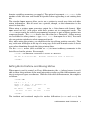
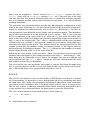
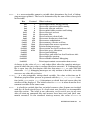
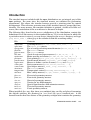
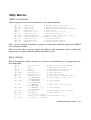
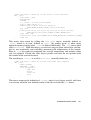
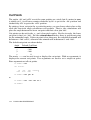
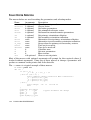
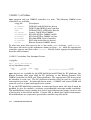
— Sends terminal-specific escape sequences to the display. The
sequences are only written to the "tty" device and only if it is turned on for
output. The sequences are obtained from the system terminal-capability data
base using the value of the environmental variable TERM . The following values
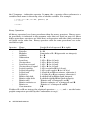
for cmd are recognized:
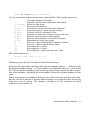
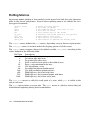
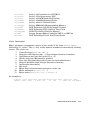
"ho" — Move the cursor to the home position (upper left corner).
"cl" — Clear the screen.
"ce" — Clear to the end of the line.
"cd" — Clear from current position to the end of the screen.
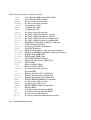
"so" — Start text stand-out mode.
"se" — End text stand-out mode.
"md" — Start bold (intensified) mode.
"me" — End bold mode.
"us" — Start underline mode.
"ue" — End underline mode.
"mb" — Start blink mode. (Note, xterms don’t blink.)
"mh" — Start half-bright mode.
"mr" — Start reverse video mode.
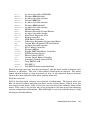
"up" — Move cursor up one line.
"do" — Move cursor down one line.
"le" — Move cursor left one space.
"nd" — Move cursor right one space (nondestructive).
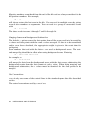
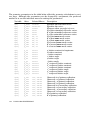
"resized?" — A special option that updates the ROWS and COLS variables in the
event the window size has changed and returns a nonzero value if the
window size has changed since the last call to tty_cntl("resized?") .
tty_cntl(cmd)
Returns true if cmd is recognized, otherwise returns false.
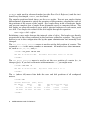
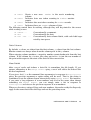
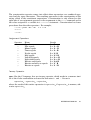
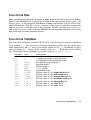
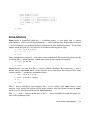
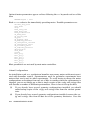
— Moves the cursor to column x and row y of the display, where column 0, row 0 is the upper left corner of the screen. If the third
argument string is present, it is written as a label at the given position. The
sequences and string are only written to the "tty" device and only if it is
turned on for output. Special tty control sequences of the form \[xx] , where
xx is one of the codes listed for the tty_cntl() function above, can be used
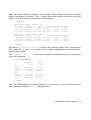
with string . Negative x or y position the cursor relative to the left or bottom
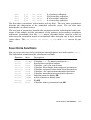
edges of the screen, respectively. Relative moves are possible by adding ±1000
to x or y position arguments. Both coordinates must specify either relative or
absolute moves. If one coordinate specifies a relative move, the absolute move
in the other coordinate will be ignored. Please note, not all terminal types support relative moves. Returns true.
tty_move(x, y [, string ])
REFERENCE MANUAL
87