1
needs to be packaged with the software. The input and output files, in a LiSA specific format, are
passed to the algorithm executable via the commandline. A simple class, ExternalAlgorithm was
written to run the executable via a system call:
std::string command = "bin\\" + name + " " + input + " " + output;
system(command.c_str());
This small bit of code was all that was required to call the algorithm, input and output are attributes
of the class which are passed to the constructor. They are merely strings containing the filename of the
input and output .LSA files.
Writing a class to read and write the LSA files themselves was a more complex task. When run externally to LiSA the Branch & Bound executable outputs only the job order (see Appendix B), so the class
has to reconstruct the completion dates of each job on the machine, compute the lateness for each job,
and then pick the largest lateness value, Lmax . An example output.lsa follows:
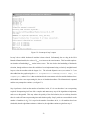
<SCHEDULE>
m= 1
n= 3
LR= {
{
3 }
{
2 }
{
1 }
}
</SCHEDULE>
The lines m and n correspond to the number of machines and jobs in the problem respectively. The
LR section indicates job orders - in this example, the job order is 3,2,1. The SubProblem class encapsulates the idea of the subproblem and provides the functionality to handle LSA files. First, bool
SubProblem::readLsa() is called, which uses a simple while-loop checking for the end-of-file
to read the input.lsa into a single string, returning false if this operation is unsuccessful and the result
of the function call to bool SubProblem::parseLsa(std::string filestring) otherwise. This function jumps to the LR section of the input file held in the string, at which point it begins
to iterate character by character until it finds a number, which it then adds to a map (a kind of key-value
27