1
ADOBE FRAMEMAKER 114
MIF Reference
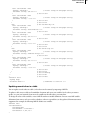
Objects inherit the values of these statements from previous objects. Since these statements are used only to change
the inherited value from a previous object, the statements are not needed for every object. For example, if you write
out a MIF file, not all objects will contain these statements.
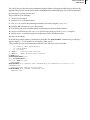
If these statements do not appear in an object or MIF file, the following rules apply:
•
If an object does not contain the RunaroundType statement or the RunaroundGap statement, FrameMaker uses
the values from the previous RunaroundType and RunaroundGap statements.
•
If no previous RunaroundType and RunaroundGap statements exist in the MIF file, FrameMaker uses the default
values <RunaroundType None> and <RunaroundGap 6.0>.
•
For example, if the <RunaroundGap 12.0> statement appears, all objects after that statement have a 12.0 point
gap from text that flows around them. If this is the only RunaroundGap statement in the MIF file, all objects
before that statement have a 6.0 point gap (the default gap value) from the text that flows around them.
•
If the MIF file does not contain any RunaroundType statements or RunaroundGap statements, FrameMaker uses
the default values <RunaroundType None> and <RunaroundGap 6.0> for all objects in the file.
•
For example, 3.x and 4.x MIF files do not contain any RunaroundType statements. When opening these files,
FrameMaker uses the default value <RunaroundType None>, and text does not flow around any of the existing
graphic objects in these files.
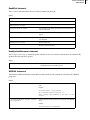
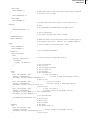
AFrames statement
The AFrames statement contains the contents of all anchored frames in a document. A document can have only one
AFrames statement, which must appear at the top level in the order given in “MIF file layout” on page 52.
The contents of each anchored frame are defined in a Frame statement. Within the text flow, an AFrame statement
indicates where each anchored frame appears by referring to the ID provided in the original frame description (see
“ParaLine statement” on page 132).
Syntax
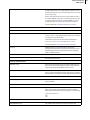
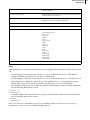
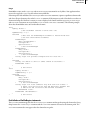
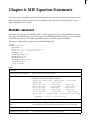
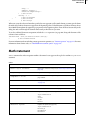
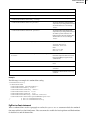
<AFrames
<Frame…>
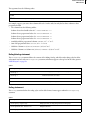
Defines a graphic frame (see “Frame statement” on page 116)
<Frame…>
Additional statements as needed
…
End of AFrames statement
>
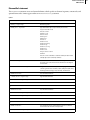
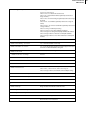
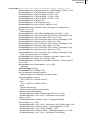
Arc statement
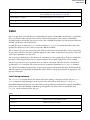
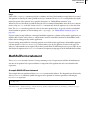
The Arc statement describes an arc. It can appear anywhere at the top level, or in a Frame or Page statement.
Syntax
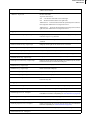
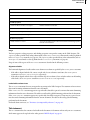
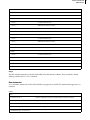
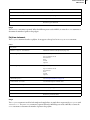
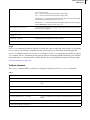
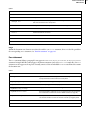
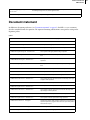
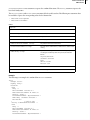
<Arc
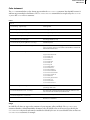
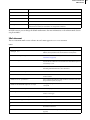
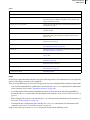
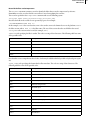
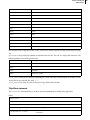
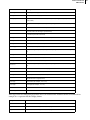
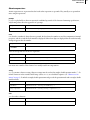
Generic object statements
Information common to all objects (see page 111)









































































































![CPU32 Reference Manual [330 pages!]](http://vs1.manualzilla.com/store/data/005686632_1-79fc9549061344d5fca8ab86e2038cb9-150x150.png)