1
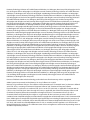
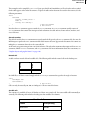
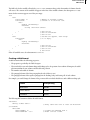
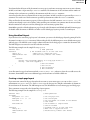
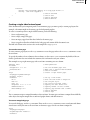
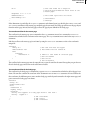
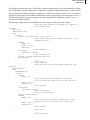
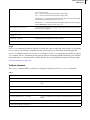
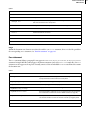
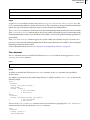
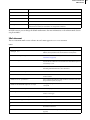
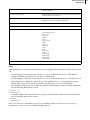
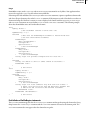
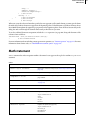
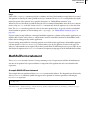
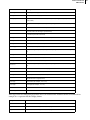
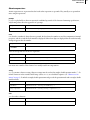
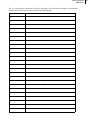
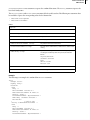
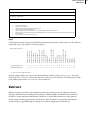
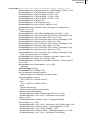
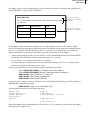
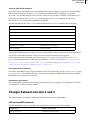
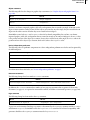
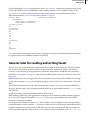
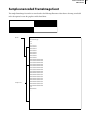
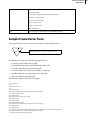
ADOBE FRAMEMAKER 194 MIF Reference End of Math statement > Usage Values of the ShapeRect statement specify the coordinates and size of the bounding rectangle before it is rotated. The equation is rotated by the value specified in an Angle statement. The MathFullForm string defines the mathematical properties of the equation. For a complete description, see “MathFullForm statement,” next. Whenever you save a document as a MIF file using the Save As command, FrameMaker writes all the Math substatements, except ObColor, to the file. It writes an ObColor statement only when the equation is in a color other than black. The ObColor statement specifies the color for the entire equation object. To specify color for an individual element within an equation, use the formatting code (*qstringq*) (see “MathFullForm statement syntax” on page 195). If you are writing an output filter for converting FrameMaker equations to a format used by another application, you might be able to ignore some of the Math substatements. You don’t need MIF statements for FrameMaker’s math features that are unsupported by another application. If you are writing an input filter for converting equations created with another application to FrameMaker equations, you must provide a ShapeRect or MathOrigin substatement to specify the equation’s location on the page. The other Math substatements are not required. If you don’t provide them, the MIF interpreter uses preset values. If you don’t define the equation in a MathFullForm statement, an equation prompt appears in the FrameMaker document. MathFullForm statement The MathFullForm statement consists of a string containing a series of expressions that define the mathematical structure of an equation. Each expression defines a component of the equation and can be nested within other expressions. A sample MathFullForm statement This example shows an equation and the MathFullForm statement that defines it. The diagram shows the hierarchy of the MathFullForm statement. Symbols that appear in the equation are shown in parentheses following the MathFullForm expression. y = ax + b 2 <MathFullForm `equal[char[y],times[char[a],power[id[plus[char[x],char[b]]],num[2,"2"]]]]' > # end of MathFullForm











































































































![CPU32 Reference Manual [330 pages!]](http://vs1.manualzilla.com/store/data/005686632_1-79fc9549061344d5fca8ab86e2038cb9-150x150.png)