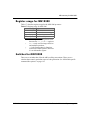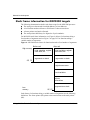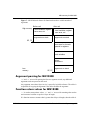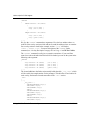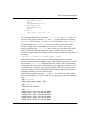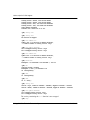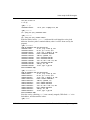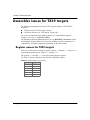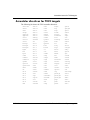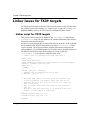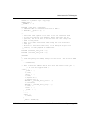
1
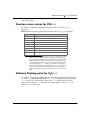
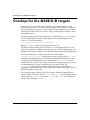
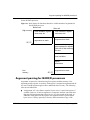
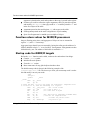
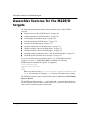
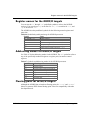
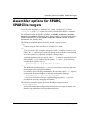
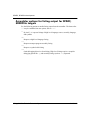
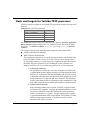
Assembler options for M68K targets debugging option like -g, and assembly listings (such as -al) requested. Hj,fHfccoXa6rorf?cH6c¨HQrI #XH Use the following listing-control assembler directives to control the appearance of the listing output (if you do not request listing output with one of the ‘-a’ options, the following listing-control directives have no effect). .list Turn on listings for further input. .nolist Turn off listings for further input. .psize linecount, columnwidth Describe the page size for your output (the default is 60, 200). as generates form feeds after printing each group of linecount lines. To avoid these automatic form feeds, specify 0 as linecount. The variable input for columnwidth uses the same descriptive option. .eject Skip to a new page (issue a form feed). .title Use as the title (this is the second line of the listing output, directly after the source file name and page number) when generating assembly listings. .sbttl Use as the subtitle (this is the third line of the listing output, directly after the title line) when generating assembly listings. -an Turn off all forms processing. #ffcoX6ro¨HocroQrI#XH The Motorola M68K pushes all arguments onto the stack, last to first, so that the lowest numbered argument not passed in a register is at the lowest address in the stack. Function return values for integers are stored in D0 and D1. A7 has a reserved use. Registers A0, A1, D0, D1, F0, and F1 can be used for temporary values. When a function is compiled with the default options, it must return with registers D2 through D7 and registers A2 through A6 unchanged. If you have floating-point registers, registers F2 through F7 must also be unchanged. NOTE: Functions compiled with different calling conventions cannot be run together CYGNUS GNUPro Tools for Embedded Systems ■ 401