1
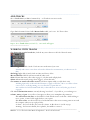
In Reaper, the plug-ins are accessible by clicking FX on the left side of the track.
You will then see an empty window with “Add” and “Remove” at the bottom. Click “Add” and you will see a
list of available plug-ins.
For delay, choose ReaDelay, for reverb, ReaVerberate.
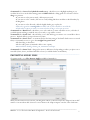
Adjust your settings as desired, solo the track, select it and however much extra time beyond it that the
sound continues, and render to save your new effected sound file.
•To bypass the effect, uncheck the box in the upper right corner of the effect.
______________________________________________________________________________
BOUNCING DOWN (condensing your mix or any tracks into one file)
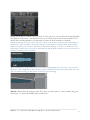
•Be sure to select exactly the time frame you want recorded to disk.
•Be sure that the appropriate solo buttons are engaged if you don’t want all the tracks to bounce down.
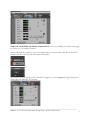
•When that is complete, click File–Bounce to–Disk (or Command+Option+B)
___________________________________________________________________________
MUS421–571.1: Electroacoustic Music Composition – ProTools 10 Tutorial
10