
1
Scanning Books
Correcting Distorted Book Images
To correct the distortion of a scanned image from a book, follow the procedure below.
ATTENTION
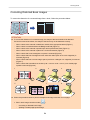
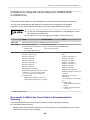
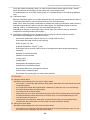
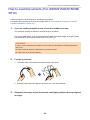
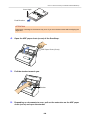
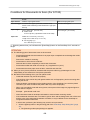
l To correct the distortion of a scanned image, the shape of the book needs to be detected.
If a book is scanned as follows, the shape of the book may not be detected correctly.
-
When a book to be scanned is held down outside of the appropriate areas (Figure 1)
-
When a book is scanned without the Background Pad (Figure 2)
-
When a book to be scanned is spread open and is placed face-down (Figure 3)
-
When a book to be scanned is placed in a vertical orientation (Figure 4)
-
When a book that is not rectangular or square is scanned (Figure 5)
-
When a book that has a background color other than white (such as a comic magazine) is
scanned (Figure 6)
-
When a book that has a narrow margin space (such as a catalogue or a magazine) is scanned
(Figure 7)
-
When a book that is smaller than A5 size (148 × 210 mm: 5.83 × 8.27 in.) in a double-page
spread is scanned (Figure 8)
1
2
5
6
3
7
4
8
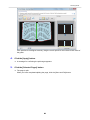
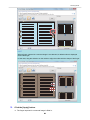
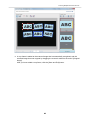
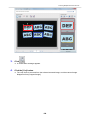
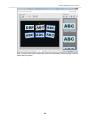
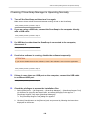
l Follow the procedure below to perform multiple book image correction for one page.
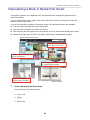
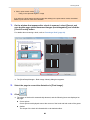
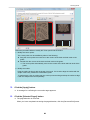
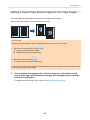
1. Edit in book image correction mode (
-
Correcting a distorted book image
-
Splitting a double-page spread image
).
79









































































![3. Clique no botão [OK]](http://vs1.manualzilla.com/store/data/006085780_1-1e963248ed17cdf0be3b5a5218e98297-150x150.png)
![3. Clique no botão [Aplicar]](http://vs1.manualzilla.com/store/data/006085959_1-abc442ce88b6545b36fcdec1f957320c-150x150.png)
![3. Cliccare il tasto [OK]](http://vs1.manualzilla.com/store/data/006155166_1-66b7bb98c98d41f6181cd20c0b775e39-150x150.png)