1
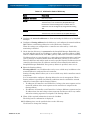
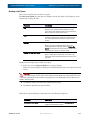
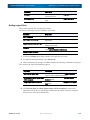
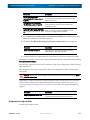
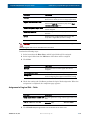
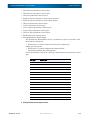
SnapSAN 3000/5000 Disk Array User Guide Function Overview Filename Description Disk Array Name This is the name of the disk array. Statistic information history files are created for each disk array. nnn This is a file serial number (between 2 and 999). If a file with the same name exists when accumulation of statistic information starts up, a serial number is assigned. For example, if the iSM server is shut down and started up in operation of one day, the serial number is assigned to accumulated statistic information from the second startup of the iSM server, and the value increments by one. The serial number has the upper limit. If the number exceeds this limit, accumulation of statistic information fails. If an operation that results in the serial number exceeding the maximum is performed, move the statistic information history files to the different directory at each shutdown of the iSM server, or summarize/extract statistic information as required, delete the statistic information history files. Then, restart the iSM server. For information on how to estimate the size of a statistic information history file, refer to Appendix E “Estimating Size of Files for Performance Monitoring Function”. The accumulating period of statistic information is called the logging interval. The user can specify the logging Interval from 1 minute to 60 minutes at environment definition of the iSM server. The logging Interval cannot be changed while the iSM server is operating. To change the logging Interval, you must terminate the iSM server. The accumulating processes of statistic information limits the number of times for collecting statistic information within a specified time, in order not to affect I/O process from the application server. In other words, the statistic information is not collected all at once from the disk array, but it is collected with dividing the accumulating process into several intervals. Therefore, too many disk array components may prevent collecting statistic information within a specified logging interval, and may disable starting of the data accumulation process. In such a case, specifying the automatic adjustment of logging interval in the environment definition of the iSM server can adjust the appropriate intervals within a range of 60 minutes from the interval set in the environment definition, and start accumulating processes. When a logging interval is automatically adjusted, a message notifies the adjustment. NOTE: Effect of statistic information collection on storage units. When it is determined that there area many disk array components and the number of times for collecting statistic information is a lot, message iSM08051 is displayed. If this message is displayed, make a logging interval longer. The monitored disk arrays collect various types of statistic information by component/load type in the unit of summarizing. From the statistic information, iSM reads the statistic information of the types shown in Tables A-3 to A-11 in A 3.1 and accumulates the time changes in the statistic information history file. Such statistic information is called basic statistic information. The information output on a specific resource basis is called additional statistic information, and is described in the form of “resource-name (additional-information).” iSM also records information required for displaying the following information in the statistic information history file. 10400386-001 07/2012 • Component information required interpreting accumulated statistic information • Name tags used for displaying the results of analysis ©2012 Overland Storage, Inc. 7-9