1
GAME CENTER
To utilize Multiplayer, Achievements and Leaderboard rankings, you need to have an active
Game Center account, and your iOS Device must be running iOS 4.1 or later (4.2 for iPad).
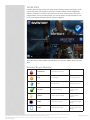
There are two ways to view Leaderboards and Achievements:
• In the pause menu, select “Leaderboards” or “Achievements”.
• Or you can choose Game Center from the iTunes home screen, select “Games”, and
chose Infinity Blade from the list.
At times, Apple’s servers experience heavy loads, especially around iOS updates. If you are
trying to connect to the iTunes store, or Game Center, and it’s taking a long time or timing
out, please try again later.
If you are running iOS 4.1, and having problems connecting, your iDevice battery may have
run all the way down and reset your date and time, which can prevent Game Center from
connecting to your iDevice correctly. Re-set your iDevice’s date and time to the correct settings, and then try to re-connect to Game Center. (You can also re-set the date/time to the
network by going to Settings -> General -> Date & Time then toggle “Set Automatically” off
and back on.) It’s also recommended that you update you iOS to the latest version available.
IN-APP PURCHASING
Every item in Infinity Blade can be earned through finding, looting, and earning gold, or by
selling items you have already mastered and/or don’t want anymore. For anyone who wants
to play with higher-power items sooner or doesn’t want to spend the time earning them,
the game features the ability to purchase gold (to buy items in the game) through the game
using the in-App purchase feature in iTunes.
You can purchase gold 2 ways:
• Attempt to buy an item in the in-game store that you don’t have enough gold for,
and the game will offer an in-App gold purchase of an amount sufficient to cover
this item
• Or, scroll down to the bottom of the in-game store, and you will see gold bags in
the following denominations - tap on them and you will be offered an in-App gold
purchase
Gold bags can be purchased in the following denominations:
• 25,000 Gold - $.99 USD (or equivalent currency)
• 150,000 Gold - $4.99 USD
• 750,000 Gold - $19.99 USD
• 2,500,000 Gold - $49.99 USD
Once you buy a gold bag, it will be added to your in-game currency. If you delete your game
from your iDevice, make sure you back up your save file (see below) otherwise you will lose
your inventory if you re-install it.
You can disable In-App purchases on your iDevice (and set a password to prevent them from
being re-activated) through the Settings > General > Restrictions - scroll down to Allowed
Content, and turn off “In-App Purchases”. See Apple’s support site for more information
about Restrictions and Parental Controls at support.Apple.com.
If you have any issues with micro-transactions not being applied correctly, please contact
Apple’s iTunes customer service for a refund - Apple can be reached through their web site
at Apple.com.
© 2012, Epic Games, Inc., Epic, Epic Games, Infinity Blade, Infinity Blade II, ClashMob, Unreal and Unreal Engine are trademarks or registered trademarks of Epic Games, Inc. in the
United States of America and elsewhere. All other trademarks are the property of their respective owners. Privacy Notice
Apple, the Apple logo, iPhone, iPod touch, and iTunes are trademarks of Apple Inc., registered in the U.S. and other countries. iPad is a trademark of Apple Inc. App Store is a
service mark of Apple Inc.
Infinity Blade: Manual - 21