1
SigmaPlot Automation Reference
NormalizeTernary
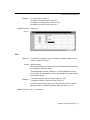
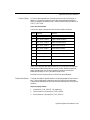
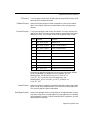
Data Method
Open Method
Parameter
Values
Optional
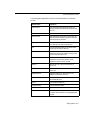
columns per plot array
array of columns in each plot
yes
error bar source
any valid source name
error bar plots only
error bar computation
any valid computation name
error bar plots only
angular axis units
any valid angle unit name
polar plots only
lower range bound
any valid degree value
polar plots only
upper range bound
any valid degree value
polar plots only
ternary units
upper range of ternary axis scale
ternary plots only
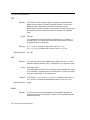
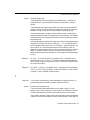
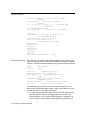
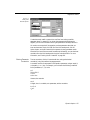
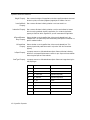
Normalize three columns of raw data to 100 or 1 for a ternary plot.
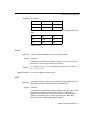
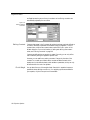
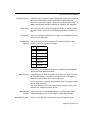
Opens the notebook specified within the Notebooks collection, or the specified
notebook item. The parameter depends upon whether you are opening a notebook
or a notebook item.
Note that for NotebookItems and SectionItems, an Open corresponds to an
Expanded = True.
Paste Method
Print Method
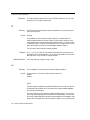
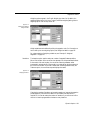
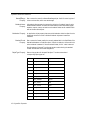
Place the contents of the Windows Clipboard into the selected notebook item
document, at the current position, if applicable. The format specified is an available
clipboard format, as displayed by the Edit menu Paste Special command.
Prints the selected item, including any items within specified NotebookItems and
SectionItems. Specifying the Notebook prints all items in the notebook.
PrintStatsWorksheet
Method
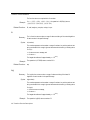
Prints the NativeWorksheetItemís statistics worksheet. If the worksheet has not been
opened using the ShowStatsWorksheet property, this method fails.
PutData Method
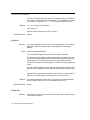
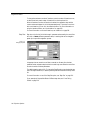
Places the specified variant into the worksheet starting at the specified location. The
data can be a 2D array.
Quit Method
Ends SigmaPlot. If SigmaPlot is in use, then this method is ignored.
Redo Method
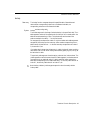
Redoes the last undone action for the specified object. If redo has been disabled in
SigmaPlot for either the worksheet or page, this method has no effect.
Remove Method
Deletes the specified object. The index can be a number or a name. If the specified
index does not exist, an error is returned.
282 SigmaPlot Methods