1
M o n i t o r i n g
t h e
G r o u p w i s e
M T A s
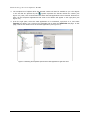
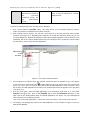
3. The complete list of objects within the selected context will then be available to you. The objects
in the list that are prefixed by the
symbol represent the domains within the context (see
Figure 3.3). Now, click on the domain that hosts the MTA application to be monitored. When this is
done, all the Groupwise applications that exist in the domain will appear in the right pane (see
Figure 3.3).
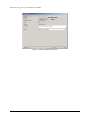
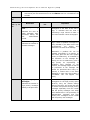
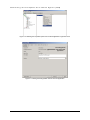
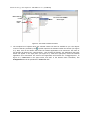
4. From the right pane, select the MTA application to be monitored, right-click on it, and select
Properties (see Figure 3.4). Click on the GroupWise tab to open the Identification tab page. In this
page, look for the domain name of the MTA application (see Figure 3.5).
Figure 3.4: Selecting the Properties option from the MTA application’s right-click menu
34