1
Tutorial
Occupant Simulation
The EDSMAC4 event has provided us with the collision pulse. Now, let’s use GATB to
study the passenger’s behavior during impact.
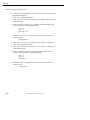
% Click the (+) sign on the tool bar to add an event. The Event
Information dialog is displayed.
% Select Chevrolet Caprice 4-Dr and the Male Adult Passenger from the
Active Vehicles list and Active Human list, respectively.
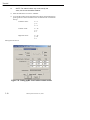
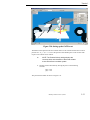
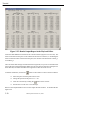
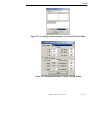
% Select GATB from the Calculation Methods options list as shown in
Figure 5-20.
% Enter the name: RF Passenger for the event.
% Press OK to display the event editor.
Now, let’s set up and execute the occupant simulation event using GATB.
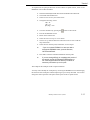
% Using the Event Editor dialog, select Chevrolet Caprice 4-Dr from the
Event Humans & Vehicles list.
% Select Set-up from the menu bar.
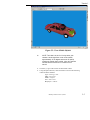
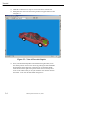
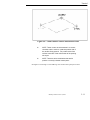
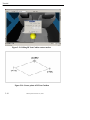
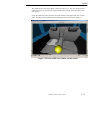
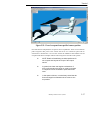
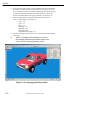
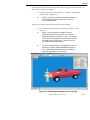
% Select Position/Velocity and click Initial. The Chevrolet is displayed at
the earth-fixed origin.
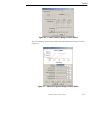
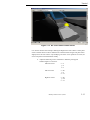
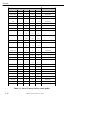
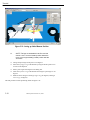
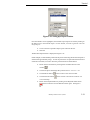
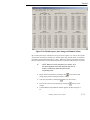
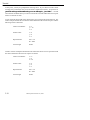
% In the Set Initial Position/Velocity dialog for the Chevrolet Caprice, enter
the following data in the appropriate fields:
x (ft) = 15
y (ft) = -6
yaw (deg) = 0
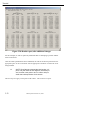
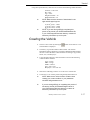
% Click the Velocity is Assigned box in the Set Initial Position/Velocity
dialog and enter:
Total (mph) = 0
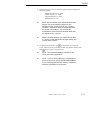
L
NOTE: Be sure to press <Enter> to apply the values
displayed in the Position/Velocity dialog.
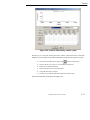
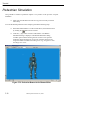
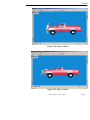
% Select Male Adult Human from the Event Humans & Vehicles list.
% Choose Position/Velocity, Initial, from the Edit menu.
5-22
Manual printed October 30, 2003