1
PART I
THE BASICS
Designs created in BERNINA Embroidery Software are composed of
‘embroidery objects’. They are called ‘objects’ because they are discrete
entities which can be manipulated independently of each other. Each object
has certain defining characteristics or ‘properties’ such as color, size,
position, and so on. The most important property of an embroidery object
is its stitch type.
Introduction to embroidery digitizing
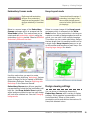
BERNINA Embroidery Software provides embroiderers with a fast, flexible
way of creating and editing embroidery designs. This section provides an
overview of the embroidery digitizing process as it applies to BERNINA®
Embroidery Software. See Introduction to Embroidery Digitizing in the
Onscreen Manual for details.
Basic procedures
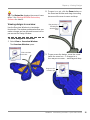
This section describes how to start BERNINA Embroidery Software and
access the available commands and tools. It covers basic procedures to do
with opening, creating and saving design files. It explains how to activate
hoops and grids and it covers accessing object properties. See Basic
Procedures for details.
Viewing designs
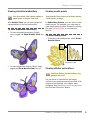
This section explains the design viewing modes available in BERNINA
Embroidery Software as well as the various design viewing settings. It
describes zooming and panning as well as how to view the stitching
sequence. It covers displaying design backdrops and changing
backgrounds. It also explains how to obtain information about your designs.
See Viewing Designs for details.
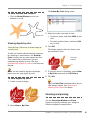
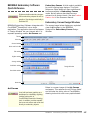
Selecting objects
This section describes how to select objects using the selection tools and
keyboard. It also shows how to select color blocks or individual objects using
the Color Film. See Selecting Objects for details.
BERNINA® Embroidery Software : Quick Start Guide
17