1
CseJtag Tcl Command Details
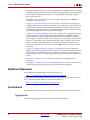
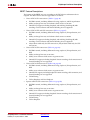
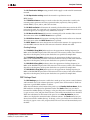
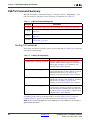
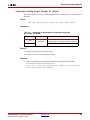
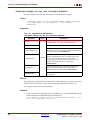
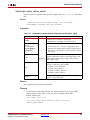
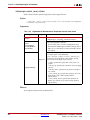
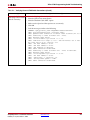
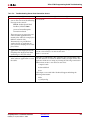
::chipscope::csejtag_target open
This subcommand opens a JTAG target device and associates it with a session.
Note: Currently, only one JTAG target can be opened per session.
Syntax
::chipscope::csejtag_target open handle targetName
progressCallbackFunc [optional args...]
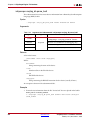
Arguments
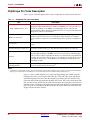
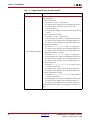
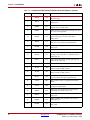
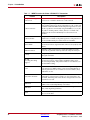
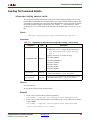
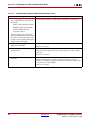
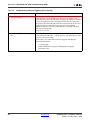
Table 5-13:
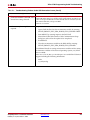
Arguments for Subcommand ::chipscope::csejtag_target open
Argument
Type
Description
Handle to the session that is returned by
::chipscope::csejtag_session create.
handle
Name of the JTAG target to open. See Table 5-14 for
available targetName and [optional args...]
combinations. If targetName is set to
$CSEJTAG_TARGET_AUTO, then the first available JTAG
cable target will be opened.
targetName
Required
Progress callback function that can be used to monitor
progress of JTAG target operations. The format of the
progress callback function is:
proc progressCallbackFunc (handle
totalCount CurrentCount progressStatus)
{...}
progressCallback
Func
The progress callback function must return either
$CSE_STOP or $CSE_CONTINUE. If no progress
callback function is necessary, a 0 should be passed into
this argument position.
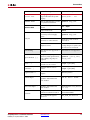
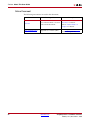
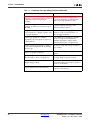
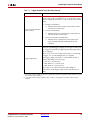
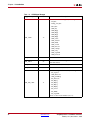
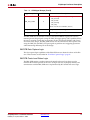
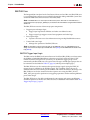
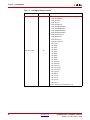
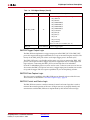
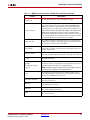
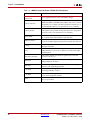
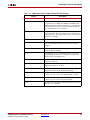
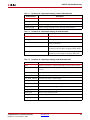
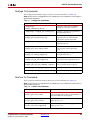
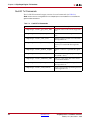
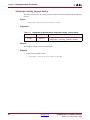
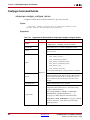
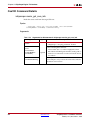
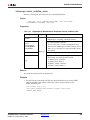
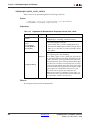
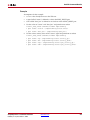
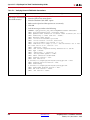
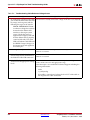
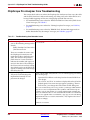
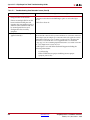
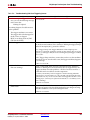
Table 5-14 shows valid combinations of targetName argument values and their optional
arguments.
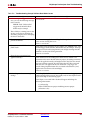
Table 5-14:
Argument targetName and [optional args...] combinations
targetName
[optional args...]
$CSEJTAG_TARGET_AUTO
N/A
$CSEJTAG_TARGET_PARALLEL
"port={LPT1 | LPT2 | LPT3}"
"frequency={5000000 | 2500000 | 200000}"
$CSEJTAG_TARGET_PLATFORMUSB
"port=USB2"
"frequency={24000000 | 12000000 | 6000000 |
3000000 | 1500000 | 750000}"
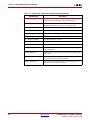
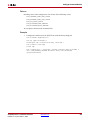
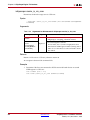
$CSEJTAG_TARGET_SVFFILE
ChipScope Pro 11.4 Software and Cores
UG029 (v11.4) December 2, 2009
www.xilinx.com
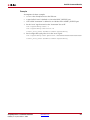
"fname=<svf filename with full path>"
171