1
83
COMPLETE LIST OF TERMINALS
gnuplot 4.4
161
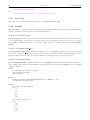
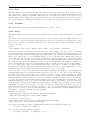
(p. 182) terminal driver. To create multiline labels, use \shortstack, for example
set ylabel ’[r]{\shortstack{first line \\ second line}}’
The back option of set label commands is handled slightly different than in other terminals. Labels using
’back’ are printed behind all other elements of the plot while labels using ’front’ are printed above everything
else.
The driver produces two different files, one for the eps part of the figure and one for the LaTeX part. The name
of the LaTeX file is taken from the set output command. The name of the eps file is derived by replacing the
file extension (normally .tex) with .eps instead. There is no LaTeX output if no output file is given! Remember
to close the output file before next plot unless in multiplot mode.
In your LaTeX documents use ’\input{filename}’ to include the figure. The .eps file is included by the command
\includegraphics{...}, so you must also include \usepackage{graphicx} in the LaTeX preamble. If you want to
use coloured text (option textcolour) you also have to include \usepackage{color} in the LaTeX preamble.
Pdf files can be made from the eps file using ’epstopdf’. If the graphics package is properly configured, the
LaTeX files can also be processed by pdflatex without changes, using the pdf files instead of the eps files. The
behaviour concerning font selection depends on the header mode. In all cases, the given font size is used for the
calculation of proper spacing. When not using the standalone mode the actual LaTeX font and font size at
the point of inclusion is taken, so use LaTeX commands for changing fonts. If you use e.g. 12pt as font size for
your LaTeX document, use ’"" 12’ as options. The font name is ignored. If using standalone the given font
and font size are used, see below for a detailed description.
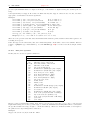
If text is printed coloured is controlled by the TeX booleans \ifGPcolor and \ifGPblacktext. Only if \ifGPcolor
is true and \ifGPblacktext is false, text is printed coloured. You may either change them in the generated TeX
file or provide them globally in your TeX file, for example by using
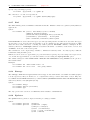
\newif\ifGPblacktext
\GPblacktexttrue
in the preamble of your document. The local assignment is only done if no global value is given.
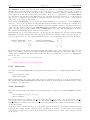
When using the epslatex terminal give the name of the TeX file in the set output command including the file
extension (normally ".tex"). The eps filename is generated by replacing the extension by ".eps".
If using the standalone mode a complete LaTeX header is added to the LaTeX file; and "-inc" is added to the
filename of the eps file. The standalone mode generates a TeX file that produces output with the correct size
when using dvips, pdfTeX, or VTeX. The default, input, generates a file that has to be included into a LaTeX
document using the \input command.
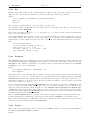
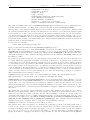
If a font other than "" or "default" is given it is interpreted as LaTeX font name. It contains up to three parts,
separated by a comma: ’fontname,fontseries,fontshape’. If the default fontshape or fontseries are requested,
they can be omitted. Thus, the real syntax for the fontname is ’[fontname][,fontseries][,fontshape]’. The naming
convention for all parts is given by the LaTeX font scheme. The fontname is 3 to 4 characters long and is
built as follows: One character for the font vendor, two characters for the name of the font, and optionally
one additional character for special fonts, e.g., ’j’ for fonts with old-style numerals or ’x’ for expert fonts. The
names of many fonts is described in
http://www.tug.org/fontname/fontname.pdf
For example, ’cmr’ stands for Computer Modern Roman, ’ptm’ for Times-Roman, and ’phv’ for Helvetica. The
font series denotes the thickness of the glyphs, in most cases ’m’ for normal ("medium") and ’bx’ or ’b’ for bold
fonts. The font shape is ’n’ for upright, ’it’ for italics, ’sl’ for slanted, or ’sc’ for small caps, in general. Some
fonts may provide different font series or shapes.
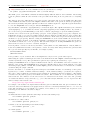
Examples:
Use Times-Roman boldface (with the same shape as in the surrounding text):
set terminal epslatex ’ptm,bx’
Use Helvetica, boldface, italics:
set terminal epslatex ’phv,bx,it’
Continue to use the surrounding font in slanted shape:
set terminal epslatex ’,,sl’
Use small capitals:
set terminal epslatex ’,,sc’