1
88
gnuplot 4.4
75
SET-SHOW
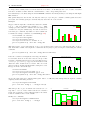
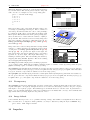
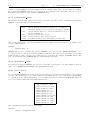
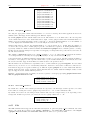
By default, adjacent boxes are extended in width until they touch each other. A different default width may
be specified using the set boxwidth command. Relative widths are interpreted as being a fraction of this
default width.
An explicit value for the boxwidth is interpreted as being a number of units along the current x axis (absolute)
unless the modifier relative is given. If the x axis is a log-scale (see set log (p. 108)) then the value of
boxwidth is truly "absolute" only at x=1; this physical width is maintained everywhere along the axis (i.e. the
boxes do not become narrower the value of x increases). If the range spanned by a log scale x axis is far from
x=1, some experimentation may be required to find a useful value of boxwidth.
The default is superseded by explicit width information taken from an extra data column in styles boxes or
boxerrorbars. In a four-column data set, the fourth column will be interpreted as the box width unless the
width is set to -2.0, in which case the width will be calculated automatically. See style boxes (p. 38) and
style boxerrorbars (p. 37) for more details.
To set the box width to automatic use the command
set boxwidth
or, for four-column data,
set boxwidth -2
The same effect can be achieved with the using keyword in plot:
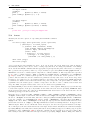
plot ’file’ using 1:2:3:4:(-2)
To set the box width to half of the automatic size use
set boxwidth 0.5 relative
To set the box width to an absolute value of 2 use
set boxwidth 2 absolute
75.9
Clabel
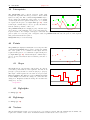
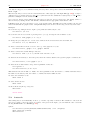
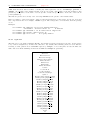
gnuplot will vary the linetype used for each contour level when clabel is set. When this option on (the default),
a legend labels each linestyle with the z level it represents. It is not possible at present to separate the contour
labels from the surface key.
Syntax:
set clabel {’<format>’}
unset clabel
show clabel
The default for the format string is %8.3g, which gives three decimal places. This may produce poor label
alignment if the key is altered from its default configuration.
The first contour linetype, or only contour linetype when clabel is off, is the surface linetype +1; contour points
are the same style as surface points.
See also set contour (p. 91).
75.10
Clip
gnuplot can clip data points and lines that are near the boundaries of a graph.
Syntax:
set clip <clip-type>
unset clip <clip-type>
show clip
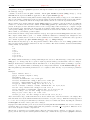
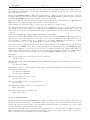
Three clip types for points and lines are supported by gnuplot: points, one, and two. One, two, or all three
clip types may be active for a single graph. Note that clipping of color filled quadrangles drawn by pm3d maps
and surfaces is not controlled by this command, but by set pm3d clip1in and set pm3d clip4in.
The points clip type forces gnuplot to clip (actually, not plot at all) data points that fall within but too close
to the boundaries. This is done so that large symbols used for points will not extend outside the boundary