1
110
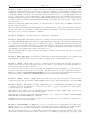
gnuplot 4.4
75
SET-SHOW
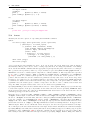
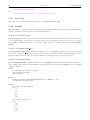
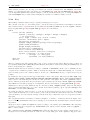
{{no}zoomcoordinates} \
{noruler | ruler {at x,y}} \
{polardistance{deg|tan} | nopolardistance} \
{format <string>} \
{clipboardformat <int>/<string>} \
{mouseformat <int>/<string>} \
{{no}labels {"labeloptions"}} \
{{no}zoomjump} {{no}verbose}
unset mouse
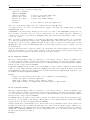
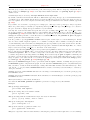
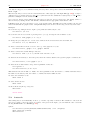
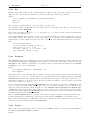
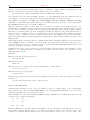
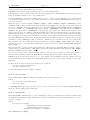
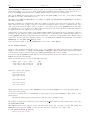
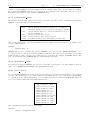
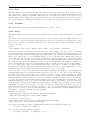
The doubleclick resolution is given in milliseconds and used for Button 1 which copies the current mouse position
to the clipboard. If you want that to be done by single clicking a value of 0 ms can be used. The default value
is 300 ms.
The option zoomcoordinates determines if the coordinates of the zoom box are drawn at the edges while
zooming. This is on by default.
The options noruler and ruler switch the ruler off and on, the latter optionally setting the origin at the given
coordinates. While the ruler is on, the distance in user units from the ruler origin to the mouse is displayed
continuously. By default, toggling the ruler has the key binding ’r’.
The option polardistance determines if the distance between the mouse cursor and the ruler is also shown
in polar coordinates (distance and angle in degrees or tangent (slope)). This corresponds to the default key
binding ’5’.
The format option takes a fprintf like format string which determines how floating point numbers are printed
to the drivers window and the clipboard. The default is "% #g".
clipboardformat and mouseformat are used for formatting the text on Button1 and Button2 actions –
copying the coordinates to the clipboard and temporarily annotating the mouse position. This corresponds to
the key bindings ’1’, ’2’, ’3’, ’4’ (see the driver’s documentation). If the argument is a string this string is used
as c format specifier and should contain two float specifiers, e.g. set mouse mouseformat "mouse = %5.2g,
%10.2f". Use set mouse mouseformat "" to turn this string off again.
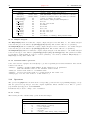
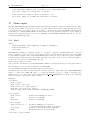
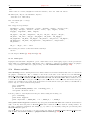
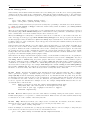
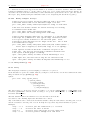
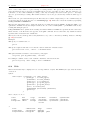
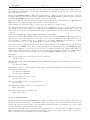
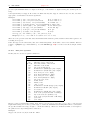
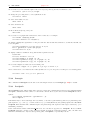
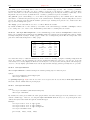
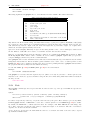
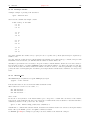
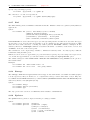
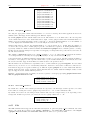
The following formats are available (format 6 may only be selected if the format string was specified already):
0
1
2
3
4
5
6
real
real
x ==
x ==
x ==
x ==
alt.
coordinates in brackets e.g.
coordinates w/o brackets e.g.
timefmt
date
time
date / time
format, specified as string
[1.23, 2.45]
1.23, 2.45
[(as set by ‘set timefmt‘), 2.45]
[31. 12. 1999, 2.45]
[23:59, 2.45]
[31. 12. 1999 23:59, 2.45]
""
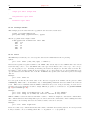
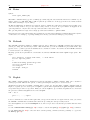
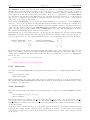
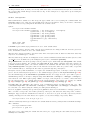
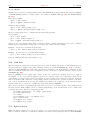
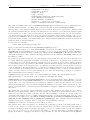
Choose the option labels to define persistent gnuplot labels using Button 2. The default is nolabels, which
makes Button 2 draw only a temporary label at the mouse position. Labels are drawn with the current setting of
mouseformat. The labeloptions string is passed to the set label command. The default is "point pointstyle
1" which will plot a small plus at the label position. Temporary labels will disappear at the next replot or
mouse zoom operation. Persistent labels can be removed by holding the Ctrl-Key down while clicking Button 2
on the label’s point. The threshold for how close you must be to the label is also determined by the pointsize.
If the option zoomjump is on, the mouse pointer will be automatically offset a small distance after starting a
zoom region with button 3. This can be useful to avoid a tiny (or even empty) zoom region. zoomjump is off
by default.
If the option verbose is turned on the communication commands are shown during execution. This option can
also be toggled by hitting 6 in the driver’s window. verbose is off by default.
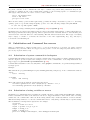
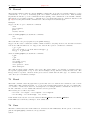
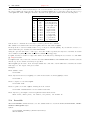
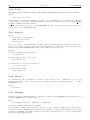
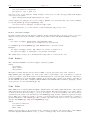
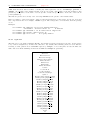
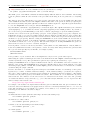
Press ’h’ in the driver’s window for a short summary of the mouse and key bindings. This will also display user
defined bindings or hotkeys which can be defined using the bind command, see help for bind (p. 31). Note,
that user defined hotkeys may override the default bindings.
Press ’q’ in the driver’s window to close the window. This key cannot be overridden with the bind command.
See also help for bind (p. 31) and label (p. 105).