1
iSQL*Plus Extension for Windows Configuration
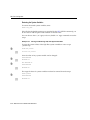
On Windows:
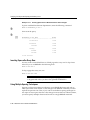
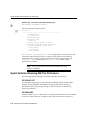
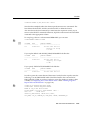
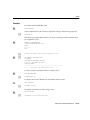
# include "ORACLE_HOME\sqlplus\admin\isqlplus.conf"
On UNIX:
# include "ORACLE_HOME/sqlplus/admin/isqlplus.conf"
Where ORACLE_HOME is the path of your Oracle home directory.
5.
Save your oracle_apache.conf file.
6.
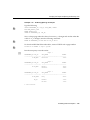
Check your edits by parsing the edited configuration file. See "Testing the
Oracle HTTP Server Configuration File"
7.
When you next start the Oracle HTTP Server, iSQL*Plus is disabled.
To re-enable iSQL*Plus, reverse the edit to uncomment the include line in oracle_
apache.conf and restart the Oracle HTTP Server.
Configuring the Middle Tier: Oracle Net
If you plan to connect to a remote database you need to ensure that you install and
configure Oracle Net on the middle tier middle tier where the iSQL*Plus server is
running. For further information about installing and configuring Oracle Net, see
the Oracle9i documentation.
Configuring the Database Tier
Oracle9i is installed on the database tier. The database tier may be physically
separate from the middle tier and accessed using Oracle Net, or it may be the same
physical machine as used by the middle tier. If you are using Oracle Net to access
the database, then make sure the database listener is configured and running. For
further information about installing and configuring Oracle9i, see the Oracle9i
documentation.
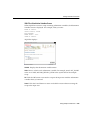
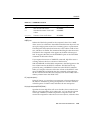
iSQL*Plus Extension for Windows Configuration
The iSQL*Plus Extension for Windows is accessed through extended menus in
Windows platforms. The iSQL*Plus Extension for Windows extended menu is
accessed by right clicking files with the .SQL file extension.
If you have installed the Oracle9i Server, iSQL*Plus Server entries for your Oracle
HTTP Server are created by default. If you have installed the Oracle9i Client, no
Configuring SQL*Plus 3-15