1
Tutorial 5: Creating 3D Surface Graphs
Tutorial 5: Creating 3D Surface
Graphs
5.1 Introduction
For more information
on 3D graphs, see the
plotting chapters in the
Origin User’s Manual.
Origin supports 3D graphs from three different data formats: XYY
worksheet data, XYZ worksheet data and matrix data. However, 3D
surface graphs can only be created from matrix data. This tutorial will
focus on converting a worksheet containing XYZ data to a matrix and
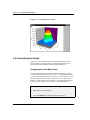
then creating and customizing a 3D surface graph from the matrix.
5.2 Converting a Worksheet to a Matrix
In this section you will learn how to change a worksheet column’s
designation, then convert an XYZ worksheet to a matrix so that it can be
plotted as a 3D surface graph.
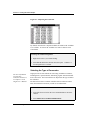
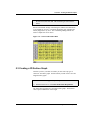
The data for this lesson is provided in an ASCII file.
To Import the ASCII File:
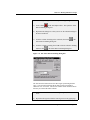
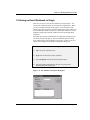
1) Click New Project
2) Click Import ASCII
on the Standard toolbar.
on the Standard toolbar.
3) In the Origin TUTORIAL folder, select TUTORIAL_5.DAT from
the list of files.
4) Click Open.
5.1 Introduction • 51