1
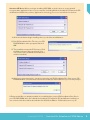
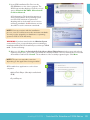
Microsoft Internet Explorer (IE) is required, but not included in the SOS install. It should have been
installed when you purchased your computer. Please contact the seller if you do not have IE. You can
download IE for free by going to www.microsoft.com. Please contact the seller if you have difficulty with
this.
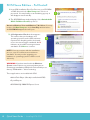
Depending on your operating system, Microsoft®.NET Framework 3.5 may be installed along with
Microsoft®.NET Framework 4.0 if not already on your computer.
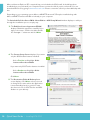
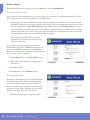
The Switched-On Schoolhouse 2014 - Home Edition - AOP Setup Wizard window displays to walk you
through the installation process step by step.
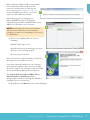
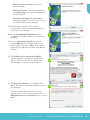
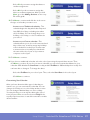
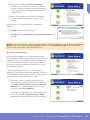
3.The End User License Agreement (EULA)
displays. Read this agreement carefully. If you
agree to the terms, click the checkbox beside
the “I accept…” statement and click Next.
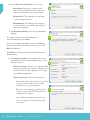
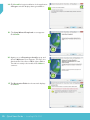
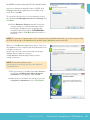
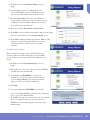
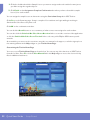
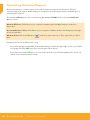
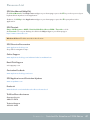
4.The Custom Setup Screen displays. If you want
only the SOS Student features installed:
3
4
êêSelect Teacher and highlight: X this
feature will not be available
If you want only SOS Teacher features installed:
êêSelect Student and highlight: X this
feature will not be available
Click Next.
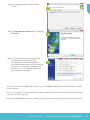
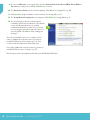
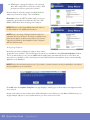
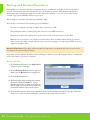
5.The Destination Folder & Desktop Icons
screen displays. Click Next, unless you need
to change the location where the application
is automatically placed or you don’t want
the shortcut icons for SOS Teacher and SOS
Student on your desktop.
14 Quick Start Guide • Installing SOS 2014
5