1
Device Initialization User Manual
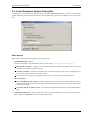
User Interface
•
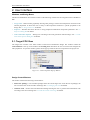
- Saves the initialization. parameters and closes the window
•
- Cancels changes and closes the window.
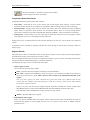
Component Parameters Panel
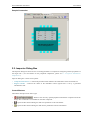
Component Parameters panel contains three columns:
• Item names - Items that are to be set are listed in the second column of the inspector. Groups of items
describing certain features can be collapsed or expanded by double clicking on the first line of the group.
• Selected settings - Settings of the items are made in this column. If the user should select from pre-defined
values, there is a drop-down menu with the list of available options. There is are radix change buttons
'H','D','B' for switching value radix to Hexadecimal, Decimal and Binary, where such change is reasonable.
• Setting status - Current setting or an error status may be reflected on the same line, in the rightmost column
of the inspector. The error is also displayed in the item's hint.
Settings with errors are marked with red color and the description for the error can be found in the rightmost
column.
A parameter can be presented as read-only and the user cannot change its content. Such read-only values are
shown in gray.
Register Details
This panel shows values of individual control or data registers related to the currently selected CPU peripheral
and reflects the settings in the Component Parameters panel.
On some peripherals there may be present an Additionally modified registers section within this panel that lists
the registers that are initialized but belong to a different peripheral.
The following two types of rows can be found in this panel:
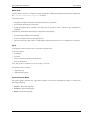
• Whole register content
The row contains the following columns:
Name - Specifies name of the register according to the CPU datasheet.
Init. Value - Specifies the initialization value of a register or bit computed according to the settings in
the Component Parameters panel. This is the last value written by the initialization function to the
register.
Note: For some registers, the value read from the register afterwards can be different than the last
written value. For example, some interrupt flags are cleared by writing 1. Please see the MCU manual
for details on registers behavior.
If the row is active, the value can be changed using the keyboard. The field also contains a radix button
(H,D,B) that allows to switch between Hexadecimal, Decimal and Binary formats of the value.
The value that contains undefined bits is always shown in binary format.
Address - Specifies address of a register.
• Individual bit of the register
These rows can be unfolded under each register contain values and the names of individual bits. Bits are
sorted from the highest to lowest weight. The bit rows of a register can be shown or hidden using the
plus/minus icons.
- 11 -