1
The Prototype
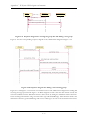
: IT SCli ent
: PeerNetwork
:
NetworkClient
searchForGroup(String, int)
search(String, String)
poll(int)
M essage
[groupExist] receiveM essage(IT SM essage)
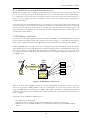
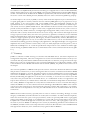
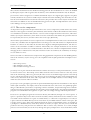
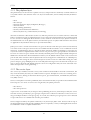
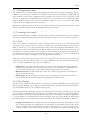
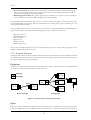
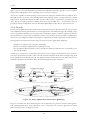
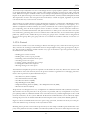
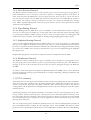
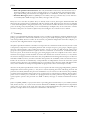
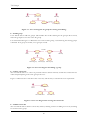
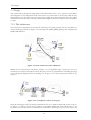
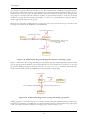
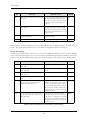
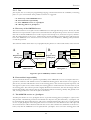
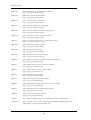
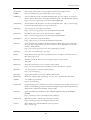
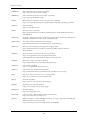
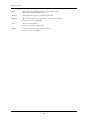
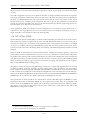
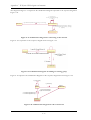
Figure 7-23 Sequence diagram for adding an existing group
When a user wants to add a group to the group list, he will supply a group name and indicate whether
the group must have the exact same name or similar name of the supplied group name. The NetworkClient will then initiate a search to find the id to the group or similar groups. When searching for similar
groups, the resulting groups are added to a result list that the user can examine at a later point. From this
list the user can choose the group to be added to the group list, and then later choose to join the group.
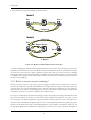
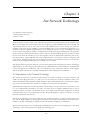
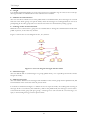
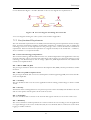
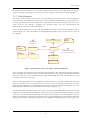
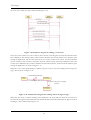
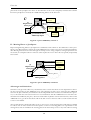
If the network client receives a message containing information about a suitable group, this information
is passed to the ITSClient. If the search was for an exact match, the group is added to the group list. If
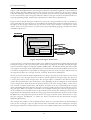
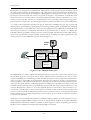
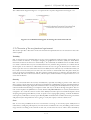
no message about an appropriate group is received within a predefined time interval, the group is considered non-existing, and a new group will be created if the user chooses to join the group at a later time.
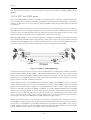
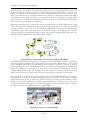
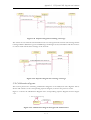
This is illustrated in Figure 7-24.
4: [ noEx istingGroup] creat eGroup (St ri ng)
1: searchForGroup(Stri ng, i nt)
3: joinGroup(String, Stri ng)
:
IT SCl ient
:
Net workCl ient
2: search(String, String)
5: [noExi stingGroup] create(int, String, Stri ng)
6: poll(int)
9: li sten(String, Stri ng, String)
8: [groupInfo] receiveM essage(IT SM essage)
7: M essage
: PeerNetwork
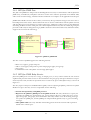
Figure 7-24 Collaboration diagram for adding a non-existing group
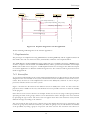
If a user chooses to participate in a private room instead of a public, the list of contacts is selected from
the database. Since only the contacts which are reachable in the same group as the user will be presented
for the user, the client need to check which contacts are participating in that group at this moment. This
is done by calling the method in NetworkClient called searchContacts(). For each contact that is
online, the client will receive a message containing information about the contact, and the contact is add-
77