1
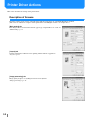
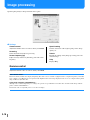
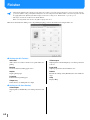
Original size
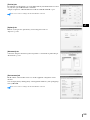
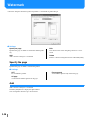
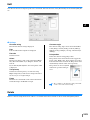
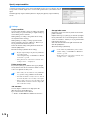
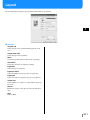
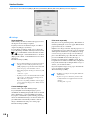
Selects the paper size that is specified with the application software. The initial setting is [A4].
The following paper sizes can be selected.
A3W A3 A4 B4 B5 B6 Postcard Foolscap Legal Letter Tabloid Statement Custom / Custom size 1-20 (*)
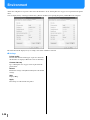
* Paper sizes that have been registered in advance with [Custom size entry] in [Environment] tab are displayed.
• If you use frequently irregular sizes, register the sizes in advance. These sizes can be easily selected from the pull-down menu. The
registered paper sizes are also displayed as [Output Paper Size].
"Controller setting 2" of "HC5500 User's Manual for Console" )p.2-17
• If you do not register the size and you specify each time, use the following procedure.
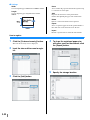
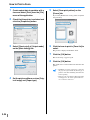
1. Select [Custom] at [Original size] and click the [Custom Paper Entry] button.
2. Input the original size*.
Width: 90mm to 316mm (39/16" to 127/16")
Length: 148mm to 460mm(513/16" to 181/8")
3. Close the printer driver screen.
4. Register the paper size using the menu setting of the printer.
5. Start the application software for creating the original.
6. Input the paper size that has been input in step 2, at [Paper size] of [Page Set up].
* When a finisher is connected to the printer, usable paper sizes vary according to the model of finisher. See below.
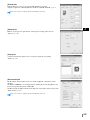
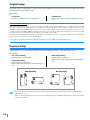
Output paper size
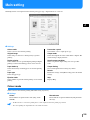
Selects the paper size for printing. The initial setting is [Same as original].
The following paper sizes can be selected.
Same as original A3W(*1) A3 A4 B4 B5 B6 Postcard Foolscap Legal Letter Tabloid Statement Custom
/ Custom size 1-20 (*2)
*1 The A3W size is 316 mm (W) x 460 mm (L).
*2 Paper sizes that have been registered in advance with [Custom size entry] in [Environment] tab are displayed.
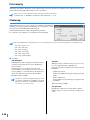
If [Zoom] is not set (not checked), for an original size different from the output paper size, enlargement/reduction is automatically
performed according to the output paper size.
If you use frequently irregular sizes or if you specify an irregular size each time, use the same operation as [Original Size]
described above.
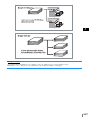
When a finisher is connected to the printer, usable paper sizes vary according to the model of finisher.
HC Finisher: width 100mm-316mm length 148mm-460mm
HC Auto Stacker: width 100mm-305mm length 148mm-432mm
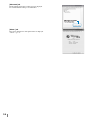
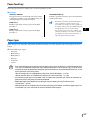
Zoom
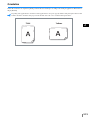
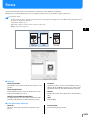
Specifies the enlargementreduction ratio for printing in .
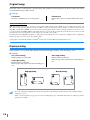
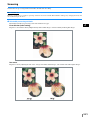
If you click [Zoom] to display a check mark, you can specify the enlargementreduction ratio from 50 to 200.
The initial setting is off.
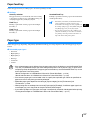
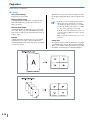
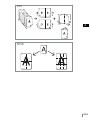
If [Pagination] is set to any of [Multi-up (Single page)], [Multi-up (Multi-page)], [Booklet], and [Fold], Zoom cannot be specified.
2-12







![1 Click the [OK] button.](http://vs1.manualzilla.com/store/data/005894494_1-d1f52ee6fd3b2146a5f252d3f1858c3b-150x150.png)

![4 Haga clic en el botón [Siguiente].](http://vs1.manualzilla.com/store/data/006302360_1-bfeeab568eca6d90d29143bdf4061d20-150x150.png)
![[4] para - Riso.com](http://vs1.manualzilla.com/store/data/006041379_1-f987c63d0f56da21f929a771461d5686-150x150.png)
![2 Haga clic en el botón [Aceptar].](http://vs1.manualzilla.com/store/data/006292855_1-18424f3b5bf7ebf043fd2e6aa576beb6-150x150.png)