
1
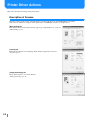
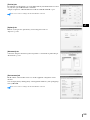
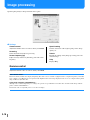
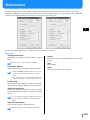
Image processing
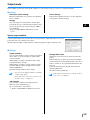
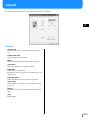
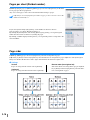
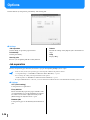
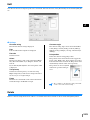
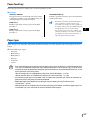
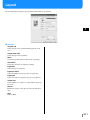
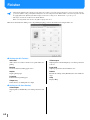
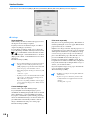
Specifies print quality for image materials such as photo.
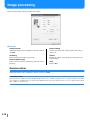
~ Settings
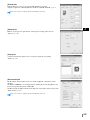
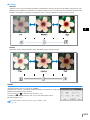
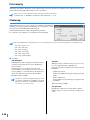
Gamma control
Adjusts the Gamma values of contrast, density and CMYK.
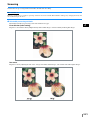
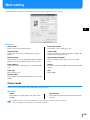
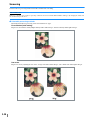
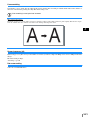
Screening
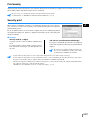
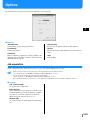
Selects the method of half-tone processing.
Screen frequency (lpi)
If [Dot screen] is selected at [Screening], select the screen
frequency.
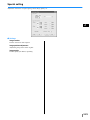
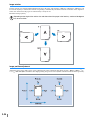
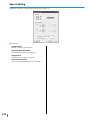
Special setting
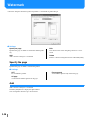
Sets the orientation of the original, print position, image
quality, etc.
Default
Returns the settings on the [Image processing] tab to the
default settings.
Help
Displays Help.
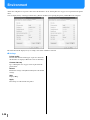
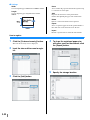
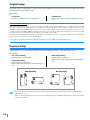
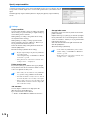
Gamma control
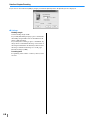
Adjusts the Gamma values of contrast, density and CMYK.
About Gamma Value...
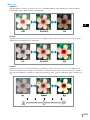
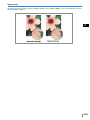
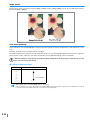
This means density of half tone in display and printing. The value is set for each unit of equipment such as computer and printer (2.2 for Windows computer, 1.8 for Macintosh, 1.8 for printer). If the brightness between the image displayed on the screen of a computer and the printed
image is different, adjust this value.
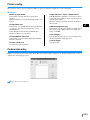
In the printer controller of HC5500 Series...
Although value 1.8 makes bright images according to the general concept of Gamma control, this value can makes darker images with the
printer controller of HC5500 Series.
Note that the value set at [Details] causes reverse effect of display.
3-18








![1 Click the [OK] button.](http://vs1.manualzilla.com/store/data/005894494_1-d1f52ee6fd3b2146a5f252d3f1858c3b-150x150.png)


![4 Haga clic en el botón [Siguiente].](http://vs1.manualzilla.com/store/data/006302360_1-bfeeab568eca6d90d29143bdf4061d20-150x150.png)
![[4] para - Riso.com](http://vs1.manualzilla.com/store/data/006041379_1-f987c63d0f56da21f929a771461d5686-150x150.png)
![2 Haga clic en el botón [Aceptar].](http://vs1.manualzilla.com/store/data/006292855_1-18424f3b5bf7ebf043fd2e6aa576beb6-150x150.png)