1
94
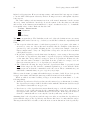
Developing software with GNU
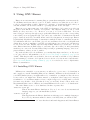
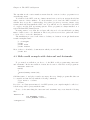
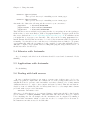
lisp_LISP = file1.el file2.el ...
where ‘$(lispdir)’ is initialized by ‘AM_PATH_LISPDIR’. The ‘LISP’ primitive also accepts
the ‘noinst’ location.
Most Emacs LISP files are meant to be simply compiled and installed. Then the user is
supposd to add certain invocations in per ‘.emacs’ to use the features that they provide.
However, because Emacs LISP is a full programming language you might like to write
full programs in Emacs LISP, just like you would in any other language, and have these
programs be accessible from the shell. If the installed file is called ‘foo.el’ and it defines
a function main as an entry point, then you can run it with:
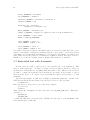
% emacs --batch -l foo -f main
In that case, it may be useful to install a wrapper shell script containing
#!/bin/sh
emacs --batch -l foo -f main
so that the user has a more natural interface to the program. For more details on handling
shell scripts See Section 5.8 [Scripts with Automake], page 89. Note that it’s not necessary
for the wrapper program to be a shell script. You can have it be a C program, if it should
be written in C for some reason.
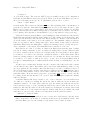
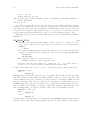
Here’s a tutorial example of how that’s done. Start by creating a directory:
% mkdir hello-0.1
% cd hello-0.1
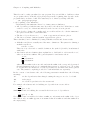
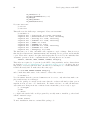
Then create the following files:
‘configure.in’
AC_INIT
AM_INIT_AUTOMAKE(hello,0.1)
AM_PATH_LISPDIR
AC_OUTPUT(Makefile)
‘hello.el’
(defun main ()
"Hello world program"
(princ "Hello world\n"))
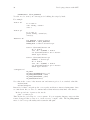
‘hello.sh’
#!/bin/sh
emacs --batch -l hello.el -f main
exit
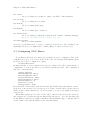
‘Makefile.am’
lisp_LISP = hello.el
EXTRA_DIST = hello.el hello.sh
bin_SCRIPTS = hello
CLEANFILES = $(bin_SCRIPTS)
hello: $(srcdir)/hello.sh
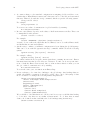
hTABi rm -f hello
hTABi cp $(srcdir)/hello.sh hello
hTABi chmod ugo+x hello