1
Chapter 3: Compiling with Makefiles
43
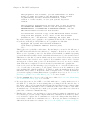
Once you have a library, you can link it with other object files just as if it were an object
file itself. For example
% gcc bar.o libfoo.a -o foo
using ‘libfoo.a’ as defined above, is equivalent to writing
% gcc bar.o foo1.o foo2.o foo3.o -o foo
Libraries are particularly useful when they are installed. To install a library you need to
move the file ‘libfoo.a’ to a standard directory. The actual location of that directory
depends on your compiler. The GNU compiler looks for installed libraries in ‘/usr/lib’
and ‘/usr/local/lib’. Because many Unix systems also use the GNU compiler, it is safe
to say that both of these directories are standard in these systems too. However there are
some Unix compilers that don’t look at ‘/usr/local/lib’ by default. Once a library is
installed, it can be used in any project from any current directory to compile an executable
that uses the subroutines that that library provides. You can direct the compiler to link an
installed library with a set of executable files to form an executable by using the ‘-l’ flag
like this:
% gcc -o foo bar.o -lfoo
Note that if the filename of the library is ‘libfoo.a’, the corresponding argument to the
‘-l’ flag must be only the substring ‘foo’, hence ‘-lfoo’. Libraries must be named with
names that have the form ‘lib*.a’. If you have installed the ‘libfoo.a’ library in a nonstandard directory, you can tell the linker to look for the library in that directory as well
by using the ‘-L’ flag. For example, if the library was installed in ‘/home/lf/lib’ then we
would have to invoke the linking like this:
gcc -o bar bar.o -L/home/lf/lib -lfoo
The ‘-L’ flag must appear before the ‘-l’ flag.
Some people like to pass ‘-L.’ to the compiler so they can link uninstalled libraries in the
current working directory using the ‘-l’ flag instead of typing in their full filenames. The
idea is that they think “it looks better” that way. Actually this is considered bad style. You
should use the ‘-l’ flag to link only libraries that have already been installed and use the
full pathnames to link in uninstalled libraries. The reason why this is important is because,
even though it makes no difference when dealing with ordinary libraries, it makes a lot of
difference when you are working with shared libraries. (FIXME: Crossreference). It makes
a difference whether or not you are linking to an uninstalled or installed shared library, and
in that case the ‘-l’ semantics mean that you are linking an installed shared library. Please
stick to this rule, even if you are not using shared libraries, to make it possible to switch to
using shared libraries without too much hassle.
Also, if you are linking in more than one library, please pay attention to the order with
which you link your libraries. When the linker links a library, it does not embed into the
executable code the entire library, but only the symbols that are needed from the library.
In order for the linker to know what symbols are really needed from any given library, it
must have already parsed all the other libraries and object files that depend on that library!
This implies that you first link your object files, then you link the higher-level libraries,
then the lower-level libraries. If you are the author of the libraries, you must write your
libraries in such a manner, that the dependency graph of your libraries is a tree. If two
libraries depend on each other bidirectionally, then you may have trouble linking them in.
This suggests that they should be one library instead!