1
DevCom2000 Mobile User Manual
Step
Action
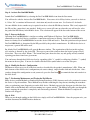
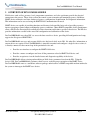
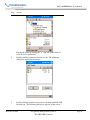
If you want to evaluate DevCom2000 Mobile before purchasing,
select “No”. You will have 10 days of unlimited program use
before you will need to purchase a license.
2
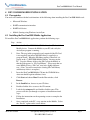
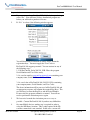
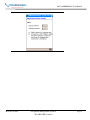
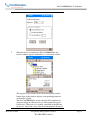
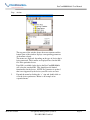
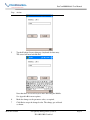
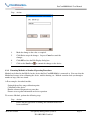
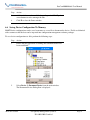
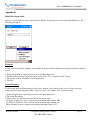
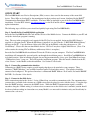
If “Yes” is selected, the following window appears:
You will then need to contact ProComSol, Ltd to obtain the
registration keys. You must supply the User Codes to
ProComSol, Ltd support personnel. You can activate in any of
the following ways:
1. Call ProComSol, Ltd at 216.221.1550. Have the program
Serial Number and User Codes ready.
2. Or, send an email to [email protected] containing your
company name, Serial Number, and User Codes.
3. Or, send a fax to ProComSol, Ltd (216.221.1554) containing
your company name, Serial Number, and User Codes.
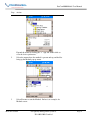
The above information will be processed at ProComSol, Ltd and
an appropriate response will contain the required Reg Keys. The
user will need to enter the Reg Keys and the Serial Number.
If successful, the program continues as normal. You will not
need to perform the activation process again.
3
We have tried to make the Activation process as easy as
possible. Contact ProComSol, Ltd if you have any difficulties
4
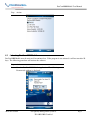
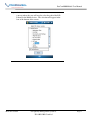
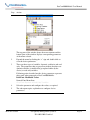
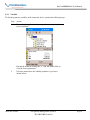
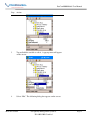
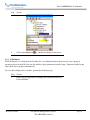
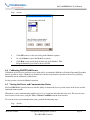
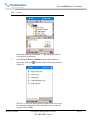
On some Mobile devices another step is required in order to
select the DD library location. This is only required if the SD
card has a name that is not standard. In this case a screen will
MAN-1017 8/9/2011
Our Quality Management System is
ISO 9001:2008 Certified
Page 10