1
PHOTOGRAPHY MENU
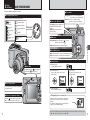
✽ Displaying the menus (➡P.48)
PHOTOGRAPHY MENU
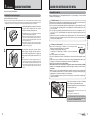
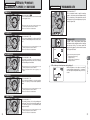
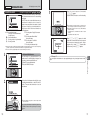
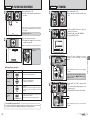
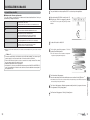
H FOCUSING
Available Photography mode:
MF (Manual Focus)
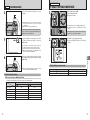
FOCUSING
CONTINUOUS AF
AF AREA
AF
AREA
AF(MULTI)
AF
(MULTI)
AF(CENTER)
AF
(CENTER)
1
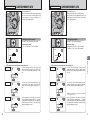
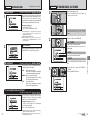
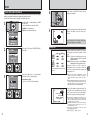
AF AREA
CONTINUOUS AF
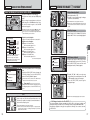
SELECT AF AREA
AF AREA
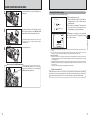
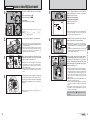
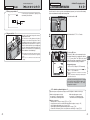
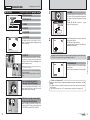
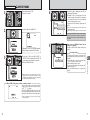
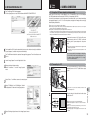
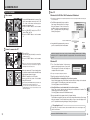
Before moving
The camera changes the focusing position on the
LCD monitor. Use this setting when composing the
shot using a tripod and changing the focusing
position.
Press “a”, “b”, “d” or “c” to move the “°” (target
point) to the focusing position.
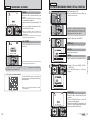
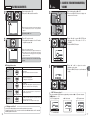
AF (MULTI)
After moving
AF (CENTER)
10
ISO 80
250
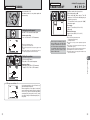
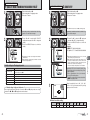
AF (CENTER)
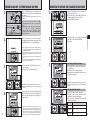
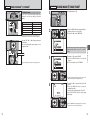
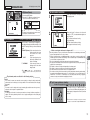
The camera focuses on the center of the LCD
monitor. Use this setting when taking pictures using
AF/AE lock (➡P.25).
SET
2
10
ISO 80
AF (MULTI)
10
ISO 80
F5.6
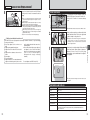
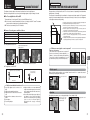
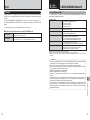
Regardless of the AF frame location, the exposure is always set using the area in the center of the
LCD monitor. To expose the shot for your main subject, use AE lock.
10
ISO 80
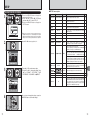
! When taking pictures in Macro mode, the camera focuses on
●
the center of the LCD monitor.
320
F6.4
You cannot check the focus when taking pictures
using the viewfinder.
After taking the picture, play it back to check the
focus.
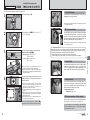
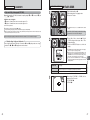
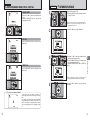
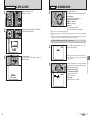
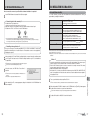
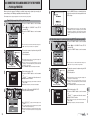
For a high-contrast subject in
the center of the LCD monitor
Press the shutter button down halfway. The AF
frame appears positioned on the high-contrast
subject near the center of the image.
250
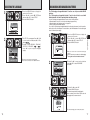
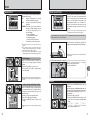
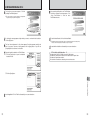
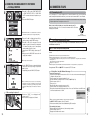
CONTINUOUS AF
The camera continues to focus on the main subject
in the AF frame.
Use this mode to take pictures of a moving subject.
3
Advanced Features
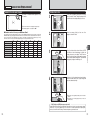
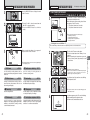
Press the shutter button down halfway. The camera
recognizes any strongly contrasting subject near
the center of the LCD monitor and displays the AF
frame over subject in focus.
F5.6
320
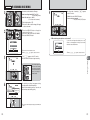
The AF frame appears in the location to which the
target point was moved.
Take the picture in the normal way.
To reposition the AF frame, select “AF AREA” from
the “H” FOCUSING menu.
F5.6
250
250
CANCEL
F5.6
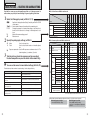
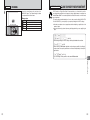
◆ Notes on continuous AF ◆
Because the camera focuses continuously without pressing the shutter button, note the
following:
i The battery level (power consumption) increases because data is being overwritten in the camera’s
internal memory.
i If the Power Save feature is set to “OFF”, particular attention must be given to the battery level.
F6.4
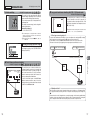
When there is no high-contrast subject
in the center of the LCD monitor
When the camera has difficulty focusing on the
subject in AF (MULTI) mode, set the focusing mode
to AF(CENTER) and use AF/AE Lock (➡P.25).
320
52
F6.4
Continued
53