1
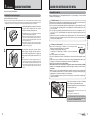
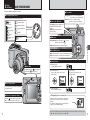
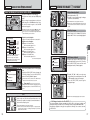
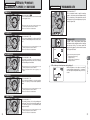
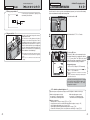
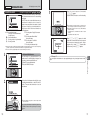
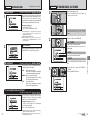
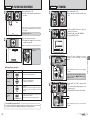
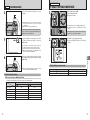
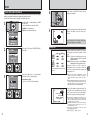
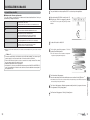
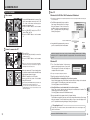
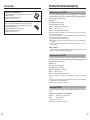
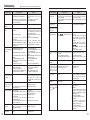
SELECTING THE LANGUAGE
1 01 03
2
0
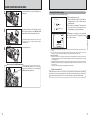
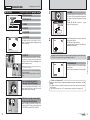
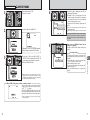
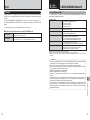
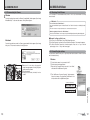
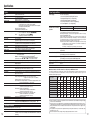
DISCHARGING RECHARGEABLE BATTERIES
1 Press the “MENU/OK” button to display the
menu on the LCD monitor.
2 Press “d” or “c” to select “F ” OPTION and
then press “a” or “b” to select “SET-UP”.
3 Press the “MENU/OK” button.
OPTION
SET−UP
LCD
2
0
SET−UP
1
2
FRAME NO.
USB MODE
CCD−RAW
言語/LANG.
言語
/LANG.
SET
3
4
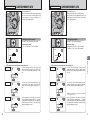
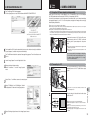
1 The “SET-UP” screen appears. Press “d” or “c”
to move to option 3 and then press “a” or “b” to
select “
”.
2 Press “c” to select “ENGLISH”, “FRANCAIS”,
“DEUTSCH”, “ESPAÑOL”, “
” or “
”.
Press “c ” to cycle through the language
settings.
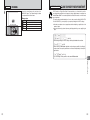
Use the “Discharging rechargeable batteries” function in the following situations:
i When the batteries only last for a short time after being charged normally
i When the batteries have not been used for a long period
i When you purchase new Ni-MH batteries
Do not use the “Discharging rechargeable batteries” function when the camera is set in the cradle or
while using the AC power adapter. In these situations, the Ni-MH batteries will not be discharged
due to the external power supply.
1 01 03
2
0
OPTION
SET−UP
LCD
! Remove
●
:CONT.
:
:OFF
ENGLISH
CANCEL
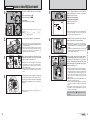
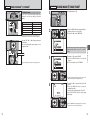
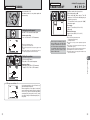
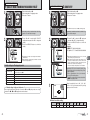
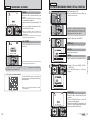
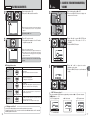
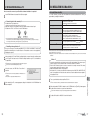
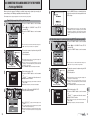
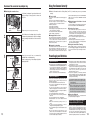
1 Press the “MENU/OK” button to display the
menu on the LCD monitor.
2 Press “d” or “c” to select “F ” OPTION and
then press “a” or “b” to select “SET-UP”.
3 Press the “MENU/OK” button.
1
Getting Ready
2
1
0
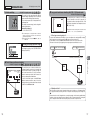
The “Discharging rechargeable batteries” function can only be used with Ni-MH
batteries.
The “Discharging rechargeable batteries” function should not be used with
alkaline batteries as it will completely drain the battery charge.
the camera from the cradle when discharging
batteries.
! Do not use the procedure for discharging
●
rechargeable batteries with alkaline batteries.
! The screens in this manual are shown in English.
●
! See P.78 for more information on the “F” OPTION menu.
●
2
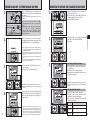
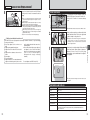
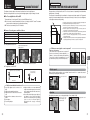
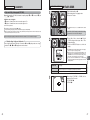
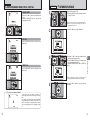
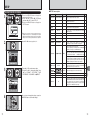
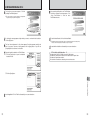
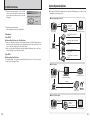
1 Press “d” or “c” to move to option 4 and then
press “a” or “b” to select “DISCHARGE”.
2 Press “c”.
SET−UP
1
2
3
VIDEO SYSTEM
DISCHARGE
RESET
4
:NTSC
OK
OK
:OK
OK
SET
CANCEL
1
0
2
0
3 01
2
0
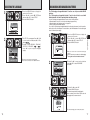
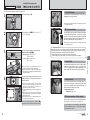
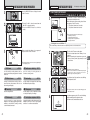
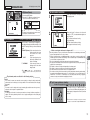
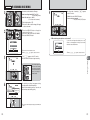
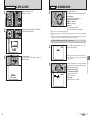
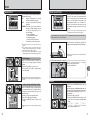
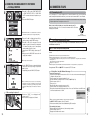
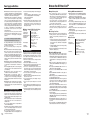
1 Press “d” or “c” to select “OK”.
2 Press the “MENU/OK” button.
The screen changes and discharging begins.
When the battery level indicator blinks red and
discharging ends, the camera turns off.
DISCHARGE
DISCHARG
DISCHARGE OK?
OK?
IT MAY TAKE A WHILE
FOR DISCHARGING
FOR DISCHARGING
OK
CANCEL
SET
16
! To cancel discharging, press the “BACK (DISP)” button.
●
17