1
PHOTOGRAPHY MENU
PHOTOGRAPHY MENU
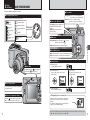
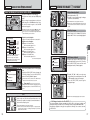
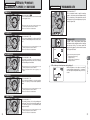
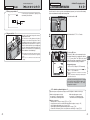
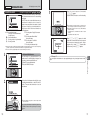
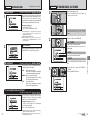
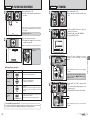
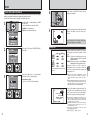
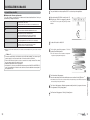
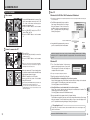
j Auto bracketing
Available Photography mode:
B
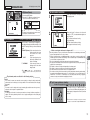
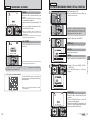
h Long-period continuous shooting with 1600 × 1200 pixels mode
Available Photography mode:
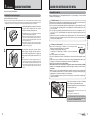
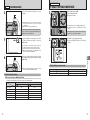
This mode shoots the same image with different
exposure settings. Bracketing shoots 3 continuous
frames, each with a different exposure setting.
A is correctly exposed, B is overexposed and C
is underexposed.
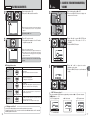
The settings (exposure range) can be changed in
the photography menu.
STORING
A
✽ Displaying the menus (➡P.48)
C
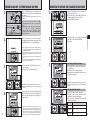
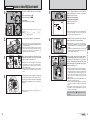
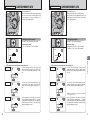
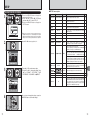
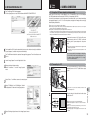
This mode allows you to take up to 40 continuous
shots (at intervals as short as 0.6 seconds). In
Long period continuous shooting with 1600 × 1200
pixels mode, the number of recorded pixels is set to
“2” (1600 × 1200).
10
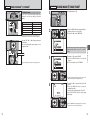
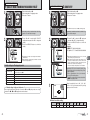
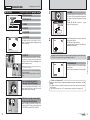
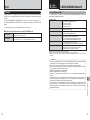
h Bracketing settings (3)
±1/3 EV, ±2/3 EV, ±1 EV
! If
●
the underexposed or overexposed frame is outside the
camera’s control range, the picture is not taken with the
specified setting increments.
! Auto bracketing cannot be used in “B”, “m”, “,”, “.”,
●
“/” or “r” mode.
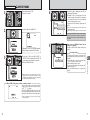
Changing the setting (exposure range)
BRACKETING
ACKETING
Press the “MENU/OK” button to display the menu
and change the setting in the “j” BRACKETING
menu option (➡P.58).
±1 EV
±2/3EV
±1/3EV
! Long-period continuous shooting cannot be used in the “m”,
●
“,”, “.”, “/”, “N”, “M” , “<”, “>” and “r” modes.
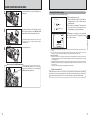
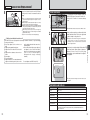
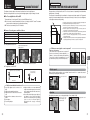
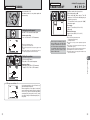
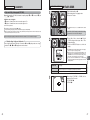
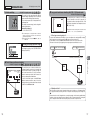
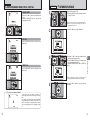
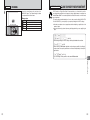
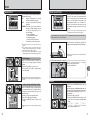
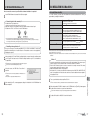
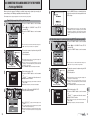
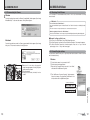
◆ Focusing on a moving subject ◆
If you press the shutter button down halfway to focus on the subject at the starting point A, the subject
may no longer be in focus when it reaches point B where you want to take the shot.
In such situations, focus on point B beforehand and then lock the focus so that it does not shift.
This feature is also useful for photographing fast-moving subjects that are difficult to focus on.
A and the focus is wrong at B .
Focus on A
Focus on B and lock the focus.
B
Starting point
Point where you want to take the picture
Available Photography mode:
Max. 40 shots
Press shutter
button
×
×
×
Release shutter
button
×
×
1
2
3
4
4 frames
FAR
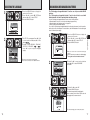
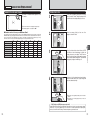
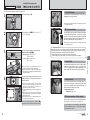
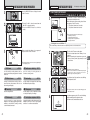
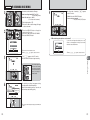
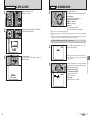
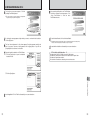
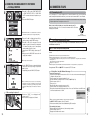
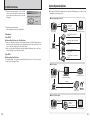
This mode allows you to release the shutter up to
40 times (at intervals as short as 0.3 seconds) and
record the last 4 frames. If you take your finger off
the shutter button before 40 shots have been
taken, the camera records the final 4 frames shot
before you released the shutter button.
If there is insufficient space on the xD-Picture
Card, the camera records as many of the shots
taken just before the shutter button was released
as will fit on the xD-Picture Card.
NEAR
Advanced Features
k Final 4-frame continuous shooting
3
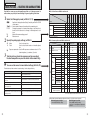
◆ Quality and flash ◆
When a Continuous shooting mode is selected, the flash mode is forcibly set to “v” Suppressed flash.
In a Long-period continuous shooting with 1600 × 1200 pixels mode, the quality is also forcibly set to
“2”.
However, when the mode is changed back to normal photography, the flash setting specified before
continuous shooting was selected is restored. Likewise, when a Long-period continuous shooting with
1600 × 1200 pixels mode has been used, the quality setting is restored to its previous value.
56
57