1
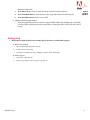
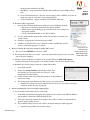
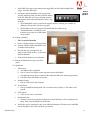
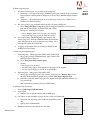
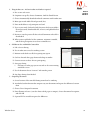
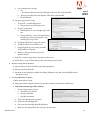
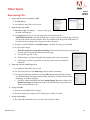
h. Adding a digital signature - covered in more detail later
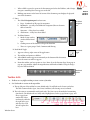
• Properties has several tabs – General, Appearance, Actions, Signed
• The first time the user enters a digital signature, it must be created in Acrobat (or Reader)
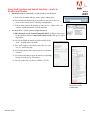
5. Adding form fields manually (from PDF only)
Intro to
Acrobat
Fall 2012
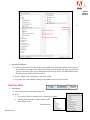
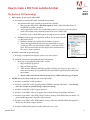
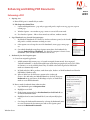
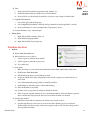
A.Create>PDF form
i.
Can do on Mac and Windows without a PDF opened.
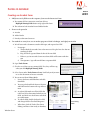
ii. Windows-options to use the current doc or browse to a file (Word, Excel, PDF)
iii. That doc is converted to PDF auto detection starts, and form opens in Form mode
iv. Mac-Don’t have option to convert an office doc to PDF so must start with a PDF.
v. Paper form. Opens a scanner, recognizes OCR and auto detection is turned on.
B. Text Fields may be added once the PDF is created
6. Creating a reset button
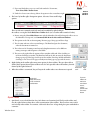
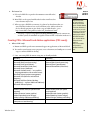
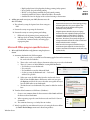
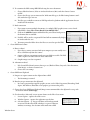
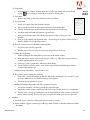
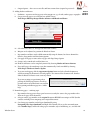
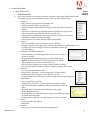
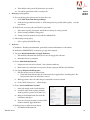
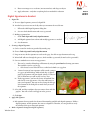
A.Add New Field>Button, click and drag over artwork that will act as button, type name, and click
Show All Properties
B. Dialog box has several tabs – General, Appearance, Options, Actions
C. Appearance – make border and color transparent so that artwork will display
D.Options
i.
Layout and Behavior are used if there is no artwork already created. Delete label if you are
using artwork for your button
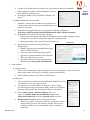
E. Actions
i.
Select Trigger – choose Mouse Up (never Mouse Enter, that’s just mouse-over!)
ii. Select Action – choose Reset a form, click on Add, choose which fields to reset, OK
7. Creating a Submit button
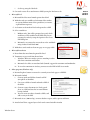
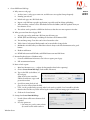
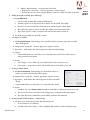
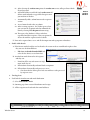
A.Add New Field>Button, click and drag over artwork that will act as
button, type name, and click Show All Properties
B. Dialog box has several tabs – General, Appearance, Options, Actions
C. Appearance – make border and color transparent so that artwork will
display
i. Layout and Behavior are used if there is no artwork already created
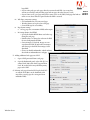
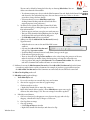
D.Actions
i.
On Mouse Up, select Submit a Form and add an email address. mailto:[email protected]
ii. The user has the choice of an internet email program or a computer based email program.
iii. The entire PDF can be submitted or just the fdf file, with data and comments
8. Creating Simple Field Calculations - advanced topic
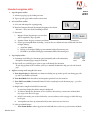
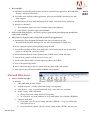
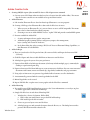
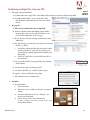
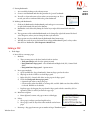
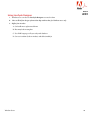
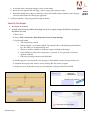
A.Calculates to be calculated, right-click and choose Properties
i.
Be sure Format is set as Number
ii. Calculate tab has three choices – Value, Simplified field notation, Custom calculation script
Windsor Green
37