1
Providing a Multiple Language Knowledge Base
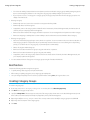
4. Click Continue.
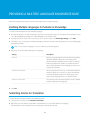
5. Select the source and target language pairs you want to export. Salesforce creates a separate .zip file for every article type in each
language pair.
Important: You must retain the .zip file structure for a successful import. For more information, see “Importing Article
Translations” in the Salesforce Help.
6. To have the files reviewed or published after being translated, select a user or a queue and then select the name of the user or queue.
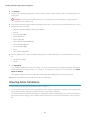
7. Select the file character encoding:
• ISO-8859-1 (General US & Westion European, ISO-LATIN-1)
• Unicode
• Unicode (UTF-8) default
• Japanese (Windows)
• Japanese (Shift_JIIS)
• Chinese National Standard (GB18030)
• Chinese Simplified (GB2312)
• Chinese Traditional (Big5)
• Korean
• Unicode (UTF-16, Big Endian)
8. Select the delimiter for the .csv files. The delimiter is the separator for columns when the file is converted to table form. Your options
are:
• Tab (This is the default.)
• Comma
9. Click Export Now.
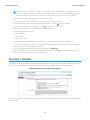
You’re notified by email when your export is complete. You can also check the status of your export by viewing the Article Import
and Export Queue. From Setup, enter Article Imports and Exports in the Quick Find box, then select Article
Imports and Exports.
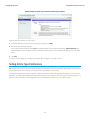
For description of status states, see “Viewing Salesforce Knowledge Import and Export Status” in the Salesforce Help.
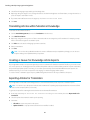
10. Unzip the exported files, but retain the file structure for a successful import.
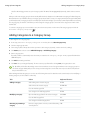
Importing Article Translations
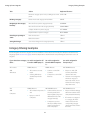
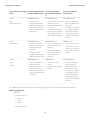
Consider the following before importing translated articles into Salesforce:
• You can only import articles that have been exported from the same Salesforce organization. For example, you can't export articles
from your test or sandbox organization and import them into your production organization.
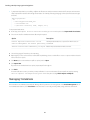
• You must place all the translation files (meaning, those exported from Salesforce and translated by your vendor) in a folder whose
name is the same as the language code. For example, put French articles in an fr folder. Zip up this folder to create your import
file.
41