1
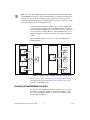
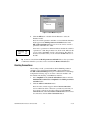
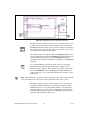
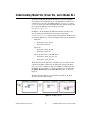
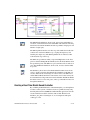
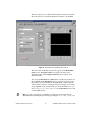
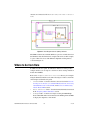
Figure 19. Front Panel of the Batch Simulation VI
To set the initial parameter values, you can modify the values in the Array
of parameter values control. In this VI, the Array of parameter values
control contains three pairs of values for the frequency and amplitude
parameters. The Array of parameter values control indicates that the
Batch Simulation VI will run the SineWave model three times using the
values specified in this control. The Output chart displays the results of
this batch simulation.
Click the Run button to display the results of this batch simulation.
© National Instruments Corporation
33
LabVIEW Simulation Interface Toolkit User Guide