1
RAIN MASTER TM EAGLE PLUS
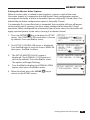
Two-Wire Decoder System Setup
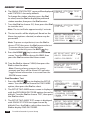
When the Eagle Plus is equipped with the Two-Wire Decoder interface board,
access to the Two-Wire setup menu options become available. The setup
functions for the Two-Wire Decoder system include:
• Program Decoder – Provides Decoder programming and setup options.
• Show Stations – Retrieves and displays current station address information.
• Test – Provides multiple test functions for Decoder station address verification.
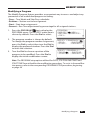
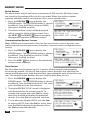
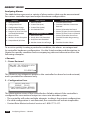
Note: If the decoder board is not installed or a
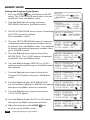
SETUP TWO-WIRE
TWO-WIRE BOARD NOT
hardware malfunction has occurred, the prompt
FUNCTIONING OR NOT
screen shown at right will be displayed.
PRESENT.
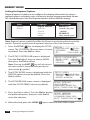
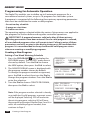
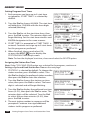
Programming the Decoders
Rain Master decoders are available in 1-, 2-, and 4-station output models, and
as shipped from the factory, have no pre-defined station assignments. To be
recognized by the Eagle Plus controller, each station must be addressed as either
a station number from 0 – 200, a Master Valve, or a Pump control. To facilitate
decoder programming, a quick-connect terminal block is provided on the
Two-Wire Decoder board.
Note: The Eagle Plus enables the decoders to be temporarily connected and
programmed without disconnecting power. Confirm the Power LED on the Decoder
board is illuminated before continuing. If it is not illuminated, confirm that power is on
and the Decoder board is properly connected to Control Module.
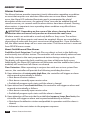
CAUTION: Red and Black decoder wires must be connected to the decoder
board terminal block in the correct orientation. Damage to the decoder and/
or controller may result from crossing the wire connection.
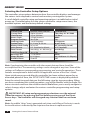
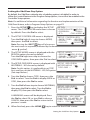
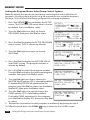
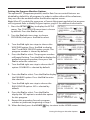
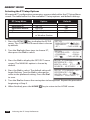
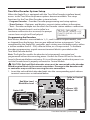
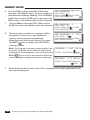
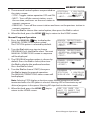
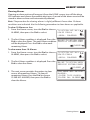
1. Insert the red and black decoder leads into the corresponding quick-release
terminal connectors as indicated below.
Cable to Control
Module
Red Wire Lead
Black Wire Lead
Power LED
Status LED
Status LED
Decoder Board
Decoder
Two-Wire Decoder System Setup
31