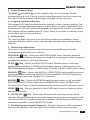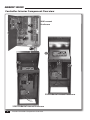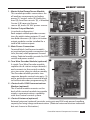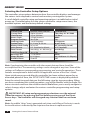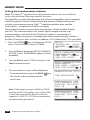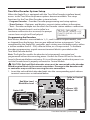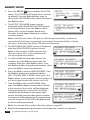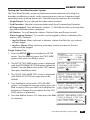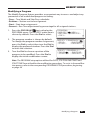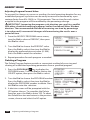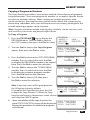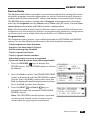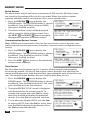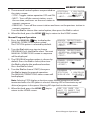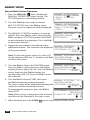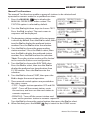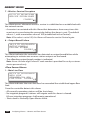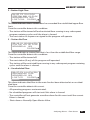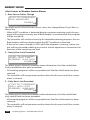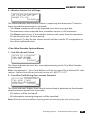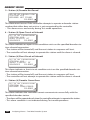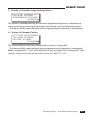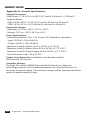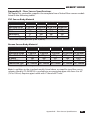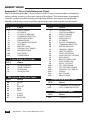
1
RAIN MASTER EAGLE PLUS TM User’s Guide • Installation • Setup • Programming • Operation • Troubleshooting RAIN MASTER EAGLE PLUS TM SU 08:20:15A WK1 VALID PGM:14 [MAIN] ALARM IRIGATION RAIN MASTER TM EAGLE PLUS Introduction Thank you for choosing the Irritrol Rain Master Eagle Plus controller for your landscape irrigation system. We at Irritrol take great pride in developing and building the finest irrigation products in the world, and are confident that your new Rain Master Eagle Plus will provide the control features, resource management tools, ease of use and robust design for years of dependable service. Programming Features • Station Run Time from 1 minute to 23 hours and 59 minutes, in 1-minute increments. • Station delay setting from 1 minute to 19 minutes and 59 seconds. • Cycle run time, Maximum Cycle time, and Soak time on a per-station basis • Pump activation independent of the master valve on a per-program basis • Program stacking or single program operation • Watering day routine options on a per-program basis include: 14-Day , Skip Days and Odd/Even-numbered days. • Definable watering window from 1 minute to 24 hours. • Cycle-and-Soak or standard run time programming on a per-program basis. • Copy functions for program-to-program and station run time. • Programmable Master Valve and a Pump output control capabilities: Automatic Watering Operations • Evapotranspiration (ET) based scheduling. • Percentage adjustment on a per-program basis to allow an increase or decrease of all station runtimes within that program from 0 – 300% in 1% increments. • Calculated station run time executed to the nearest second. • Programmable Water Off to postpone irrigation from 1 to 9 days. • Automatic minimization of the water window by dynamically scheduling station starts when other stations are in the Soak mode. Evapotranspiration (ET) Features • ET processing on a per program basis. • Multiple ET sources as the basis for its ET calculations: ••Historical ET data ••Manually entered ET data ••Weather Center II weather station ••Internet (with iCentral communication enabled). ii RAIN MASTER TM EAGLE PLUS Control Module Features • Non-volatile memory retains all controller setup and programming information during power outages or seasonal shutdowns. • A real-time clock with non-volatile backup to maintain the current date and time during power outages without the need of batteries. • Automatically monitors all critical operating voltages and resets microprocessor during power “brown-out” or error conditions. • Automatic electronic fuse resets automatically - eliminates fuses or circuit breakers. • Automatic resumption of watering programs after power outage from the point of interruption. • Automatically detects problems on all output and input circuits. • Built-in self-test for internal circuitry. • Robust surge protection on field output circuits. Input Monitoring Features • Rain sensor ready–accepts rain sensor or weather station input. • Connectivity and input for two flow-sensing devices. • Programmable flow sensor pipe sizes for standard Rain Master flow sensors and non-standard pipe sizes. • Programmable flow monitoring for: ••Mainline flow limit ••Unscheduled flow limit ••Single-station flow limit ••Sample delay ••Measured station flow. Two-Wire Decoder System Control Features (Two-Wire Decoder System Models Only) • Two-Wire Decoder board installs in place of standard station output boards • Fully integrated Two-Wire Decoder capabilities • Provides control of up to 100 decoders for a total of 202 field outputs • Auto detection and configuration during power-up • Decoder programming and monitoring capabilities include: ••Decoder and station number association ••Output current ••Station short/open circuit ••Decoder presence detection. iii RAIN MASTER TM EAGLE PLUS Table of Contents v Control Module Overview ...........................................................................2 v Controller Interior Component Overview ................................................4 v Selecting the Controller Setup Options ...................................................6 w Setting the Current Time and Date ...................................................................7 w Setting a Security Access Code ...........................................................................9 w Setting the Program Stack Option ...................................................................11 w Setting the Station Delay Option ................................................................... 12 w Setting the Master Valve Option ..................................................................... 13 w Setting the Regional Options ........................................................................... 14 w Setting the Odd/Even Day Option .................................................................. 15 w Setting the Audible Alert Option .................................................................... 16 w Setting the Timed Water-Off Mode .................................................................17 w Setting the Water Window Duration ..............................................................18 v Selecting the Program Setup Options .................................................. 19 w Setting the Program Type Option ..................................................................20 w Setting the Program Odd/Even Days Option ..............................................21 w Setting the Program Master Valve/Pump Control Options ................... 22 w Setting the Program Weather Options ......................................................... 23 v Selecting the ET Setup Options .............................................................. 24 v Selecting the Flow Sensor Setup and Operation Options ................. 25 w Setting the Usage Option .................................................................................. 26 w Setting the Standard/Custom Sensor Options .......................................... 26 w Setting the Flow Limits Options ......................................................................27 w Setting the Delay Option ...................................................................................28 w Setting the Learned Flow Options .................................................................28 w Resetting the Flow Totalizer ..............................................................................29 v Setting the Communications Options ................................................... 30 v Two-Wire Decoder System Setup .............................................................31 w Programming the Decoders ..............................................................................31 w Two-Wire Decoder System Setup ....................................................................31 w Programming the Decoders ..............................................................................31 w Testing the Two-Wire Decoder System ......................................................... 33 w Single Station Test ................................................................................................ 33 w Find Decoders Test ............................................................................................... 34 w All Stations Test ..................................................................................................... 35 iv RAIN MASTER TM EAGLE PLUS v Programming for Automatic Operation ...............................................36 w Creating a New Program .................................................................................. 36 w Setting a Two-Week Watering Schedule ......................................................37 w Setting a Skip-Day Watering Schedule ........................................................37 w Setting Program Start Times ........................................................................... 38 w Assigning the Station Run Time ..................................................................... 38 w Setting a Cycle and Soak Station Run Time ............................................... 39 v Modifying a Program: .............................................................................. 41 w Adjusting Program Percent Value ..................................................................42 w Deleting a Program .............................................................................................42 v Copying a Program or Runtime ..............................................................43 w To Copy a Program ............................................................................................. 43 w To Copy a Run Time ............................................................................................ 44 v Review Mode ............................................................................................ 45 w Program Review ...................................................................................................45 w Alarm Review......................................................................................................... 46 w Comm Review ...................................................................................................... 46 w Flow Review .......................................................................................................... 46 w Irrigation Review ..................................................................................................47 w ET Review ................................................................................................................47 v Manual Watering Operations ................................................................ 48 w Manual Station Operation ............................................................................... 48 w Manual Program Operation ............................................................................ 49 w Manual Multi-Station Operation ................................................................... 50 w Manual Test Functions.........................................................................................51 v Alarms Feature ..........................................................................................52 w Alarm Categories ..................................................................................................52 w Field Wire Fault Detection .................................................................................52 w Flow Detection ......................................................................................................52 w Clearing Alarms ................................................................................................... 53 w Analyzing Alarms ................................................................................................ 54 w General Alarms .................................................................................................... 54 w Flow Sensor Alarms ........................................................................................ 56 w Rain Sensor or Weather Station Alarms ................................................... 58 w Two-Wire Decoder System Alarms ............................................................ 59 v Appendix A - General Specifications .....................................................62 v Appendix B - Flow Sensor Specifications .............................................63 v Appendix C - Error Code Reference Chart ............................................64 v Appendix D - FCC Rules-Electromagnetic Compatibility ..................65 v RAIN MASTER TM EAGLE PLUS Control Module Overview 3 ALARM IRIGATION 1 SU 08:20:15A WK1 VALID PGM:14 2 [MAIN] 4 5 6 7 1-Large LCD Display The large format LCD display presents all setup, programming, system control and monitoring functions in an interactive menu-driven format. Note: To conserve power, the LCD backlight dims automatically after five minutes of inactivity. The backlight is restored automatically with any controller input. The Home screen is displayed by default when the controller is in the standby mode to provide basic controller status information. 1 2 3 4 The top line of the Home screen provides the current day (1), current time (2), and week 1 or week 2 of the two-week watering schedule (3). When equipped for iCentral communications, an antenna symbol (4) with signal strength indication bars will be shown. The second line indicates the current number of configured automatic programs: None or 1–8 for standard systems, or 1–16 for Two-Wire systems. When the controller is in the Water Off mode, WATER OFF is displayed. The bottom line of the Home screen provides: Main menu access (5), the pending number of alarms (6), and display sequence arrow(s) (7). 6 7 5 2 Control Module Overview RAIN MASTER TM EAGLE PLUS 2-Screen Sequence Keys The NEXT and BACK screen sequence keys are associated with the corresponding and arrow symbols when displayed. Pressing a sequence key steps forward or backward through a multiple-screen sequence. 3-Irrigation and Alarm Monitors The Irrigation LED monitor illuminates to indicate system watering activity. The Alarm LED monitor illuminates when a system Alarm or Alert is generated. The Alarm monitor LED will remain illuminated until cleared by the user. An audible Alert option can be enabled that will “chirp” every six seconds to indicate one or more Alarm and or Alert conditions. 4- Selection Dial The selection Dial is the main user-interface component, providing a single rotary/push-button dial to select and input all controller setup and operating features. 5-Direct Access Menu Keys Direct access to each primary menu function is provided by pressing the corresponding selection key as follows: PROGRAM Key – Selects the MAIN PROGRAM menu. Provides programrelated options including: new program setup, existing program review, program modification, deletion, and copy functions. SETUP Key – Selects the MAIN SETUP menu. Provides access to all setup option menus including: CONTROLLER operating options, FLOW monitor setup, PROGRAM operating options, COMM setup, ET setup, and TWO-WIRE system setup. Key – Selects the MANUAL OPERATIONS menu enabling manual MANUAL control operations including: SINGLE STATION and MULTI-STATION operation, PROGRAM operation and multiple TEST functions. REVIEW Key – Selects the REVIEW menu for quick access to all controller PROGRAM details, historical data logs for IRRIGATION events, ALARM events, FLOW results, ET rates, iCentral communications and controller software version. HOME Key – Returns directly to the HOME menu from any location within the menu hierarchy. 6- WATER OFF Key – Terminates all automatic watering activity. When selected, all current automatic controller operation shuts down and remains off until the WATER OFF mode is released. The Water Off LED monitor illuminates when the controller is in the WATER OFF mode. 7-Pro Max Remote Control Receptacle – Provides easy access for connection and remote operation with the (optional) Pro Max remote control system. Control Module Overview 3 RAIN MASTER TM EAGLE PLUS Controller Interior Component Overview 5 2 Wall-mount Enclosure 1 3 6 6 6 1 2 3 4 1 3 SPED Pedestal-mount Enclosure 4 Interior Controller Component Overview PSB Pedestal-mount Enclosure RAIN MASTER TM EAGLE PLUS 1 - Master Valve/Pump/Sensor Module 1 This module provides connections for all auxiliary components including: pump (1), master valve (2), field common (3), two flow sensors (3), a Weather Center II (5) or a rain/freeze sensor (6), and a 24 VAC power source. 4 4 5 6 7 3 2 1 2 - Station Output Module (standard configuration) Each output module provides connec2 tions for eight station outputs (1) and 2 two field commons (2). Up to six station output modules can be installed for a total of 48 station outputs. 1 3-Main Power Connection Terminal block (wall-mount models) or junction box provide connections for Line, Neutral, and Equipment Ground 2 wiring. Pedestal models provide On/Off switch and power outlet. 4 4 - Two-Wire Decoder Module (optional) A single Two-Wire Decoder module replaces the 8-station output board(s) 2 and connects to the control module via a two-wire, plug-in cable assembly. The Decoder module provides two separate decoder control wire pairs (1) and a quick-disconnect terminal block to facilitate decoder programming (2). 5 - iCentral with GSM Communications Modem (optional) The iCentral modem mounts on the back of the control module to provide wireless communications capability 1 1 with the iCentral control system. 6 - iCentral Antenna (optional) External antenna (optional) provides unity gain and 200 watt power-handling capacity for loing-range communication. (Pedestal antenna location indicated but not shown in illustration.) Controller Internal Component Overview 5 RAIN MASTER TM EAGLE PLUS Selecting the Controller Setup Options The controller setup options determine how the controller displays and manages the various tasks required to control and monitor your irrigation system. A set of default controller setup and operating options is established on initial power-up. The table below lists the various controller setup menu items, the available options and the factory default settings. Setup Menu Current Time Current Date Clock Format Access Code Program Stacking Stacking Limits Station Delay Master Valve Config. Units Format Date Format Odd/Even Days Off Rain Days Off Water Window Audible Alarm Option Numeric Value, AM/PM Alpha/Numeric 12- or 24-Hour 4-Digit Numeric Yes or No 1 to 8 Programs 0–19 min, 0–59 sec NC or NO U.S. Standard or Metric mm/dd/yy or dd/mm/yy Yes or No 1–9 or None 0–24 Hours On or Off Default 12:00:00 a.m. Thursday, 01/ 01/2009 12-Hour 0000 Yes 3 Programs 0 min, 0 sec NC (normally closed) U.S. Standard mm/dd/yy No None 24 (12:00 a.m.–11:59 p.m.) Off Note: Synchronizing the controller with the current date and time should be accomplished first. The remaining settings can be changed at any time. Some of the settings will influence corresponding programming and controller operations. These features are explained in detail within the applicable section of the User’s Guide. Upon initial power-up and after the controller has been without power for an extended period of time, the SETUP DATE/TIME screen is displayed by default. Enter the actual time and date per the following step-by-step procedure. When you have completed this initial procedure, you will be familiar with the Eagle Plus menu structure and how the multifunctional Dial allows you to easily navigate to select, change, adjust and enter the various controller programming and setup options. IMPORTANT: All setup and programming selections must be entered (saved to memory) by pressing the Dial before pressing any of the Direct Access keys. The controller will disregard any selection that has not been saved. Note: An audible “chirp” tone is generated each time a valid Key or Dial entry is made. An invalid action is indicated by the chirp tone four times in rapid succession. 6 Setting the Current Time and Date RAIN MASTER TM EAGLE PLUS Setting the Current Time and Date Note: Menu items displayed between dashes can be selected. Turn the Dial in either direction to choose (bracket) the menu item, then press the Dial to select. 1. The controller will display the SETUP DATE/TIME SETUP DATE/TIME: screen upon initial power up. DATE:[01/01/09] TIME:-12:00AMFORMAT:-12 HOUR2. Press the SETUP menu. key to display the SETUP SETUP: [CONTROLLER] –FLOW– –PROGRAM– –COMM– –ET– –TWO–WIRE– 4. Press the Dial to select the CONTROLLER menu. SETUP CONTROLLER: [DATE/TIME] –ACCESS– The DATE/TIME option is chosen by default. –STACK– –DELAY– –MVALVE– –MORE– 5. Press the Dial to select and display the SETUP DATE/TIME screen. The DATE option is chosen by default. Note: In this procedure example, the date and time will be changed from the default settings to June 15, 2011, 2:45. 6. Press the Dial – the Month digits (01) will begin flashing. 7. Turn the Dial to display the current month (06 = June), then press the Dial to enter the change. The Day digits (01) will begin flashing. 8. Turn the Dial to display the current day (15), then press the Dial to enter the change. The Year digits (09) will begin flashing. 9. Turn the Dial to display the current year (11), then press the Dial to enter the change. SETUP DATE/TIME: DATE:[01/01/09] TIME:-12:00AMFORMAT:-12 HOUR- SETUP DATE/TIME: DATE:[01/01/09] TIME:-12:00AMFORMAT:-12 HOURSETUP DATE/TIME: DATE:[06/01/09] TIME:-12:00AMFORMAT:-12 HOURSETUP DATE/TIME: DATE:[06/15/09] TIME:-12:00AMFORMAT:-12 HOUR- SETUP DATE/TIME: DATE:[06/15/11] TIME:-12:00AMFORMAT:-12 HOUR- Setting the Current Time and Date 7 RAIN MASTER TM EAGLE PLUS 10.Turn the Dial right one step to choose Time, then press the Dial to select. The current hour digits will begin flashing. SETUP DATE/TIME: DATE:-06/15/11TIME:[12:00AM] FORMAT:–12 HOUR– 11.Turn the Dial to display the current hour (02:), then press the Dial to enter the change. The minutes digits will begin flashing. SETUP DATE/TIME: DATE:-06/15/11TIME:[02:00AM] FORMAT:–12 HOUR– 12.Turn the Dial to display the current minute (:45), then press the Dial to enter the change. The AM designator will begin flashing. SETUP DATE/TIME: DATE:-06/15/11TIME:[02:45AM] FORMAT:–12 HOUR– 13.Turn the Dial to display PM, then press the Dial to enter the change. SETUP DATE/TIME: DATE:-06/15/11TIME:[02:45PM] FORMAT:–12 HOUR– 14.Press the HOME key to exit the SETUP menu. Note: The initial Alarms shown on the Home screen are generated by default during the power-up process and not indicative of a problem. Clear the Alarms as follows: • Turn the Dial right one step to choose ALARMS. TH 02:45:39P WK1 VALID PGM:NONE • Press the Dial to select ALARMS. • The cause of the alarm will be displayed. -MAIN- [ALARMS( 1)] Press the Dial as needed to clear the alarms. TH 02:45:39P WK1 POWER RESTORED [CLEAR] 8 Setting the Current Time and Date RAIN MASTER TM EAGLE PLUS Setting a Security Access Code This feature enables the user to establish an access code that must be entered to gain access to various controller functions. The access code can be any four-digit number between 0001 and 9999. After the code has been established, a security level is applied that determines which of the controller functions can remain accessible without entering the code. • All – Disables access code requirement – enables unrestricted controller use. • Restricted – Requires access code to unlock Program and Setup functions. Manual, Review and Water Off functions remain unrestricted. • No Access – Requires access code to unlock all controller functions. 1. Press the SETUP key to display the SETUP menu. The CONTROLLER option is chosen by default. Press the Dial to select CONTROLLER. SETUP: [CONTROLLER] –FLOW–PROGRAM– –COMM– –ET– –TWO–WIRE– The SETUP CONTROLLER menu is displayed with the DATE/TIME option chosen by default. 2. Turn the Dial right one step to choose the ACCESS option. SETUP CONTROLLER: -DATE/TIME- [ACCESS] –STACK– –DELAY– –MVALVE– –MORE– 3. Press the Dial to select and display the SETUP ACCESS screen. SETUP CONTROLLER: [DATE/TIME] –ACCESS– –STACK– –DELAY– –MVALVE– –MORE– SETUP ACCESS ENTER EXISTING CODE: [XXXX] Note: Select an access code that’s easy to recall, then keep a copy of it written down for reference if needed. If you forget or misplace your code, contact Technical Support at 1-800-777-1477. 4. Press the Dial to begin. Four zeros will be SETUP ACCESS displayed with the first digit flashing. Either ENTER EXISTING CODE: [0000] turn the Dial to change this digit, or press the Dial to select the next digit in sequence. Repeat for all four digits. Note: All four digits of the access code must be selected and saved to retain the code in memory. Exiting this procedure before entering the last digit restores the default or previous access code. SETUP ACCESS ENTER EXISTING CODE: [0123] Setting a Security Access Code 9 RAIN MASTER TM EAGLE PLUS 5. Entering the fourth access code digit prompts the next screen in the access setup sequence. Turn the Dial to choose the LEVEL option, then press the Dial to select. 6. Turn the Dial to display the preferred security level: RESTRICTED, NO ACCESS or ALL, then Press the Dial to enter the selection. SETUP ACCESS LEVEL[ ALL NEW CODE–0123– –CLEAR CODE– ] SETUP ACCESS LEVEL[RESTRICTED] NEW CODE–0123– –CLEAR CODE– Note: Once the access code has been entered, the ! ACCESS DENIED! controller functions will remain accessible until ENTER CODE:[XXXX] TO CONTINUE. midnight. The access code must be entered each time once the restrictions have been applied to gain controller access. If attempting to enter an incorrect access code, the ACCESS DENIED screen will be displayed. 7. When finished, press the HOME return to the HOME screen. key to To Clear and Reset the Current Access Code: 1. Starting from the SETUP ACCESS screen (shown at right), turn the Dial to choose CLEAR CODE, then press the Dial to select. SETUP ACCESS LEVEL–RESTRICTED– NEW CODE–0123– [CLEAR CODE] 2. A safety screen is prompted. Turn the Dial to choose the Yes option, then press the Dial to delete the access code. ARE YOU SURE YOU WANT TO CLEAR THE ACCESS CODE? [YES] –NO– 3. To reset the access code, repeat access code setup procedure, beginning at step 4. 4. When finished, press the HOME return to the HOME screen. 10 Setting a Security Access Code key to SETUP ACCESS LEVEL[RESTRICTED] NEW CODE[XXXX] –CLEAR CODE– RAIN MASTER TM EAGLE PLUS S etting the Program Stack Option This controller setup option enables you to specify whether multiple irrigation programs can run simultaneously, or must be “stacked” or constrained to run one at a time in chronological order. By default, Program Stack is a global option, established for all programs, but can be disabled for individual programs as preferred. The Program Stack range is adjustable from 1– 8 programs. When the Stack option is disabled for a specific program, that program is allowed to run simultaneously with other programs. Caution: Before disabling the Stack option, it is very important to consider the total current load and flow demand imposed on the system during simultaneous multiple-program operations. 1. Press the SETUP key to display the SETUP menu. The CONTROLLER menu item is chosen by default. Press the Dial to select. SETUP: [CONTROLLER] –FLOW–PROGRAM– –COMM– –ET– –TWO–WIRE– 2. The SETUP CONTROLLER menu is displayed. SETUP CONTROLLER: Turn the Dial right two steps to choose STACK. –DATE/TIME– –ACCESS– [STACK] –DELAY– –MVALVE– –MORE– 3. Press the Dial to display the SETUP PROGRAM STACK screen. The Program option is chosen by default. Press the Dial to select. The program number will begin flashing. SETUP PROGRAM STACK: PROGRAM[ 1] STACK-YESSTACKING LIMIT-1- 4. Turn the Dial to display the preferred program number (1–8 for standard systems, or 1–16 for two-wire decoder systems). Press the Dial to enter the number. SETUP PROGRAM STACK: PROGRAM[ 4] STACK-YESSTACKING LIMIT-1- 5. Turn the Dial right one step to choose the STACK option, then press the Dial to select. The current option will begin flashing. Turn the Dial to display the preference, then press the Dial to enter. Note: The Stacking Limit option is applicable only with the Yes option selected. 6. Turn the Dial right one step to choose STAKING LIMIT, then press the Dial to select. The current number will begin flashing. Turn the Dial to display the preferred number from 1–8, then press the Dial to enter the selection. SETUP PROGRAM STACK: PROGRAM– 4– STACK[YES] STACKING LIMIT-1- 7. When finished, press the HOME SETUP PROGRAM STACK: PROGRAM- 4STACK-YESSTACKING LIMIT[2] key to return to the HOME screen. Setting the Program Stack Option 11 RAIN MASTER TM EAGLE PLUS Setting the Station Delay Option Irrigation systems that utilize a pump station and/or slow-closing valves may require a delay or dwell time to occur between the station operating sequence. The Station Delay feature enables you to enter a delay period from 1 second to 19 minutes. Note that the Station Delay period is applied globally to all station operating sequences. 1. Press the SETUP key to display the SETUP menu. The CONTROLLER menu item is chosen by default. Press the Dial to select. SETUP: [CONTROLLER] –FLOW–PROGRAM– –COMM– –ET– –TWO–WIRE– 2. The SETUP CONTROLLER menu is displayed. Turn the Dial right 3 steps to choose DELAY. SETUP CONTROLLER: –DATE/TIME– –ACCESS– -STACK[DELAY] –MVALVE– –MORE– 3. Press the Dial to display the SETUP STATION DELAY screen. The MINUTES option is chosen by default. If the preferred delay period is less than 1 minute, turn the Dial right one step to choose Seconds. 4. Press the Dial to select. The current value (0 by default) will begin flashing. SETUP STATION DELAY: MINUTES[ 0] (0-19) SECONDS- 0- (0-59) 5. Turn the Dial to display the SECONDS value. Press the Dial to enter. 6. When finished, press the HOME return to the HOME screen. 12 Setting the Station Delay Option key to SETUP STATION DELAY: MINUTES- 0- (0-19) SECONDS[ 0] (0-59) SETUP STATION DELAY: MINUTES- 0- (0-19) SECONDS[10] (0-59) RAIN MASTER TM EAGLE PLUS Setting the Master Valve Option When a master valve is utilized in the irrigation system to control the main line water supply, it is imperative that the Master Valve configuration option corresponds correctly to either a Normally Open or a Normally Closed valve. The default Master Valve configuration option is Normally Closed. For example, if a system flow limit is exceeded, the controller will turn off power to the master valve, causing it to close, when configured for Normally Closed operation, When configured for a Normally Open master valve, the controller will apply constant power to the valve, causing it to remain closed. 1. Press the SETUP key to display the SETUP menu. The CONTROLLER menu item is chosen by default. Press the Dial to select. SETUP: [CONTROLLER] –FLOW–PROGRAM– –COMM– –ET– –TWO–WIRE– 2. The SETUP CONTROLLER menu is displayed. Turn the Dial right 4 steps to choose MVALVE, then press the Dial to select. SETUP CONTROLLER: -DATE/TIME- -ACCESS–STACK– –DELAY– [MVALVE] –MORE– 3. The SETUP MASTER VALVE screen is displayed. The NORMAL CLOSE option is chosen by default. Press the Dial to select. The option will begin flashing. SETUP MASTER VALVE: TYPE[NORMAL CLOSE] 4. Turn the Dial to display the NORMAL OPEN option, then press the Dial to enter. 5. When finished, press the HOME return to the HOME screen. SETUP MASTER VALVE: TYPE[NORMAL OPEN ] key to Setting the Master Valve Option 13 RAIN MASTER TM EAGLE PLUS Setting the Regional Options Regional options enable you to configure the display information for various regional options including: units of measure, display language and date format. The chart below provides the Regional options and the default settings. Units English Metric Language - English (default) - Spanish - French - German - Italian Date Format MM/DD/YY (month, day, year - default) DD/MM/YY (day, month, year) Note: Regional option availability differs for Domestic and International controller models. Domestic models provide optional selection of the Date Format only. 1. Press the SETUP key to display the SETUP menu. The CONTROLLER menu item is chosen by default. Press the Dial to select. 2. The SETUP CONTROLLER menu is displayed. Turn the Dial right 5 steps to choose MORE, then press the Dial to select. Note: Pressing the NEXT key will also access the next screen in sequence (indicated by the down arrow symbol). 3. The SETUP MORE screen is displayed with the REGION option chosen by default. Press the Dial to select. 4. The SETUP REGION menu screen is displayed with the DATE FORMAT chosen by default. SETUP: [CONTROLLER] –FLOW–PROGRAM– –COMM– –ET– –TWO–WIRE– SETUP CONTROLLER: -DATE/TIME- -ACCESS–STACK– –DELAY– -MVALVE[MORE] SETUP MORE: [REGION] -ODD/EVEN–SOUND– -WATER OFF– -WATER WINDOWSETUP REGION: UNITS-ENGL. LANGUAGE-ENGLISHDATE FORMAT[MM/DD] 5. Press the Dial to select. Turn the Dial to display SETUP REGION: UNITS-METRICthe preferred option, then press the Dial to LANGUAGE-ENGLISHenter the selection. DATE FORMAT[MM/DD] 6. When finished, press the HOME 14 Setting the Regional Options key to return to the HOME screen. RAIN MASTER TM EAGLE PLUS Setting the Odd/Even Day Option By default, the Odd/Even calendar day scheduling option is disabled. In order to utilize this control feature in the Program Setup options, it must first be enabled in the Controller Setup options. Note: For additional information regarding the function and implementation of the Odd/Even feature, refer to Program Setup Options on page 21. 1. Press the SETUP key to display the SETUP menu. The CONTROLLER menu item is chosen by default. Press the Dial to select. 2. The SETUP CONTROLLER menu is displayed. Turn the Dial right 5 steps to choose MORE, then press the Dial to select. SETUP: [CONTROLLER] –FLOW–PROGRAM– –COMM– –ET– –TWO–WIRE– SETUP CONTROLLER: -DATE/TIME- -ACCESS–STACK– –DELAY– -MVALVE[MORE] Note: Pressing the NEXT key will also access the next screen in sequence (indicated by the down arrow symbol). 3. The SETUP MORE screen is displayed with the SETUP MORE: –REGION– [ODD/EVEN] REGION option chosen by default. –SOUND– -WATER OFF– Turn the Dial right one step to choose the -WATER WINDOWODD/EVEN option, then press the Dial to select. 5. The SETUP ODD/EVEN screen is displayed with SETUP ODD/EVEN: WATERING - NO chosen by default. WATERING[NO ] TYPE-ODD Note: For this option, it is preferable to set TYPE first, and then set the WATERING - YES/NO option. (See step 6 below.) 6. Turn the Dial to choose TYPE, then press the Dial to select. Turn the Dial to display EVEN or ODD, then press the Dial to enter. SETUP ODD/EVEN: WATERING -NO TYPE[EVEN] 7. Turn the Dial left one step to choose WATERING, SETUP ODD/EVEN: WATERING[YES] then press the Dial to select. Turn the Dial to TYPE[EVEN] display YES, then press the Dial to select. A WARNING screen will be displayed. Press the Dial to select OK, or turn Dial to choose CANCEL, then press the Dial to return to the previous screen. 8. When finished, press the HOME WARNING: YOU HAVE ELECTED TO WATER ON EVEN CALENDAR DAYS ONLY. [OK] -CANCEL- key to return to the HOME screen. Setting the Odd/Even Day Option 15 RAIN MASTER TM EAGLE PLUS Setting the Audible Alert Option The Audible Alert option is Off by default. When enabled, an Alarm condition will trigger an Alert “chirp” tone every six seconds until the Alarm condition is cleared. 1. Press the SETUP key to display the SETUP menu. The CONTROLLER menu item is chosen by default. Press the Dial to select. 2. The SETUP CONTROLLER menu is displayed. Turn the Dial right 5 steps to choose MORE, then press the Dial to select. Note: Pressing the NEXT key will also access the next screen in sequence (indicated by the down arrow symbol). 3. The SETUP MORE screen is displayed with the REGION option chosen by default. Turn the Dial right two steps to choose SOUND, then press the Dial to select. 4. The SETUP SOUND screen is displayed with the OFF option selected by default. SETUP: [CONTROLLER] –FLOW–PROGRAM– –COMM– –ET– –TWO–WIRE– SETUP CONTROLLER: -DATE/TIME- -ACCESS–STACK– –DELAY– -MVALVE[MORE] SETUP MORE: -REGION- -ODD/EVEN[SOUND] -WATER OFF– -WATER WINDOW- SETUP SOUND: AUDIBLE ALARM[OFF] 5. Press the Dial to select, then turn the Dial to display ON. Press the Dial to enter the selection. 6. When finished, press the HOME 16 Setting the Audible Alert Option key to return to the HOME screen. RAIN MASTER TM EAGLE PLUS Setting the Timed Water-Off Mode This feature provides a means of placing the controller in the Water Off mode for a timed duration from 1 to 9 days. Note: The Water Off mode can be terminated at any time by any one of the following methods: • Press the WATER OFF key. • Reset the Water Off day duration to NONE. • Choose TURN WATER ON from the MAIN menu, then press the Dial to select TURN WATER OFF. 1. Press the SETUP key to display the SETUP SETUP: menu. The CONTROLLER menu item is chosen [CONTROLLER] –FLOW–PROGRAM– –COMM– by default. Press the Dial to select. –ET– –TWO–WIRE– 2. The SETUP CONTROLLER menu is displayed. Turn the Dial right 5 steps to choose MORE, then press the Dial to select. Note: Pressing the NEXT key will also access the next screen in sequence (indicated by the down arrow symbol). 3. The SETUP MORE screen is displayed with the REGION option chosen by default. Turn the Dial right three steps to choose WATER OFF, then press the Dial to select. 4. The SETUP WATER OFF screen is displayed. Press the Dial to select [None], then turn the Dial to display 1 to 9 days. SETUP CONTROLLER: -DATE/TIME- -ACCESS–STACK– –DELAY– -MVALVE[MORE] SETUP MORE: -REGION- -ODD/EVEN-SOUND- [WATER OFF] -WATER WINDOWSETUP WATER OFF: NUMBER OF DAYS CONTROLLER REMAINS IN WATER OFF [ 4] 5. Press the Dial to enter. The controller will switch to the WATER OFF mode and the LED indicator will illuminate. Note: If a 1-day duration is selected, the WATER OFF mode will be automatically released at the day change (Midnight). 6. When finished, press the HOME key to return to the HOME screen. Setting the Timed Water-Off Mode 17 RAIN MASTER TM EAGLE PLUS Setting the Water Window Duration This option enables you to define a specific period (or window) of time within the 24-hour day to complete all scheduled watering activity. Once established, any scheduled watering activity that would either start or continue running outside of the window will be ignored. Built-in programming alerts will be displayed if a water window scheduling conflict occurs. By default, the Water Window setting is 24 hours. Note: When decreasing the Water Window, it is important to consider that an increase in station run time through the use of the Percent Adjust and/or ET control features, can extend program watering duration beyond the Water Window limit,resulting in an Alarm condition. 1. Press the SETUP key to display the SETUP menu. The CONTROLLER menu item is chosen by default. Press the Dial to select. 2. The SETUP CONTROLLER menu is displayed. Turn the Dial right 5 steps to choose MORE, then press the Dial to select. Note: Pressing the NEXT key will also access the next screen in sequence (indicated by the down arrow symbol). 3. The SETUP MORE screen is displayed with the REGION option chosen by default. Turn the Dial right four steps to choose WATER WINDOW, then press the Dial to select. 4. The SETUP WATER WINDOW screen will be displayed. Press the Dial to select START time. Turn the Dial to display the preferred start time hour, then press the Dial to enter. The minutes digits will begin flashing. 5. Turn the Dial to display the preferred start time minutes. Press the Dial to enter. The AM/PM indicator will begin flashing (12-hour mode only). Turn the Dial to display the AM/PM preference, then press the Dial to enter. 6. Turn the Dial right one step to choose the END time. Set the END time using the same procedure as the START time. 7. When finished, press the HOME return to the HOME screen. 18 Setting the Water Window Duration key to SETUP: [CONTROLLER] –FLOW–PROGRAM– –COMM– –ET– –TWO–WIRE– SETUP CONTROLLER: -DATE/TIME- -ACCESS–STACK– –DELAY– -MVALVE[MORE] SETUP MORE: -REGION- -ODD/EVEN-SOUND- –WATER OFF– [WATER WINDOW] SETUP WATER WINDOW: START[05:00AM] END-11:59PM- SETUP WATER WINDOW: START[05:30AM] END–11:59PM– SETUP WATER WINDOW: START-05:30PMEND[11:59PM] RAIN MASTER TM EAGLE PLUS Selecting the Program Setup Options Within the Controller Setup menu options, the selections made applied universally to all active programs. Within the Program Setup options, operating parameters specific to each program are established. The table below lists the various available Program Setup options and the factory default settings. Setup Program Menu Type Option Default - Water Days: 14-Day/Skip Day 14-Day - Irrigation/Non-Irrigation Irrigation - Cycle and Soak: Yes/No No Odd/Even Days - Enabled/Disabled Disabled Weather - ET: Enabled/Disabled - Rain Sensor: Yes/No Disabled No Program Type • Water Days – A 14-day schedule is the default option that enables individual days of a recurrent, two-week schedule to be assigned. The Skip-Day option constrains active days to a specified interval, ranging from every day (skip 0 days), to once every 31 days (skip 30 days). • Irrigation/Non-Irrigation – Programs can be defined for either irrigation control or non-irrigation control; e.g., outdoor lighting or filter pumps as preferred. • Cycle/Soak – The Cycle and Soak option enables a delay period to be interspersed with the station run time to help reduce runoff due to a low absorption rate or to prevent furrowing and seed loss during an initial turf grow-in period. Odd/Even Days When enabled, either Odd- or Even-day watering is specified. Within the individual Program Setup options, the specified option (Odd or Even) is displayed with a YES/NO option. Selecting YES assigns the schedule to the program; selecting NO ignores the schedule. Note: The Odd/Even day scheduling option must be enabled within the Controller Setup options to be selectable within the Program Setup options. Master Valve /Pump: This option enables/disables concurrent operation of the Master Valve (MV) and/ or Pump on a per-program basis. By default, both Master Valve and Pump output controls are assigned to all irrigation programs and disabled for all non-irrigation programs. Selecting the Program Setup Options 19 RAIN MASTER TM EAGLE PLUS Setting the Program Type Option 1. Press the SETUP key to display the SETUP menu. The CONTROLLER menu item is chosen by default. Press the Dial to select. 2. Turn the Dial right two steps to choose PROGRAM, then press the Dial to select. SETUP: [CONTROLLER] –FLOW–PROGRAM– –COMM– –ET– –TWO–WIRE– SETUP: -CONTROLLER- -FLOW[PROGRAM] –COMM– –ET– –TWO–WIRE– 3. The SETUP PROGRAM menu screen is displayed SETUP PROGRAM: with TYPE chosen by default. [TYPE] -ODD/EVEN-MV/PUMP- -ET SETUP Press the Dial to select. 4. The next SETUP PROGRAM screen in sequence is displayed with the program number chosen by default. Press the Dial to select. Turn the Dial to display the preferred program number, then press the Dial to enter. 5. Turn the Dial right one step to choose the WATER DAYS. The 14 DAY option is displayed by default. Press the Dial to select. SETUP PROGRAM: - 2WATER DAYS[ 14 DAY ] TYPE- IRRIGATION CYCLE/SOAK- NO- 6. Turn the Dial to display SKIP DAY or 14 DAY option as preferred, then press the Dial to enter the selection. SETUP PROGRAM: - 2WATER DAYS[SKIP DAY] TYPE- IRRIGATION CYCLE/SOAK- NO- 7. Turn the Dial right one step to choose the Program TYPE option, then press the Dial to select. SETUP PROGRAM: - 2WATER DAYS-SKIP DAYTYPE[ IRRIGATION ] CYCLE/SOAK- NO- 8. Turn the Dial to display NON IRRIGATION (i.e. for outdoor lighting) or IRRIGATION option, then press the Dial to enter the selection. SETUP PROGRAM: - 2WATER DAYS-SKIP DAYTYPE[NON-IRRIGATION] CYCLE/SOAK- NO- 9. Turn the Dial right one step to choose the CYCLE /SOAK option. 10.Turn the Dial to display the YES or NO option, then press the Dial to enter the selection. 11.When finished, press the HOME to return to the HOME screen. 20 Setting the Program Type Option key SETUP PROGRAM: [ 1] WATER DAYS- 14 DAYTYPE- IRRIGATION CYCLE/SOAK- NO- SETUP PROGRAM: - 2WATER DAYS-SKIP DAYTYPE- IRRIGATION CYCLE/SOAK[ NO] SETUP PROGRAM: - 2WATER DAYS-SKIP DAYTYPE- IRRIGATION CYCLE/SOAK[YES] - RAIN MASTER TM EAGLE PLUS Setting the Program Odd/Even Calendar Days Option Note: To assign program(s) to an Odd or Even numbered calendar day schedule, the Odd /Even schedule option must be established first within the Controller setup parameters. Refer to page 15 for Controller Odd/Even setup procedures. Note: Programs can only be assigned to an Odd OR Even schedule, as specified within Controller setup parameters. In other words, one program can not be assigned to an Even schedule and another program assigned to an Odd schedule. Note: When the Odd/Even program option is enabled, watering will NOT occur on the 31st day of the month or Leap Day (February 24). 1. Press the SETUP key to display the SETUP menu. The CONTROLLER menu item is chosen by default. Press the Dial to select. 2. Turn the Dial right two steps to choose PROGRAM, then press the Dial to select. SETUP: [CONTROLLER] –FLOW–PROGRAM– –COMM– –ET– –TWO–WIRE– SETUP: -CONTROLLER- -FLOW[PROGRAM] –COMM– –ET– –TWO–WIRE– 3. The SETUP PROGRAM menu screen is displayed SETUP PROGRAM: with the TYPE option chosen by default. Turn -TYPE[ODD/EVEN] the Dial right one stop to choose the ODD/EVEN -MV/PUMP- -ET SETUP option, then press the Dial to select. 4. The program number is chosen by default. Press the Dial to select, then turn the Dial to display the preferred program number. Press the Dial to enter the selection. SETUP PROGRAM:[ 1] ODD/EVEN:ENABLED EVEN–YES 5. Turn the Dial right one step to choose the YES/NO option. By default the Odd or Even option is not selected for programs. SETUP PROGRAM:- 1ODD/EVEN:ENABLED EVEN[NO ] 6. To assign the EVEN day option to this program, SETUP PROGRAM:- 1press the Dial to select NO. The option will ODD/EVEN:ENABLED EVEN[NO ] begin flashing. Turn the Dial to display YES, then press the Dial to enter the selection. 7. Repeat this procedure for each program number as required, beginning at step 4. 8. When finished, press the HOME key to return to the HOME screen. Setting the Program Odd/Even Days Option 21 RAIN MASTER TM EAGLE PLUS Setting the Program Master Valve/Pump Control Options Note: By default, the master valve and pump control options are enabled for all programs. Disabling these functions may be required for non-irrigation programs. See page 13 for Master Valve/Pump configuration and setup procedures. 1. Press the SETUP key to display the SETUP menu. The CONTROLLER menu item is chosen by default. Press the Dial to select. 2. Turn the Dial right two steps to choose PROGRAM, then press the Dial to select. 3. Press the Dial to display the SETUP PROGRAM menu screen. TYPE is chosen by default. 4. Turn the Dial right two steps to choose MV/PUMP. SETUP: [CONTROLLER] –FLOW–PROGRAM– –COMM– –ET– –TWO–WIRE– SETUP: -CONTROLLER- -FLOW[PROGRAM] –COMM– –ET– –TWO–WIRE– SETUP PROGRAM: [TYPE] -ODD/EVEN-MV/PUMP- -ET SETUP SETUP PROGRAM: -TYPE-ODD/EVEN[MV/PUMP] -ET SETUP- 5. Press the Dial to display the MASTER VALVE and PUMP screen. The program number is chosen by default. SETUP PROGRAM:[ 1] MASTER VALVE-YESPUMP-YES- 6. Press the Dial to select the program number. Turn the Dial to display the preferred program number, then press the Dial to enter. SETUP PROGRAM:- 1MASTER VALVE[YES] PUMP-YES- 7. Turn the Dial right one step to choose the SETUP PROGRAM:- 1MASTER VALVE option. YES is selected by default. MASTER VALVE[NO ] To disable MASTER VALVE operation for this PUMP-YESprogram, press the Dial to select, turn the Dial to display NO, then press the Dial to select. 8. Turn the Dial right one step to choose the SETUP PROGRAM:- 1MASTER VALVE-NO PUMP option. YES is selected by default. PUMP[NO ] To disable PUMP operation for this program, turn the Dial to display NO, then press the Dial to select. 9. Repeat this procedure for each program as preferred, beginning at step 5. 10.When finished, press the HOME 22 key to return to the HOME screen. Setting the Program Master Valve/Pump Control Options RAIN MASTER TM EAGLE PLUS Setting the Program Weather Options The optional ET (Evapotranspiration) and/or Rain Sensor control features are disabled by default for all programs. In order to utilize either of these features, they must first be enabled within the Weather option screen. Note: When ET is enabled for a program, a Percent Adjustment applied to that program will be ignored. Refer to Modify Program options, page 41 for additional information. 1. Press the SETUP key to display the SETUP menu. The CONTROLLER menu item is chosen by default. Press the Dial to select. 2. Turn the Dial right two steps to choose PROGRAM, then press the Dial to select. SETUP: [CONTROLLER] –FLOW–PROGRAM– –COMM– –ET– –TWO–WIRE– SETUP: -CONTROLLER- -FLOW[PROGRAM] –COMM– –ET– –TWO–WIRE– 3. Turn the Dial right two steps to choose the WEATHER option. Press the Dial to display the ET and RAIN SENSOR option screen. The program number is chosen by default. 4. Press the Dial to select. The program number will begin flashing. Turn the Dial to display the preferred program number, then press the Dial to enter the selection. 5. Turn the Dial right one step to choose the ET option. DISABLED is selected by default. SETUP PROGRAM: -TYPE-ODD/EVEN-MV/PUMP- [WEATHER] SETUP PROGRAM:[ 2] ET-DISABLEDRAIN SENSOR- NO SETUP PROGRAM:- 2ET[DISABLED] RAIN SENSOR- NO - 6. Press the Dial to select. Turn the Dial to display SETUP PROGRAM:- 2ET[ENABLED ] the ENABLED option. Press the Dial to enter RAIN SENSOR- NO the selection. 7. Turn the Dial right one step to choose the RAIN SENSOR option. NO is selected by default. 8. Press the Dial to select. Turn the Dial to display the YES option to enable the option for this program. 9. Repeat this procedure for each program number as preferred, beginning at step 4. 10. When finished, press the HOME SETUP PROGRAM:- 2ET-ENABLED RAIN SENSOR[ NO ] SETUP PROGRAM:- 2ET-ENABLED RAIN SENSOR[YES ] key to return to the HOME screen. Setting the Program Weather Options 23 RAIN MASTER TM EAGLE PLUS Selecting the ET Setup Options All required ET configuration parameters are provided within the ET Setup Menu screen. The table below lists the available ET setup options and default settings. ET Setup Menu Manual Adjust Reference ET Reference Month ET Source Option No or .010 – .490 .00–.50 Jan–Dec .00–.50 Historic, Internet or Weather Station 1. Press the SETUP key to display the SETUP menu. The CONTROLLER menu item is chosen by default. 2. Turn the Dial right four steps to choose ET, then press the Dial to select. Default No .10 Jan .10 Historic SETUP: [CONTROLLER] –FLOW–PROGRAM– –COMM– –ET– –TWO–WIRE– SETUP: -CONTROLLER- -FLOW-PROGRAM–COMM– [ET] –TWO–WIRE– 3. Press the Dial to display the SETUP ET menu screen. The MANUAL option is chosen by default. SETUP ET:MANUAL[NO ] REFERENCE-.10MONTH-JAN- ET-.10SOURCE- HISTORIC - 4. Press the Dial to select. The default value will begin flashing. Turn the Dial to change the value to the preferred setting. Press the Dial to save. SETUP ET:MANUAL-NO REFERENCE[.20] MONTH-JAN- ET-.10SOURCE- HISTORIC - 5. Turn the Dial to choose the next option to be adjusted. Repeat the procedure beginning at Step 3. 6. When finished, press the HOME 24 Selecting the ET Setup Preferences key to return to the HOME screen. RAIN MASTER TM EAGLE PLUS Selecting the Flow Sensor Setup and Operation Options The Eagle Plus can support two separate flow sensors to continuously monitor main line and individual station flow rates. If a flow rate is detected outside the specified parameter, an Alarm condition is triggered. The controller supports Standard and Custom flow sensor configurations. The Standard option applies factory-default K and Offset values for Rain Master flow sensors. The Custom option enables K and Offset values to be set as preferred. The table below lists the flow sensor setup options, and default settings. Flow Setup Menu Sensors (Material/Size) Usage Type Delay Flow Limits Learned Flow Limit Adjust Totalizer Option Bronze: 1.0”, 1.25”, 1.5”, 2.0” & 2.5“ PVC: 1.5”, 2.0”, 3.0“ & 4.0” None, Flow 1, Flow 2, Flow 1 & Flow 2 Standard or Custom 1–6 Minutes Station: 0–999 GPM Main: 1–5000 GPM Unscheduled: 0–999 GPM 1–All 5–80% 0–999,999 Gallons Set the Sensor Enable/Disable Option 1. Press the SETUP key to display the SETUP menu. The CONTROLLER menu item is chosen by default. 2. Turn the Dial right one step to choose FLOW, then press the Dial to select and display the SETUP FLOW screen. 3. The SENSORS option is chosen by default. Press the Dial to select. 4. Turn the Dial to display ENABLED, then press the Dial to enter the selection. Note: SENSORS ENABLED must be selected to access the remaining Flow setup features. Default 1.5” PVC Flow 1 Standard 2 Minutes 200 GPM 500 GPM 200 GPM 1 20% 0 Gallons SETUP: [CONTROLLER] –FLOW–PROGRAM– –COMM– –ET– –TWO–WIRE– SETUP: -CONTROLLER- [FLOW] –PROGRAM– –COMM– –ET– –TWO–WIRE– SETUP FLOW: SENSORS [DISABLED] USAGE-FLOW1 ONLY -MORESETUP FLOW: SENSORS [ENABLED ] USAGE-FLOW1 ONLY -MORE- Selecting the Flow Sensor Setup and Operation Preferences 25 RAIN MASTER TM EAGLE PLUS Setting the Usage Option 1. Turn the Dial to choose the USAGE option. The SETUP FLOW: SENSORS -ENABLED FLOW 1 ONLY option is selected by default. USAGE[FLOW1 ONLY ] Press the Dial to select. -MORE2. Turn the Dial to display the preferred option (FLOW 1, FLOW 2, FLOW 1 & 2 or NONE). Press the Dial to enter the selection. SETUP FLOW: SENSORS -ENABLED USAGE[FLOW2 ONLY] -MORE- 3. Turn the Dial to choose the MORE option or key. press the Next SETUP FLOW: SENSORS -ENABLED USAGE-FLOW2 ONLY[MORE] Setting the Standard/Custom Sensor Options 1. The SETUP FLOW menu is displayed with the SENSORS option chosen by default. Press the Dial to select SENSORS. 2. The SETUP FLOW SENSOR screen is displayed, with the sensor number option chosen by default. Press the Dial to select, then turn the Dial to display SENSOR 1 or 2. Press the Dial to enter the selection. 3. Turn the Dial to choose the STANDARD for Rain Master flow sensor or CUSTOM for alternate flow sensor makes. Press the Dial to select. SETUP FLOW: [SENSOR] -DELAY–LIMITS– –LEARN– –TOTALIZER– SETUP FLOW SENSOR[2] TYPE: –STANDARD- -CUSTOM- SETUP FLOW SENSOR-2TYPE: [STANDARD] -CUSTOM- • For Rain Master Flow Sensors: 4. The sensor SIZE option is chosen. Press the Dial SETUP FLOW SENSOR 2 to select, then turn the Dial to display the actual SIZE[ 2.00 INCH ] sensor size. Press the Dial to enter the selection. • For Alternate Flow Sensors: 4. The sensor OFFSET value option is chosen by default. Press the Dial to select, then turn the Dial to display the preferred value (0–999). Press the Dial to enter the selection. SETUP FLOW SENSOR 2 OFFSET=[109] K=0- 5. Turn the Dial to choose the K value. Press the Dial to select, then turn the Dial to display the preferred value (0–32767). Press the Dial to enter the selection. SETUP FLOW SENSOR 2 OFFSET=-109K=[ 779] 26 Selecting Flow Sensor Setup and Operation Preferences RAIN MASTER TM EAGLE PLUS Setting the Flow Limits Options Flow rate alarm criteria are based on the flow rate values specified in the LIMITS screen. In most cases, the factory default values can serve as a starting point until the actual flow rate values are known. Using the Learned Flow procedure provided on Page 28, will enable the actual flow rate values to be automatically acquired and entered in Flow Limits screen in lieu of setting the values manually. 1. Press the Back key to step back to the SETUP FLOW menu. Turn the Dial to choose LIMITS. SETUP FLOW: -SENSOR- -DELAY[LIMITS] –LEARN– –TOTALIZER– 2. The Station number option is chosen by default. Press the Dial to select, then turn the Dial to display the preferred station number. Press the Dial to enter. SETUP LIMITS: (GPM) STATION[ 2] -200MAIN LINE-500UNSCHEDULED-200- 3. Turn the Dial to choose the STATION flow SETUP LIMITS: (GPM) STATION- 2- [175] limit. Press the Dial to select, then turn the MAIN LINE-500Dial to display the preferred value from UNSCHEDULED-2000 to 999. Press the Dial to enter the selection. IMPORTANT: When the PROGRAM STACKING option is not used, multiple programs/stations are allowed to operate simultaneously. The MAIN LINE flow limit must be set to correspond with the maximum cumulative flow rate during multi- program operation. 4. Turn the Dial to choose the Main Line flow SETUP LIMITS: (GPM) STATION- 2- -175limit. Press the Dial to select, then turn the MAIN LINE[450] Dial to display the preferred value from UNSCHEDULED-2000 to 9999. Press the Dial to enter. Note: Setting the Unscheduled flow limit establishes the maximum allowable flow through the main line while the irrigation system is static. If the flow rate exceeds the limit, an Alarm is triggered and the system will shut down until the cause is resolved. A small or zero value for unscheduled flow is generally sufficient unless supplemental irrigation is used; i.e., via a quick-coupler or gate valve. In this case, the Unscheduled flow limit must be set at the maximum supplemental flow rate. 5. Turn the Dial to choose the UNSCHEDULED flow limit. Press the Dial to select, then turn the Dial to display the preferred value from 0 to 999. Press the Dial to enter the selection. SETUP LIMITS: (GPM) STATION- 2- -175MAIN LINE- 450UNSCHEDULED[ 0] Selecting Flow Sensor Setup and Operation Preferences 27 RAIN MASTER TM EAGLE PLUS Setting the Delay Option The Delay time entered in this setup screen determines how long a station will run before the flow data is sampled. Note: An extra 10 seconds will be added to the selected Delay time. 1. Press the BACK key to step back through the SETUP FLOW: [SENSOR] -DELAYmenu sequence to the SETUP FLOW menu. –LIMITS– –LEARN– –TOTALIZER– 2. Turn the Dial right one step to choose the DELAY option. Press the Dial to select. 3. The SETUP FLOW DELAY screen is displayed with the delay time chosen by default. Press the Dial to select, then turn the Dial to display the preference from 1 to 6 minutes. Press the Dial to enter the selection. SETUP FLOW: -SENSOR- [DELAY] –LIMITS– –LEARN– –TOTALIZER– SETUP FLOW DELAY DELAY[2] MINUTES BEFORE LIMIT CHECKS ARE PERFORMED Setting the Learned Flow Options During the Learned Flow procedure, each station assigned to a selected program is operated in sequence for the run time specified in the Delay option screen. An additional 10 seconds is added at the end of the delay period in which the nominal flow rate is acquired. To help prevent false threshold Alarms due to typical variations in flow rate, the controller establishes the maximum flow rate value by increasing the nominal flow rate by a specified percentage factor from 5 to 80%. Note: To utilize the learned flow feature, at least one valid automatic watering program must be defined. 1. Press the BACK key to step back to the SETUP FLOW menu. Turn the Dial to choose the Learn option, then press the Dial to enter the selection. SETUP FLOW: -SENSOR- -DELAY–LIMITS– [LEARN] –TOTALIZER– Note: Established programs can be selected by number, or when more than one valid program exists, the ALL option will be displayed. When the ALL option is selected, all valid programs will run one at a time in numeric sequence. 2. The SETUP LEARNED FLOW menu is displayed, with the program number option chosen by default. Press the Dial to select, then turn the Dial to display a specific program number, or select All to run all programs in sequence. 28 Selecting Flow Sensor Setup and Operation Preferences SETUP LEARNED FLOW: LEARN PROGRAM[ALL] ADJUST LIMIT BY-20-% -START- RAIN MASTER TM EAGLE PLUS 3. Turn the Dial to choose the ADJUST LIMIT value. SETUP LEARNED FLOW: Press the Dial to select, then turn the Dial to LEARN PROGRAM-ALLADJUST LIMIT BY[20]% display the preferred increase from 5 to 80%. -STARTTurn the Dial to choose START, then press the Dial to select. 4. A WARNING screen is displayed. The station run WARNING: EACH time (DELAY) time plus 10 seconds is indicated, STATION WILL TURN ON FOR:130 and the START option is chosen by default. [START] -CANCEL Note: Choosing and selecting the CANCEL option discontinues the procedure and reverts to the SETUP LEARNED FLOW screen. 5. Press the Dial to start the operation. A status SETUP LEARNED FLOW: screen will be displayed identifying the station ADJUST LIMIT BY 20% STATION: 1 154 GPM number being tested, the current flow rate, TIME:01:05 [ABORT] and the run time remaining. Note: Choosing and selecting the ABORT option discontinues the procedure and reverts to the SETUP LEARNED FLOW screen. Resetting the Flow Totalizer All flow sensor data is stored in the controller memory and can be reviewed at any time. The flow totalizer feature monitors the flow data registered by each flow sensor and displays the combined total volume. The totalizer can be set to display flow data in GAL (gallons), CCF (100 cubic feet), or ACRE-FEET (ACF) as preferred. The RESET feature enables the totalizer to be reset to zero and begin compiling total flow data from that point forward. 1. Press the BACK key to step back to the SETUP FLOW: SENSOR FLOW menu. Turn the Dial to choose -SENSOR- -DELAY–LIMITS– -LEARNthe TOTALIZER option. Press the Dial [TOTALIZER] to select. 2. The GAL (gallons) display units option is chosen SETUP TOTALIZER: FROM02/18/10 01:00PM by default. To select an alternate unit of mea[GAL] sure, press the Dial to select, then turn the Dial TOTAL=21440 -RESET TOTALto display the preferred option. Press the Dial to enter the selection. Note: The TOTAL will be automatically converted to the equivalent unit measure. 3. Turn the Dial to choose RESET TOTAL. Press the Dial to reset the totalizer to 0. The previous date and time will is updated to the current date and time. All data will be logged beginning at this time and date. SETUP TOTALIZER: FROM04/08/11 02:33PM TOTAL=0 -CCF[RESET TOTAL] Selecting Flow Sensor Setup and Operation Preferences 29 RAIN MASTER TM EAGLE PLUS Setting the Communications Options Note: The iCentral TM interface board and external antenna must be installed to access and utilize the following controller functions. The Eagle Plus can take full advantage of the iCentral capabilities when equipped with the optional iCentral interface board and antenna. Additional functions include, remote programming, ZipET TM evapotranspiration data, and the Smart AlertsTM , comprehensive alert messaging. The straight-forward communication setup options include: Enable, Disable, and Test. The communications test checks signal strength and two-way communications with the iCentral. The 60-second test is monitored as it progresses. When testing has concluded, the relative signal strength is rated as: Excellent, Good, Fair, Poor, or None. In addition, a CSQ value from 0–32 is provided. 1. Press the SETUP key to display the SETUP menu. Turn the Dial to choose COMM. 2. Press the Dial to display the SETUP COMMUNICATION screen. The ENABLED option is chosen by default. 3. Turn the Dial to select START, then press the Dial to initiate the test. 4. The count-down screen will be displayed. • To terminate the test, press the BACK • The results will be displayed at the conclusion. key. SETUP: -CONTROLLER- -FLOW–PROGRAM– [COMM] –ET– –TWO–WIRE– SETUP COMMUNICATION: COMM[ENABLED ] COMM CARD: PRESENT COMM TEST-STARTSETUP COMMUNICATION: COMM-ENABLED COMM CARD: PRESENT COMM TEST[START] COMMUNICATION TEST: TIME REMAINING: 53 COMMUNICATION TEST SIG STRENGTH: GOOD ICENTRAL TEST:PASS CSQ: 10 Note: If the signal strength is NONE or POOR, and/the or the CSQ number is low, and/or FAIL is indicated, contact Rain Master technical support at 1-800-777-1477 for recommended troubleshooting procedures. 30 Setting the Communications Options COMMUNICATION TEST SIG STRENGTH: POOR ICENTRAL TEST:FAIL CSQ: 1 RAIN MASTER TM EAGLE PLUS Two-Wire Decoder System Setup When the Eagle Plus is equipped with the Two-Wire Decoder interface board, access to the Two-Wire setup menu options become available. The setup functions for the Two-Wire Decoder system include: • Program Decoder – Provides Decoder programming and setup options. • Show Stations – Retrieves and displays current station address information. • Test – Provides multiple test functions for Decoder station address verification. Note: If the decoder board is not installed or a SETUP TWO-WIRE TWO-WIRE BOARD NOT hardware malfunction has occurred, the prompt FUNCTIONING OR NOT screen shown at right will be displayed. PRESENT. Programming the Decoders Rain Master decoders are available in 1-, 2-, and 4-station output models, and as shipped from the factory, have no pre-defined station assignments. To be recognized by the Eagle Plus controller, each station must be addressed as either a station number from 0 – 200, a Master Valve, or a Pump control. To facilitate decoder programming, a quick-connect terminal block is provided on the Two-Wire Decoder board. Note: The Eagle Plus enables the decoders to be temporarily connected and programmed without disconnecting power. Confirm the Power LED on the Decoder board is illuminated before continuing. If it is not illuminated, confirm that power is on and the Decoder board is properly connected to Control Module. CAUTION: Red and Black decoder wires must be connected to the decoder board terminal block in the correct orientation. Damage to the decoder and/ or controller may result from crossing the wire connection. 1. Insert the red and black decoder leads into the corresponding quick-release terminal connectors as indicated below. Cable to Control Module Red Wire Lead Black Wire Lead Power LED Status LED Status LED Decoder Board Decoder Two-Wire Decoder System Setup 31 RAIN MASTER TM EAGLE PLUS 2. Press the SETUP key to display the SETUP SETUP: -CONTROLLER- -FLOWmenu. The CONTROLLER menu item is chosen –PROGRAM– –COMM– by default. Turn the Dial right five steps to –ET– [TWO–WIRE] choose the TWO-WIRE menu option, then press the Dial to select. 3. The SETUP TWO-WIRE menu screen is SETUP TWO-WIRE displayed with PROGRAM DECODER option [PROGRAM DECODER] chosen by default. Press the Dial to select. -SHOW STATIONS-TESTStatus LEDs on the Decoder Board and Decoder should begin blinking to confirm communication. Note: If the Decoder Status LED does not illuminate periodically, confirm the red and black lead wires are properly connected to the terminal block. A faulty decoder is indicated if the Status LED does not illuminate. 4. The PROGRAM DECODER screen is displayed PROGRAM DECODER: with the NEW ADDRESS option chosen. CURRENT ADDRESS:NONE Note: In this example, NONE indicates that NEW ADDRESS[NONE] -1- OF 4 -PROGRAMdecoder station slot 1 (of 4 available slots) has no programmed address. 5. To select a different decoder station slot PROGRAM DECODER: number, turn the Dial to choose the slot CURRENT ADDRESS:NONE NEW ADDRESS[NONE] number, then press the Dial to select. Turn the Dial to display the preferred number, then [2] OF 4 -PROGRAMpress the Dial to enter the selection. 6. Press the Dial to choose NEW ADDRESS. Turn PROGRAM DECODER: CURRENT ADDRESS:NONE the Dial to display the preferred address NEW ADDRESS[012] (001–200, MV, PMP or NONE), then press the -2- OF 4 -PROGRAMDial to enter. In this example, station number 12 will be assigned to decoder station slot 2 of 4. 7. Turn the Dial to choose PROGRAM, then PROGRAM DECODER: press the Dial to begin the procedure. Within CURRENT ADDRESS:NONE NEW ADDRESS-012a few moments the results will be displayed. -2- OF 4 [PROGRAM] If programming was successful, OK will be momentarily displayed in the upper right PROGRAM DECODER: OK corner, and the next decoder station number CURRENT ADDRESS:FAIL in sequence will be displayed. If programming NEW ADDRESS-012-3- OF 4 [PROGRAM] was not successful, FAIL will be displayed and an Alarm will be generated. Note: To clear the Alarm, refer to Resolving Alarms, page 52. 8. Repeat the programming procedure for all decoder stations as required. 32 Two-Wire Decoder System Setup RAIN MASTER TM EAGLE PLUS Testing the Two-Wire Decoder System The Two-Wire Decoder system test feature provides methods of testing the decoder installation to easily verify communication, station assignment and operating status and log the results. The following test options are available: • Single Station: Tests a selected Decoder station number. • Find Decoders: Searches communication path for all responding Decoders. • All Programmed: Tests all decoder stations (1–200, Master Valve or Pump) that have been defined within a program. • All Stations: Tests all decoder stations, Master Valve and Pump controls. • Alarm Logging Options: Test results can be logged as Alarms indicating Pass and/or Fail as selected. ••Log Fail Alarm: When selected, a decoder station that fails the test criteria will be logged. ••Log Pass Alarm: When selected, a decoder station that passes the test criteria will be logged Single Station Test 1. Press the SETUP key to display the SETUP menu. Turn the Dial to choose the TWO-WIRE option, then press the Dial to select. SETUP: -CONTROLLER- -FLOW–PROGRAM– –COMM– –ET– [TWO–WIRE] 2. The SETUP TWO-WIRE menu screen is displayed with the PROGRAM DECODER option chosen by default. Turn the Dial to choose the TEST option, then press the Dial to select. SETUP TWO-WIRE -PROGRAM DECODER-SHOW STATIONS[TEST] 3. The SETUP TWO-WIRE TEST screen is displayed with SINGLE STATION test type chosen by default. SETUP TWO-WIRE TEST TYPE[SINGLE STATION] LOG FAILURES-YESLOG PASS-YES- -GO- 4. Turn the Dial to choose the LOG FAILURES option. To change the current setting, press the Dial to select, then turn the Dial to display the preference. Repeat this procedure for the LOG PASS option as preferred. SETUP TWO-WIRE TEST TYPE-SINGLE STATIONLOG FAILURES[NO ] LOG PASS-YES- -GO- 5. Turn the Dial to choose GO, then press the Dial SETUP TWO-WIRE TEST TYPE-SINGLE STATIONto continue. LOG FAILURES-NO LOG PASS-YES- [GO] Two-Wire Decoder System Setup 33 RAIN MASTER TM EAGLE PLUS 6. The SINGLE STATION TEST screen will be displayed SINGLE STATION TEST STATION[ 1] with STATION 1 chosen by default. To change the station selection, press the Dial -GOto select, turn the Dial to display the preferred station number, then press the Dial to enter. 7. Turn the Dial to choose GO, then press the Dial SINGLE STATION TEST to start the test. STATION- 1 Note: The test will take approximately 3 minutes. 8. The test results will be displayed. Based on the Alarm Log options selected, an alarm may be generated. [GO] SETUP TWO-WIRE TEST: TESTING STATION: 12 TESTING CURRENT: .18 VERSION: 0 [STOP] Note: To pause or stop the test, turn the Dial to choose STOP, then press the Dial to pause the test. To resume the test, press the Dial again. To terminate the test, press the BACK key. 9. Press the HOME key to return to the Home WE 02:47:41P WK1 screen. Turn the Dial to choose ALARMS, then VALID PGM:NONE press the Dial to review the Alarm screen. -MAIN-[ALARMS( 1)] 10. Turn the Dial to choose CLEAR, then press the Dial to clear the alarm. Note: Clearing alarms removes the screen prompts and turns off the Alarm LED indicator. Logged alarm information is accessed from the REVIEW menu screen. 06/16 WE 02:48:01P STATION 12 DECODER FOUND [CLEAR] Find Decoders Test 1. Press the SETUP key to display the SETUP menu. Turn the Dial to choose the TWO-WIRE option, then press the Dial to select. SETUP: -CONTROLLER- -FLOW–PROGRAM– –COMM– –ET– [TWO–WIRE] 2. The SETUP TWO-WIRE menu screen is displayed with the PROGRAM DECODER option chosen by default. Turn the Dial to choose TEST, then press the Dial to select. SETUP TWO-WIRE -PROGRAM DECODER[SHOW STATIONS] -TEST- 3. The SETUP TWO-WIRE TEST screen is displayed with SINGLE STATION test type chosen by default. Press the Dial to select, then turn the Dial to display FIND DECODERS. SETUP TWO-WIRE TEST TYPE[FIND DECODERS ] LOG FAILURES-YESLOG PASS-YES- -GO- 34 Two-Wire Decoder System Setup RAIN MASTER TM EAGLE PLUS 4. Turn the Dial to choose the LOG FAILURES option. To change the current setting, press the Dial to select, then turn the Dial to display the preference. Repeat this procedure for the LOG PASS option as preferred. SETUP TWO-WIRE TEST TYPE-SINGLE STATIONLOG FAILURES[NO ] LOG PASS-YES- -GO- 5. Turn the Dial to choose GO, then press the Dial SETUP TWO-WIRE TEST TYPE-SINGLE STATIONto begin the test. LOG FAILURES-NO Note: The test will take approximately 3 minutes. LOG PASS-YES- [GO] 6. The test results will be displayed. Based on the Alarm Log options selected, an alarm may be generated. SETUP TWO-WIRE TEST: TESTING STATION: 12 TESTING CURRENT: .18 VERSION: 0 [STOP] Note: To pause or stop the test, turn the Dial to WE 02:47:41P WK1 choose STOP, then press the Dial to pause the test. VALID PGM:NONE To resume the test, press the Dial again. -MAIN-[ALARMS( 1)] To terminate the test, press the BACK key. 7. Press the HOME key to return to the Home screen. Turn the Dial to choose ALARMS, then press the Dial to review the Alarm screen. All Stations Test Note: To run the ALL STATIONS test, refer to the FIND DECODERS test procedure on the previous page. Select the ALL STATIONS option in lieu of FIND DECODERS in step 3. Show Stations 1. Press the SETUP key to display the SETUP menu. Turn the Dial to choose the TWO-WIRE option, then press the Dial to select. 2. The SETUP TWO-WIRE menu screen is displayed with the PROGRAM DECODER option chosen by default. Turn the Dial to choose SHOW STATIONS, then press the Dial to begin. Note: The test will take approximately 3 minutes. 3. The controller will search for all stations assigned to any of the 16 watering programs. The results will be display on one or more sequential screens Press the NEXT and BACK keys to access and review the screens. SETUP: -CONTROLLER- -FLOW–PROGRAM– –COMM– –ET– [TWO–WIRE] SETUP TWO-WIRE -PROGRAM DECODER[SHOW STATIONS] -TESTCALCULATING SHOW PROGRAMMED TWO-WIRE STATIONS: 1,3,5,7,10-37,40,44 49-57,59-83,87-108 Two-Wire Decoder System Setup 35 RAIN MASTER TM EAGLE PLUS Programming for Automatic Operation The Eagle Plus enables you to define up to 8 automatic programs for a conventional control system, or up to 16 programs for a decoder system. A program is comprised of the following three primary operating parameters that must be established to create a valid program: • An active day schedule • A program start time • A station run time. The operating options selected within the various Setup menus are applied to the programs to further define and regulate controller operations. IMPORTANT: A program becomes valid only after all three primary operating parameters have been entered. Once a valid program is entered, all user-defined program values will remain intact. Failing to enter all three parameters correctly, or prior to the display timing-out, will invalidate that program. It is recommended to always confirm the valid program status whenever creating or modifying programs. Creating a New Program Setting a Two-Week Watering Schedule 1. Press the PROGRAM key to display the PROGRAM menu. The MODIFY menu item is chosen by default. Turn the Dial to choose the NEW option, then press the Dial to select. 2. The NEW PROGRAM screen is displayed with the program number chosen by default. To change the program number assignment, press the Dial to select, then turn the Dial to change the program number. Press the Dial to enter the selection. 3. Turn the Dial to choose CREATE PROGRAM, then press the Dial to select. PROGRAM: -MODIFY-REVIEW-COPY- [NEW] -DELETE- NEW PROGRAM VALID PGM:1-3 [ 3] -CREATE PROGRAM- NEW PROGRAM VALID PGM:1-3 - 3- [CREATE PROGRAM] Note: If the program number selected is already an established (valid) program, a prompt screen will be displayed. Selecting YES will overwrite the existing program; selecting NO will leave the program unchanged. Repeat Step 2 and 3 to select an available program number, then continue to Step 4. 36 Creating a New Program ARE YOU SURE YOU WANT TO DELETE EXISTING PROGRAM -YES- [NO] 3? RAIN MASTER TM EAGLE PLUS 4. The two-week schedule screen is displayed with S (Sunday) of W1 (Week 1) chosen by default. NEW PROGRAM:1 S M T W T F S [ ] W1* W2 5. To select the day, press the Dial (an X will NEW PROGRAM:1 appear), or to skip the day, turn the Dial to the S M T W T F S [ ] preferred day, then press the Dial to select. Note: Pressing the Dial repeatedly toggles the selection ON and OFF. 6. Continue to define the remaining days of the NEW PROGRAM:1 S M T W T F S two-week schedule in this manner. Note: The asterisk next to W1 or W2 indicates the current week of the two-week watering cycle and is not pertinent to the programming procedure. NEW PROGRAM:1 S M T W T F S 7. When the two-week schedule is set, select key to display the OK, or press the NEXT START TIME setup screen. -OKW1* W2 [OK] W1* W2 [OK] W1* W2 Setting a Skip-Day Watering Schedule Note: The Skip Days scheduling option will not be available for the selected program unless it is initially assigned to the program within the Program Setup menu>Type options. See page 20 for Skip Day information and setup procedures. 1. Turn the Dial to choose the SKIP DAYS value. NEW PROGRAM: 1 -OKPress the Dial to select, then turn the Dial to SKIP [03] DAYS BETWEEN WATERING. display the number of days between active START IN -00- DAYS watering days (0–30). Press the Dial to enter. Note: To water every day, select 0. To water every-other-day, select 1, etc. 2. Turn the Dial to choose the START delay NEW PROGRAM: 1 -OKSKIP -03- DAYS value. Press the Dial to select, then turn the BETWEEN WATERING. Dial to display the number of days before START IN [02] DAYS starting the skip day cycle (0–30). Press the Dial to enter. Note: To start the watering day cycle today select 0; to start tomorrow select 1, etc. NEW PROGRAM: 1 [OK] SKIP -03- DAYS 3. When the SKIP DAY setup values are set, BETWEEN WATERING. key to select OK, or press the NEXT START IN -02- DAYS display the START TIME setup screen. Setting a Skip-Day Watering Schedule 37 RAIN MASTER TM EAGLE PLUS Setting Program Start Times 1. Each program can have up to 8 start time assignments. START TIME 1 is selected by default. 2. Turn the Dial to choose HH:MM. The start time will default to 12:00AM with the hour digits selected (blinking). 3. Turn the Dial to set the start time hour, then press the Dial to enter. The minutes digits will begin blinking. Set the start time minutes and AM/PM designator in the same manner. NEW PROGRAM: 1 TOTAL START TIMES:1 START TIME[1] -HH:MM - -DELETENEW PROGRAM: 1 TOTAL START TIMES:0 START TIME-1[12:00AM] -DELETENEW PROGRAM: 1 -OKTOTAL START TIMES:0 START TIME-1[ 6:15AM] -DELETE- 4. START TIME 2 is prompted as START TIME 1 is NEW PROGRAM: 1 -OKentered. Continue to assign up to 8 start times TOTAL START TIMES:1 START TIME-2for this program as preferred. [HH:MM ] -DELETE5. When finished, choose and select OK, key to display the or press the NEXT STATION RUN TIME setup screen. Note: To clear the displayed start time, choose and select the DELETE option. Assigning the Station Run Time Note: If the CYCLE AND SOAK option was selected for the program, continue at Setting a Cycle and Soak Station Run Time on the next page. 1. STATION 1 is selected by default. To change the NEW PROGRAM: 1 STATION [ 1] station number, press the Dial to select. Turn the Dial to display the preferred station number, RUNTIME-00:00then press the Dial to enter the selection. 2. Turn the Dial to choose the station run time NEW PROGRAM: 1 STATION - 1value, then press the Dial to select. The hours RUNTIME[ 0:00] digit is selected and will begin blinking. 3. Turn the Dial to display the preferred run time hours (0–23), then press the Dial to enter. The minutes digits will be selected. Turn the Dial to select the run time minutes (0–59), then press the Dial to enter. 4. The next station number in sequence will be prompted. Continue to assign additional stations to this program as preferred. 38 Setting Program Start Times and Station Run Time NEW PROGRAM: 1 STATION- 1RUNTIME[ 1:15] NEW PROGRAM: 1 STATION- 2RUNTIME-00:00- [OK] RAIN MASTER TM EAGLE PLUS 5. Press the NEXT key to display the PROGRAM summary screen. Note: If the program is not valid, press the BACK key to recall, correct, and/or adjust the various program setup parameters as necessary. When the summary screen indicates that the program is valid, choose and select OK. PROGRAM: 1 NOT VALID TOTAL RUNTIME:00:00 [OK] PROGRAM: 1 IS VALID TOTAL RUNTIME:06:45 [OK] Setting a Cycle and Soak Station Run Time Note: The Cycle and Soak scheduling option will not be available for the selected program unless it is initially assigned to the program within the PROGRAM SETUP> TYPE menu. See page 20 for the Cycle and Soak setup procedure. 1. Station 1 is selected by default. To change the station number, press the Dial to select. Turn the Dial to display the preferred station number, then press the Dial to select. NEW PROGRAM: 1 STATION[ 1] MAX-0:00-SOAK-0:00RUNTIME-00:00- Important: Any station assigned to the program with a 0:00 MAX or SOAK time value will not operate during the program watering cycle. 2. Turn the Dial to choose the MAX run time value, then press the Dial to select. The hour digit is selected and will begin blinking. Turn the Dial to display the run time (0–9 hours), then press the Dial to select. NEW PROGRAM: 1 STATION- 1MAX[1:00]SOAK-0:00RUNTIME-00:00- 3. The minutes digits will be selected (blinking). Turn the Dial to select the run time minutes (0–59), then press the Dial to enter. NEW PROGRAM: 1 STATION- 1MAX[1:05]SOAK-0:00RUNTIME-00:00- 4. Turn the Dial to choose the SOAK time value, then press the Dial to select. The hour digit is selected and will begin blinking. Turn the Dial to display the soak time (0–9 hours), then press the Dial to select. NEW PROGRAM: 1 STATION- 1MAX-1:05-SOAK[2:00] RUNTIME-00:00- 5. The minutes digits will be selected. Turn the Dial to select the RUN TIME minutes (0–59), then press the Dial to enter. NEW PROGRAM: 1 STATION- 1MAX-1:05-SOAK[2:30] RUNTIME-00:00- Setting a Cycle and Soak Station Run Time 39 RAIN MASTER TM EAGLE PLUS 6. Turn the Dial to choose the RUN TIME value, then press the Dial to select. The hours digits are selected and will begin blinking. Turn the Dial to display the run time (0–23 hours), then press the Dial to enter. The minutes digits will be selected. NEW PROGRAM: 1 STATION- 1MAX-1:05-SOAK-2:30RUNTIME[00:00] 7. Turn the Dial to select the RUN TIME minutes NEW PROGRAM: 1 (0–59), then press the Dial to enter the selection. STATION- 1MAX-1:05-SOAK-2:30RUNTIME[04:50] 8. The next station number in sequence will be prompted. Continue to assign additional stations to this program as preferred. When finished, choose and select OK, or press the NEXT key to display the PROGRAM summary screen. Note: The Program summary screen enables you to quickly verify the status and total run time of the program. If the program is not valid, press the BACK key to recall, correct and/or adjust the various program setup parameters as necessary. NEW PROGRAM: 1 -OKSTATION- 2MAX-0:00-SOAK-0:00RUNTIME[00:00] PROGRAM: 1 NOT VALID TOTAL RUNTIME:00:00 [OK] PROGRAM: 1 IS VALID TOTAL RUNTIME:06:45 [OK] 9. When finished, choose and select OK to complete the setup requirements for the selected program. 40 Setting a Cycle and Soak Station Run Time (continued) RAIN MASTER TM EAGLE PLUS Modifying a Program The Modify Program feature provides a convenient way to access and adjust any parameter of an established program including: • Days – Two-Week and Skip Days schedules • Runtime – Station run time assignment • Start – Start time assignments • Percent – Run Time adjustment by percentage for all assigned stations. 1. Press the PROGRAM key to display the PROGRAM menu. The MODIFY menu item is chosen by default. Press the Dial to select. 2. The program number is chosen by default. To change the program number assignment, press the Dial to select, then turn the Dial to display the preferred number. Press the Dial to enter the selection. 3. Turn the Dial to choose a portion of the program to be modified. Press the Dial to display the initial modification screen. PROGRAM: [MODIFY] -REVIEW-COPY- -NEW-DELETE- MODIFY PROGRAM[1] -DAYS-RUNTIME-START-PERCENTMODIFY PROGRAM-1[DAYS] -RUNTIME-START-PERCENT- Note: The PROGRAM setup options defined for DAYS, STATION RUN TIMES and START TIMES are utilized for the modification procedures. To assist in the modification process, refer to the corresponding PROGRAM SETUP procedures, beginning on page 36 Modifying a Program 41 RAIN MASTER TM EAGLE PLUS Adjusting Program Percent Value To account for changes in season or weather, the total operating duration for any established program cycle time can be easily increased or decreased by a percentage factor from 0%–300%, in 1% increments. The run time for each station assigned to the program will be modified by the percentage change. IMPORTANT: Increasing the program cycle duration can result in a conflict with other scheduled watering programs and/or the defined Water Window duration. The recommended method of increasing run time by percentage is to make small, incremental changes while monitoring the results over a period of time. 1. From the MODIFY PROGRAM menu screen, turn the Dial to choose PERCENT, then press the Dial to select. 2. Turn the Dial to choose the PERCENT value. Press the Dial to select, then turn the Dial to display the preferred percent value (0–300). Press the Dial to enter the selection. MODIFY PROGRAM-1-DAYS-RUNTIME-START[PERCENT] MODIFY PROGRAM- 1PERCENT[100] 3. Repeat procedure for each program as needed. Deleting a Program The Delete Program feature provides a convenient method of accessing and clearing all established operating parameters from a specified program. 1. Press the PROGRAM key to display the PROGRAM menu. Turn the Dial to choose the DELETE option, then press the Dial to select. 2. Turn the Dial to choose the PROGRAM number. Press the Dial to select, then turn the Dial to display the PROGRAM number to delete. Press the Dial to enter the selection. 3. A decision screen will be prompted with the YES option chosen. To complete the Delete function, press the Dial to enter YES. To abort the Delete function and return to the previous screen, choose and select the NO option. 42 Adjusting and Deleting a Programs PROGRAM: -MODIFY-REVIEW-COPY- -NEW[DELETE] DELETE PROGRAM[ 1]? TOTAL STATIONS: 6 TOTAL START TIMES:3 -YES- -NOARE YOU SURE YOU WANT TO DELETE PROGRAM 1? [YES] -NO- RAIN MASTER TM EAGLE PLUS Copying a Program or Runtime The Copy function provides a convenient method of transferring all program setup parameters* from one program to another, or to apply a specific station run time to multiple stations. When setting up multiple programs with similar attributes, the copy functions will not only reduce the setup time by eliminating redundant tasks, but will help ensure consistency throughout the overall watering program setup structure. *Note: Program attributes include: watering day schedule, station run time, cycle and soak time, start times and percent adjust factor. To Copy a Program: 1. Press the PROGRAM key to display the PROGRAM menu. Turn the Dial to choose the COPY option, then press the Dial to select. PROGRAM: -MODIFY-REVIEW[COPY] 2. Turn the Dial to choose the Copy Program option, then press the Dial to select. COPY FUNCTION: [COPY PROGRAM] -COPY RUNTIME- -NEW-DELETE- 3. Press the Dial to choose the COPY PROGRAM COPY PROGRAM[ 1] TO number. Press to select, then turn the Dial PROGRAM- 1to display the PROGRAM number to be copied -OKfrom. Press the Dial to enter the selection. 4. Turn the Dial to choose the TO PROGRAM COPY PROGRAM- 1TO number. Press to select, then turn the Dial PROGRAM[ 2] to display the recipient program number. -OKPress the Dial to enter the selection. COPY PROGRAM- 15. Turn the Dial to choose OK, then press TO the Dial to enter the selection. PROGRAM[ 2] [OK] Note: A decision screen will be prompted with WARNING:PROGRAM 2 the OK option chosen by default. WILL BE OVERWRITTEN To complete the Copy function, press the Dial [OK] -CANCELto begin the Copy function. To abort the Copy function and return to the previous screen, choose and select the CANCEL option. 6. Upon completion of the copy function, the COPY FUNCTION: initial COPY FUNCTION screen will be displayed. [COPY PROGRAM] Repeat the procedure for additional programs [COPY RUNTIME] as preferred. Copy Functions 43 RAIN MASTER TM EAGLE PLUS To Copy a Run Time: 1. Press the PROGRAM key to display the PROGRAM menu. Turn the Dial to choose the COPY option, then press the Dial to select. PROGRAM: -MODIFY-REVIEW[COPY] 2. Turn the Dial to choose the COPY RUNTIME option, then press the Dial to select. COPY FUNCTION: [COPY PROGRAM] [COPY RUNTIME] 3. The COPY RUN TIME screen is displayed with the run time value chosen. Press the Dial to select, then turn the Dial to display the preferred run time hours (0–23). Repeat to select the run time minutes (0–59). 4. Turn the Dial to choose TO PROGRAM. Press the Dial to select, then turn the Dial to display the recipient program number. Press the Dial to enter the selection. -NEW-DELETE- COPY RUNTIME[00:15] TO PROGRAM- 1BEGIN STATION- 1END STATION- 1-OK- COPY RUNTIME-00:15TO PROGRAM[ 1] BEGIN STATION- 1END STATION- 1-OK- Note: All station numbers, inclusive from the BEGIN and END station numbers entered, will receive the specified run time assignment. 5. Turn the Dial to choose BEGIN STATION. Press the Dial to select, then turn the Dial to display the preferred beginning station number. Press the Dial to enter the selection. COPY RUNTIME-00:15TO PROGRAM- 1BEGIN STATION[ 9] END STATION- 1-OK- 6. Turn the Dial to choose END STATION. Press the Dial to select, then turn the Dial to display the preferred station number. Press the Dial to enter the selection. COPY RUNTIME-00:15TO PROGRAM- 1BEGIN STATION- 9END STATION[ 18]OK- 7. Turn the Dial to choose OK, then press Dial to begin the Copy function. COPY RUNTIME-00:15TO PROGRAM- 1BEGIN STATION- 9END STATION- 18[OK] 8. Upon completion of the copy function, COPY FUNCTION: [COPY PROGRAM] the initial COPY FUNCTION screen will be displayed. Repeat the procedure for additional [COPY RUNTIME] programs as preferred. 44 Copy Functions RAIN MASTER TM EAGLE PLUS Review Mode The Review mode feature provides a convenient method of accessing all current controller program structure information, as well as historical records of prior irrigation activity, flow rates and ET values and wireless communications activity. The REVIEW menu options include direct Program setup parameters, historical data logs for Irrigation activity, Alarm events, Flow rates, ET values, iCentral Communication protocol data and S/W (controller configuration). Note: All information displayed on the Review screens is provided for reference and evaluation only. No changes or deletions to programming, operating, configuration or Alarm events can be made while the controller is in the Review mode. Program Review The Program review screens, accessible from both the PROGRAM and REVIEW menus, access the following information for each irrigation program: • Total program run time duration • Program run time Adjust % factor • Active watering day schedule • Total assigned start times • Total assigned station numbers • Individual station run time assignment • Cycle and Soak duration time (when applicable) 1. Press the REVIEW key to display the PROGRAM: REVIEW menu. The PROGRAM option is chosen -MODIFY[REVIEW] by default. -COPY- -NEW-DELETE- 2. Press the Dial to select. The REVIEW PROGRAM screen is displayed with the PROGRAM number chosen. Press the Dial to select, then turn the Dial to display the preferred program number. Press the Dial to enter the selection. REVIEW: [PROGRAM] -ALARM-IRRIGATION- -FLOW-COMM- -ET- -S/W- 3. Press the NEXT and Back keys to navigate through the sequence of PROGRAM REVIEW screens. REVIEW PROGRAM[ 1] TOTAL STATIONS: 7 TOTAL RUNTIME: 2 HRS 24 MINUTES Note: The PROGRAM number option is provided on the top line of each review screen to access information for any program as preferred. Review Functions 45 RAIN MASTER TM EAGLE PLUS Alarm Review The alarm event archive will retain a maximum of 220 records. All alarm events are stored in chronological first-in, first-out order. When the archive reaches capacity, the oldest event record drops off as a new record enters. 1. Press the REVIEW key to display the REVIEW: [ALARM] REVIEW menu. The PROGRAM option is chosen -PROGRAM-IRRIGATION- -FLOWby default. Turn the Dial to choose ALARM, -COMM- -ET- -S/Wthen press the Dial to select. 2. The alarm archive screen will be displayed 01/02 FR 10:23:37AM with a summary the last Alarm event. Press STATION 147 DECODER NOT FOUND the NEXT and BACK keys to navigate through the sequence of review screens. Communication Review Screens Note: COMM review information (listed on four consecutive screens) provides comprehensive technical data pertaining to wireless communications configuration and activity. REVIEW: 1. Press the REVIEW key to display the -PROGRAM-ALARMREVIEW menu. The PROGRAM option is chosen -IRRIGATION- -FLOW[COMM] -ET- -S/Wby default. Turn the Dial to choose COMM, then press the Dial to select. REVIEW COMM 2. Press the NEXT key to access the remaining S8901260580015370817 MDM S/N:50399736 review screen sequence. [MORE] Flow Review The Flow data archive retains up to 12 months of data records and compiled for review by month. The first of two review screens provides the selections for month and display units, with the total flow represented for each of two flow sensors. The second screen displays the sum total for both flow sensors. 1. Press the REVIEW key to display the REVIEW menu. The PROGRAM option is chosen by default. Turn the Dial to choose FLOW, then press the Dial to enter the selection. 2. The initial REVIEW FLOW screen is displayed with flow data for the current month. To change the month, press the Dial to select, then turn the Dial to display the preferred month. Press the Dial to enter the selection. 3. To use alternate display UNITS, turn the Dial to choose UNITS. Press the Dial to select, then turn the Dial to display the preference. Press the Dial to enter the selection. 46 Review Functions REVIEW: -PROGRAM-ALARM-IRRIGATION- [FLOW] -COMM- -ET- -S/WREVIEW FLOW:[JUN] UNITS-GALLONS FLOW1=XXXXXXXX FLOW2=XXXXXXXX REVIEW FLOW:-JUNUNITS[GALLONS ] FLOW1=XXXXXXXX FLOW2=XXXXXXXX RAIN MASTER TM EAGLE PLUS 4. Press the NEXT key access the second review screen displaying the flow data total for both sensors (if applicable). The same preference options for MONTH and UNITS are provided. REVIEW FLOW:[JUN] UNITS-GALLONS TOTAL F1+F2=XXXXXXXX Irrigation Review A record of the last 25 automatic irrigation programs are stored in chronological order with the latest event displayed first. When the archive reaches capacity, the earliest event record is deleted as a new event is recorded. 1. Press the REVIEW key to display the REVIEW menu. The PROGRAM option is chosen by default. Turn the Dial to choose IRRIGATION, then press the Dial to select. 2. A summary of the most recent operation is displayed. Press the NEXT and BACK keys to navigate through the review screens. Configuration Review 1. Press the REVIEW key. Turn the Dial to choose S/W, then press the Dial to select. A summary of the current configuration is provided. REVIEW: -PROGRAM-ALARM[IRRIGATION] -FLOW-COMM- -ET- -S/WPROGRAM 1 START 06/03 TH 01:45AM END 06/03 TH 03:15AM REVIEW: -PROGRAM-ALARM-IRRIGATION- -FLOW-COMM- -ET- [S/W] REVIEW CONFIGURATION TYPE: CONVENTIONAL FIRMWARE:V0.0.0 MAX STATION:48 ET Review All ET data provided to the controller via the Internet or a Weather Center II weather station is retained for a rolling 14-day period. The ET data received via the Internet (HISTORIC) is displayed in inches and sent to the controller at midnight of the current day. ET data received from the weather station (WXSTATION) is displayed as a number of pulses accumulated by the weather station since midnight. 1. Press the REVIEW key to display the REVIEW menu. The PROGRAM option is chosen by default. Turn the Dial to choose ET, then press the Dial to select. REVIEW: -PROGRAM-ALARM-IRRIGATION- -FLOW-COMM- [ET] -S/W- 2. Press the Dial to advance or press the BACK key to retract the review screen sequence. ET: SOURCE=HISTORIC 01/06 ET=.10 01/05 ET=.10 01/04 ET=.10[MORE] Review Functions 47 RAIN MASTER TM EAGLE PLUS Manual Watering Operations The Eagle Plus features a full complement of manual control options enabling the irrigation system to be operated whenever and however supplemental watering is preferred. The manual control options enable you to operate the system by: •STATION – Operate an individual station for a specified run time. •PROGRAM – Operate specified watering program(s). • MULTI-STATION – Operate up to six stations simultaneously for a specified run time. • TEST – Operate a specified group of stations in numeric sequence for a specified run time. Note: When stations or programs are selected for manual operation, the controller determines if there is an association with the Master Valve and/or Pump output. If an association exists with any selected station or program, the Master Valve and/ or Pump output will be activated during the manual operation. In Multi-Station manual mode, the Master Valve and/or Pump output can be selected independently as preferred. Manual Station Operation 1. Press the MANUAL key to display the MANUAL OPERATIONS menu screen. The STATION option is selected by default. MANUAL OPERATIONS: [STATION] -PROGRAM-MULTI STATION-TEST- 2. Press the Dial to select. The STATION number option is chosen by default. Press the Dial to select, then turn the Dial to display the preferred number. Press the Dial to select. MANUAL OPERATIONS: STATION- 1RUNTIME[01:25] -START- 3. Turn the Dial to choose the RUNTIME value. Press the Dial to select, then turn the Dial to display the hour digits (00–23). Press the Dial to select, then turn the Dial to display the minutes digits (00–59). Press the Dial to enter the selection. 4. Turn the Dial to choose START, then press the Dial to begin the manual operation. The MANUAL OPERATIONS status screen will be displayed. 48 Manual Station Operation MANUAL OPERATIONS: STATION- 1RUNTIME[01:25] -START- MANUAL OPERATIONS: STATION- 1RUNTIME-01:25[START] RAIN MASTER TM EAGLE PLUS 5. Three manual control options are provided on STATION: 1 01:24:58 the status screen: MVALVE:ON PUMP:OFF [STOP] • STOP - Toggles station operation OFF and ON. -NEXT- -PREVIOUS • NEXT - Turns off the current station, resets the run time, and turns on the next station in numeric sequence. • PREVIOUS - Turns off the current station and turns on the previous station in numeric sequence. Turn the Dial to choose the control option, then press the Dial to select. 6. When finished, press the HOME key to return to the HOME screen. Manual Program Operation 1. Press the MANUAL key to display the MANUAL OPERATIONS menu screen. The STATION option is selected by default. MANUAL OPERATIONS: [STATION] -PROGRAM-MULTI STATION-TEST- 2. Turn the Dial right one step to choose PROGRAM. Press the Dial to select. The next MANUAL OPERATIONS screen in sequence will be displayed MANUAL OPERATIONS: -STATION- [PROGRAM] -MULTI STATION-TEST- 3. The PROGRAM number option is chosen by default. Press the Dial to select, then turn the Dial to display the preferred number. Press the Dial to select. MANUAL OPERATIONS: PROGRAM[ 1] -START- 4. Turn the Dial to choose START, then press the Dial to begin the manual operation. The MANUAL OPERATIONS status screen will be displayed. PROGRAM 1 STATION: 1 00:58:01 MVALVE:ON PUMP:OFF [STOP] Note: Selecting STOP displays a decision screen. Manual operation will not be terminated unless the YES option is selected. Selecting YES will terminate any additional programs in the queue. Selecting NO steps back to the status screen. 5. When finished, press the HOME return to the HOME screen. key to ARE YOU SURE YOU WANT TO ABORT THE CURRENT PROGRAMS? [YES] -NO- Manual Program Operations 49 RAIN MASTER TM EAGLE PLUS Manual Multi-Station Operation 1. Press the MANUAL key to display the MANUAL OPERATIONS menu screen. The STATION option is selected by default. 2. Turn the Dial right two steps to choose MULTI-STATION. Press the Dial to select. The next screen in sequence will be displayed. 3. The MANUAL STATION number is chosen by default. Press the Dial to select, then turn the Dial to display a STATION number, MVor PMP to be included in the operation. Press the Dial to enter the selection. 4. Repeat this procedure to include up to five additional outputs. The selections are displayed as they are entered. MANUAL OPERATIONS: [STATION] -PROGRAM-MULTI STATION-TESTMANUAL OPERATIONS: -STATION- -PROGRAM[MULTI STATION] -TESTMANUAL STATION:[ 1] RUNTIME-00:00STATIONS:1 -START- MANUAL STATION:[ 11] RUNTIME-00:00STATIONS:1-3,6,9,11 -START- Note: To clear the current station list, select CLR MANUAL STATION:[CLR] (located between PMP and 1) , then press the Dial RUNTIME-00:00STATIONS:NONE to refresh the screen. -START- 5. Turn the Dial to choose the RUNTIME value. Press the Dial to select, then turn the Dial to display the hour digits (00–23). Press the Dial to select, then turn the Dial to display the minutes digits (00–59). Press the Dial to enter the selection. 6. Turn the Dial to choose START, then press the Dial to begin the manual operation. The status screen will be displayed indicating the station list and the remaining run time. To terminate the operation, press the Dial to select STOP. Note: If flow sensing is operational, the indicated total flow will be displayed in the status screen. 7. When finished, press the HOME 50 Manual Multi-Station Operation MANUAL STATION:- 11RUNTIME[00:20] STATIONS:1-3,6,9,11 -START- MANUAL STATION:- 11RUNTIME-00:20STATIONS:1-3,6,9,11 [START] STATIONS:1-3,6,9,11 00:20:07 FLOW=1747 GPM [STOP] key to return to the HOME screen. RAIN MASTER TM EAGLE PLUS Manual Test Functions The manual Test function enables a group of stations to be selected and operated in numeric order for a specified run time. 1. Press the MANUAL key to display the MANUAL OPERATIONS menu screen. The STATION option is selected by default. MANUAL OPERATIONS: [STATION] -PROGRAM-MULTI STATION-TEST- 2. Turn the Dial right three steps to choose TEST. Press the Dial to select. The next screen in sequence will be displayed. MANUAL OPERATIONS: -STATION- -PROGRAM-MULTI STATION[TEST] 3. The beginning station number of the test group MANUAL TEST OF is chosen by default. Press the Dial to select, then STATION[ 9] TO- 48RUN TIME-01-MINS turn the Dial to display the preferred station -STARTnumber. Press the Dial to enter the selection. 4. Turn the Dial to choose the group ending MANUAL TEST OF station number*. Press the Dial to select, then STATION- 9- TO[ 18] RUN TIME-01-MINS turn the Dial to display the preferred station -STARTnumber. Press the Dial to enter the selection. *Note: The ending station number will be limited to the controller station count configuration. 5. Turn the Dial to choose the RUN TIME value. MANUAL TEST OF Press the Dial to select, then turn the Dial to STATION- 9- TO- 18RUN TIME[05]MINS display the preferred run time duration from -START01–59 minutes. Press the Dial to enter the selection. 6. Turn the Dial to choose START, then press the MANUAL TEST OF Dial to begin the manual operation. STATION- 9- TO[ 18] RUN TIME-05-MINS 7. Three manual control options are provided on [START] the status screen: • STOP - Toggles station operation OFF and ON. STATION: 1 01:24:58 • NEXT - Turns off the current station, resets MVALVE:ON PUMP:OFF the run time, and turns on the next station in [STOP] numeric sequence. -NEXT- -PREVIOUS • PREVIOUS - Turns off the current station and turns on the previous station in numeric sequence. Turn the Dial to choose the control option, then press the Dial to select. 8. When finished, press the HOME key to return to the HOME screen. Manual Test Functions 51 RAIN MASTER TM EAGLE PLUS Alarms Feature The Alarms feature provides important, timely information regarding a condition or event that requires user attention. Whenever one or more alarm conditions occur, the Alarm LED indicator illuminates and is accompanied by a brief description of the root cause. An optional “chirp” tone can be enabled that will sound once every six seconds until the alarm notices have been cleared. Clearing alarm notices is important since a pending alarm condition may affect future automatic irrigation. IMPORTANT: Depending on the cause of the alarm, clearing the alarm notification does not necessarily resolve or eliminate the root cause. All alarm events are archived in a read-only buffer as they occur. The archive stores up to 220 Alarm events and cannot be emptied. Alarms are compiled in chronological order with the most recent event displayed first. Once the buffer is full, the oldest event drops off as a new one enters. The Alarm archive is accessed from REVIEW menu screen. About Field Wire and Flow Alarms Field Wire Fault Detection: The Eagle Plus can detect a short in the field wire and instantly turn off that station. The controller will automatically advance from the faulty station to the next programmed station during a watering cycle. The display will report the fault condition any time a field wire fault occurs. Additionally, the Alarm LED indicator will illuminate and the audible alert (when enabled) will sound until all Alarms are cleared. Flow Detection: When operating in conjunction with one or two system flow sensors, the controller will provide the following watchdog functions: vUpon detection of catastrophic high-flow, the controller will trigger an alarm and respond automatically as follows: w Shut down all active stations. w Shut down a normally-open master valve. w Prohibit all program cycle starts until the alarm is cleared. vUpon detection of unscheduled flow, the controller will trigger an alarm and respond automatically as follows: w Shut down a normally-open master valve. w Prohibit all program cycle starts until the alarm is cleared. vUpon detection of flow outside the established upper or lower flow limits, the controller will trigger an alarm and respond automatically as follows: wShut down the defective station and prohibit its operation until the alarm is cleared. w Advance to the next station in the program sequence. 52 Alarms Feature Overview RAIN MASTER TM EAGLE PLUS Clearing Alarms Clearing an alarm notice will remove it from the HOME screen, turn off the alarm LED indicator and silence the audible alert tone. A record of the alarm event will be stored in alarm archive until automatically deleted. Note: The procedure for clearing alarms is slightly different if more than 10 alarm conditions are indicated. Use the following procedures to clear alarms as applicable. To clear 10 Alarms or less: 1. From the Home screen, turn the Dial to choose TU 07:56:14P WK1 VALID PGM:4 ALARMS, then press the Dial to select. -MAIN- [ALARMS( 2)] 2. The first Alarm condition is displayed. Press the 06/03 TU 07:56:10PM Dial to clear the Alarm. The next Alarm condition SERVICE ESTABLISHED will be displayed. Press the Dial to clear each [CLEAR] remaining Alarm. To clear more than 10 Alarms: 1. From the Home screen, turn the Dial to choose TU 07:56:14P WK1 ALARMS, then press the Dial to select. VALID PGM:4 -MAIN- [ALARMS( 12)] 2. The first Alarm condition is displayed. Press the Dial to clear the Alarm. 06/03 TU 07:56:10PM SERVICE ESTABLISHED [CLEAR] 3. The next screen provides the option to clear one or all remaining Alarms. To clear all remaining Alarms, turn the Dial to choose CLEAR ALL ALARMS, then press the Dial to clear the Alarms. YOU HAVE 011 ACTIVE ALARMS. -CLEAR THIS ALARM[CLEAR ALL ALARMS] Clearing Alarms 53 RAIN MASTER TM EAGLE PLUS Analyzing Alarms The table below represents a variety of alarm notices that may be encountered for various controller input and output hardware configurations. Flow Sensor Generic 1 – Power Restored 2 – Configuration Error 3 – Configuration Change 4 – MV Sensor Board Failure 5 – Program (#) Start Time Falls Outside Water Window 6 – Electrical Short 7 – Wireless Service Disruption 8 – Output Board: (#) Failure 1 – Main Line Flow 2 – Station Flow (over) 3 – Station Flow (under) 4 – Unscheduled Flow Rain/Weather Sensor 1 – Rain Sensor: Wet 2 – Hourly Rain Limit Exceeded 3 – Daily Rain Limit Exceeded 4 – Weather Station Out of Range Two-Wire Decoder 1 – Two-Wire Board Failure 2 – Two-Wire Field Wire Overcurrent Detected 3 – Station (#) Decoder Not Found 4 – Station (#) Open Circuit At Solenoid 5 – Station (#) Short Circuit at Solenoid 6 – Station (#) Decoder Comm Error 7 – Two-Wire Decoder Programming Failure 8 – Two-Wire Decoder Failure To assist in quickly locating a particular condition, the alarms are categorized by controller hardware configuration. Use the listed number and description to locate the specific condition and accompanying relevant information from the following examples. w Generic 1 – Power Restored 06/03 TU 07:56:14PM POWER RESTORED [CLEAR] This Alarm occurs whenever power to the controller has been lost and restored, and is provided for reference only. 2 – Configuration Error RAIN MASTER EAGLE PLUS CONFIGURATION ERROR WWW.RAINMASTER.COM This alarm notice occurs if the controller has failed to detect if the controller is configured for conventional output or a two-wire decoder system. • The controller will make multiple attempts to detect the output configuration. • If a valid configuration is not detected, the controller will remain inoperable. • Contact Rain Master technical service at 1-800-777-1417. 54 Analyzing Alarms – Generic RAIN MASTER TM EAGLE PLUS 3 – Configuration Change 11/03 FR 11:32:05AM MAX STATION IS: 48 MAX STATION WAS: 40 [CLEAR] This alarm occurs each time a controller configuration change is detected including: • A change in the station count is detected such as adding/removing an output board. •4 – Master Valve, Pump or Sensor Error 11/03 SU 16:06:39 MV SENSOR BOARD FAILURE EC=### [CLEAR] This Alarm indicates the Master Valve board has either failed or has data in it that is out or range or non-existent. Note: See Appendix C - Error Code Reference Chart on page 64 for additional EC information. Contact Rain Master technical service at 1-800-777-1477. 5 – Program Start Time Falls Outside Water Window 10/19 FR 09:20:13AM PROGRAM 05 STARTTIME FALLS OUTSIDE WATER WINDOW. [CLEAR] This Alarm indicates that a start time for a specified program will fall outside the established limits of the Water Window. • The controller will not start a program outside of Water Window and will terminate programs when the end of the Water Window is reached. 6 – Electrical Short 07/15 MO 10:00:00AM STATION 26 ELECTRICAL SHORT [CLEAR] This Alarm indicates a short circuit or excessive current draw has been detected on a specific station output. • The station will be turned off and will not operate in any subsequent program watering cycles until the alarm is cleared. • The next programmed station in sequence will start. Analyzing Alarms – Generic 55 RAIN MASTER TM EAGLE PLUS 7 – Wireless Service Disruption 01/23 SU 06:06:39AM SERVICE ESTABLISHED [CLEAR] This alarm occurs whenever wireless service is established or re-established with the network carrier. • A counter is associated with this Alarm that determines how many times this event must occur during the current day before the alarm is sent. The default value is 1, with a maximum value of 100 (established in the iCentral). Note: If the value is set to 100, this Alarm will never be sent to iCentral again. 8 – Output Board Failure 10/19 FR 03:30:05PM OUTPUT BOARD:6 FAILURE EC=### [CLEAR] This Alarm indicates the controller has detected an output board failure while attempting to activate one or more station outputs on the board. • The offending output board number is indicated. Note: A two- or three-digit Failure EC code number is provided for use by customer service personnel only. wFlow Sensor Alarms 1 – Main Line Flow 05/18 SU 02:09:06PM MAIN LINE MEASURED=764 GPM LIMIT:350 [CLEAR] This alarm indicates the main line flow has exceeded the established upper flow limit. Once the controller detects this alarm: • All currently operating stations will be shut down. • No irrigation programs/stations will irrigate until this alarm is cleared. All non-irrigation programs shall remain operational. • Shuts down a Normally-Open Master Valve. 56 Analyzing Alarms – Generic and Flow Sensor RAIN MASTER TM EAGLE PLUS 2 –Station High-Flow 04/05 FR 22:19:26 STATION ### HI FLOW MEASURED=364 GPM LIMIT:346 [CLEAR] This alarm indicates that a station flow has exceeded the established upper flow limit. Once the controller detects this condition: • The station will be turned off and restricted from running in any subsequent program watering cycles until the alarm is cleared. • The next station in sequence assigned to the program will operate. 3 – Station No-Flow 05/18 SU 02:09:15PM STATION 169 NO FLOW MEASURED=0 GPM [CLEAR] This alarm indicates a station flow that is less than the established flow range. Once the controller detects this condition: • The station will be turned off. • The next station (if any) of this program will operated. • The station will be restricted from running in any subsequent program watering cycles until the alarm is cleared. 4 – Unscheduled Flow 08/27 TH 11:47:13AM UNSCHEDULED FLOW MEASURED=36 GPM LIMIT:32 [CLEAR] This alarm indicates that flow in the main line has been detected at an unscheduled time. Once the controller detects this event: • All operating programs are terminated. • No scheduled programs will start until this alarm is cleared. • The controller will not generate a another alarm for this event until the current Alarm is cleared. • Shuts down a Normally-Open Master Valve. Analyzing Alarms – Flow Sensor 57 RAIN MASTER TM EAGLE PLUS wRain Sensor or Weather Station Alarms 1 – Rain Sensor Status Change 02/07 SU 16:06:39PM RAIN SENSOR:WET [CLEAR] This alarm occurs when the rain sensor status has changed from Dry to Wet, or Wet to Dry. • When a WET condition is detected during a program watering cycle, the program will continue running, but all field outputs associated with the program will be turned off. • The controller will continue running all scheduled watering programs, but no field outputs will be energized while the WET condition is detected. • If the sensor status changes to DRY while the program is running, station output will be reinstated enabling any current station operation to resume for the duration of the remaining run time. 2 – Hourly Rain Limit Exceeded 12/24 TH 10:09:58AM HOURLY RAIN LIMIT EXCEEDED. 0.20 INCH [CLEAR] This alarm occurs when the weather station determines that the established hourly rainfall limit has been exceeded. • All watering programs will be suspended until the Rain Hold mode has been released. • The controller will not generate another alarm for this event until the current alarm is cleared. 3 – Daily Rain Limit Exceeded 11/07 FR 11:00:46PM DAILY RAIN LIMIT EXCEEDED, 0.50 INCH [CLEAR] This alarm occurs when the weather station determines that the established daily rainfall limit has been exceeded. • All watering programs will be suspended until the Rain Hold mode has been released. • The controller will not generate another alarm for this event until the current alarm is cleared. 58 Analyzing Alarms – Rain/Weather Sensor RAIN MASTER TM EAGLE PLUS 4 – Weather Station Out of Range 10/13 FR 04:30:05AM WX STATION OUT OF RANGE ET=.50 [CLEAR] This alarm indicates the Weather Station is reporting the maximum ET rate has been exceeded and attention is required. • This Alarm condition will not be reported more than once per day. • The maximum value reported from a weather station is 0.50 maximum. • The Alarm event occurs if the weather station reads more than the maximum 50 rate of pulses per 24-hour period. • The historic ET value for the current month will be used for ET computation in lieu of the indicated value. wTwo-Wire Decoder System Alarms 1 – Two-Wire Board Failure 03/09 FR 13:30:05 TWO WIRE BOARD FAILURE EC=### [CLEAR] This alarm indicates an error has occurred pertaining to the Two-Wire Decoder output board. Note: See Appendix C - Error Code Reference Chart on page 64 for additional EC information. Contact Rain Master technical service at 1-800-777-1477. 2 – Two-Wire Field Wiring Over-current Detected 07/15 MO 10:00:35AM TWO WIRE FIELD WIRING OVERCURRENT DETECTED. [CLEAR] This alarm indicates higher than normal current load is detected on the decoder communication/power two-wire cable. • All stations will be turned off. • All subsequent watering programs will be canceled. Note: Wait two minutes before clearing alarm and retrying the two-wire system. Analyzing Alarms – Two-Wire Decoder System 59 RAIN MASTER TM EAGLE PLUS 3 – Station (#) Decoder Not Found 07/15 MO 10:00:21AM STATION 153 DECODER NOT FOUND [CLEAR] This alarm event occurs if the controller attempts to operate a decoder station number that either does not exist or is not recognized by the controller. • This alarm occurs exclusively during Test mode operations. 4 – Station (#) Open Circuit at Solenoid 07/15 MO 10:00:00AM STATION 109 OPEN CIRCUIT AT SOLENOID [CLEAR] This alarm indicates an open-circuit condition exists on the specified decoder station solenoid connection. • The station will be turned off, and the next station in sequence will start. • The controller will not attempt to operate the station until the alarm is cleared. 5 – Station (#) Short Circuit at Solenoid 07/15 MO 10:00:05AM STATION 109 SHORT CIRCUIT AT SOLENOID [CLEAR] This alarm indicates a short-circuit condition exists on the specified decoder station solenoid connection. • The station will be turned off, and the next station in sequence will start. • The controller will not attempt to operate the station until the alarm is cleared. 6 – Station (#) Decoder Comm Error 07/15 MO 10:02:25AM STATION 99 DECODER COMM ERROR [CLEAR] This alarm indicates the controller cannot communicate successfully with the specified decoder station. • The alarm will be reported each time the controller attempts to operate the station. • This alarm condition is not indicated during Test mode operations. 60 Analyzing Alarms – Two-Wire Decoder System RAIN MASTER TM EAGLE PLUS 7 – Station (#) Decoder Programming Failure 07/15 MO 10:04:13AM TWO-WIRE DECODER PROGRAMMING FAILURE [CLEAR] This alarm is recorded during the decoder programming process indicating an error occurred, preventing the decoder from being successfully programmed. • The alarm will be reported each time programming the decoder is attempted. 8 – Station (#) Decoder Failure 07/15 MO 10:07:08AM TWO-WIRE DECODER FAILURE EC=### [CLEAR] This alarm indicates the two-wire decoder system is inoperable. • The alarm will be reported each time programming the decoder is attempted. Note: See Appendix C - Error Code Reference Chart on page 64 for additional EC information. Contact Rain Master technical service at 1-800-777-1477. Analyzing Alarms – Two-Wire Decoder System 61 RAIN MASTER TM EAGLE PLUS Appendix A - General Specifications Cabinet Dimensions: • Wall Mount: 11” W x 16” H x 5.625” D (27,9cm W x 40,6cm H x 14,29cm D) • Pedestal Mount: PSB: 16.5” W x 38” H x 17.25” D (41,9cm W x 96,5cm H x 43,8cm D) SPED: 16” W x 34” H x 16” D (40,6cm W x 86,4cm H x 40,6cm D) Temperature Range: • Operating: +14°F to +140°F (-10°C to +60°C) • Storage: -22°F to +149°F (-30°C to +65°C). Power Specifications: • Internal Transformer, Class 2, UL Listed, CSA Certified (or equivalent) Input: 120 VAC ± 10%, 50/60 Hz Output: 24 VAC ± 10%, 50/60 Hz • Maximum Load Per Station: 0.5A @ 24 VAC @ 77° (25°C) • Maximum Load Per Master Valve: 0.5A @ 24 VAC @ 77°F (25°C) • Maximum Load Per Pump Output: 0.5A @ 24 VAC @ 77°F (25°C) • Total Maximum Load: 1.5A @ 24 VAC. Output Surge Protection (excluding 2-wire decoder models): 6KV common, 1KV normal. Controller Memory: The Eagle Plus utilizes NVRAM (Non-volatile Random Access Memory) technology to protect all user-defined program and setup data from loss in the event of a power failure. Time and date settings will be maintained without power for approximately 30 days. 62 Appendix A – General Specifications RAIN MASTER TM EAGLE PLUS Appendix B - Flow Sensor Specifications The Eagle Plus controller supports the complete line of Irritrol flow sensor models listed in the following tables. PVC Sensor Body Material FS-150 Sensor Model # Pipe Size 1½” Operating Range 5-100 GPM Max. Water Press.* 100 psi K-Value 457 Offset Value 0 Connection Type Slip FS-200 FS-300 FS-400 2” 3” 4” 10-200 GPM 20-300 GPM 40-500 GPM 100 psi 100 psi 100 psi 776 2268 3752 104 483 834 Slip Slip Slip *Maximum water pressure @ 68° F (20°C). Bronze Sensor Body Material FS-8100 FS-8125 FS-8150 FS-8200 FS-8250 1” 1¼” 1½” 2” 2½” 2-40 GPM 3-60 GPM 4-80 GPM 10-100 GPM 16-160 GPM 400 psi 400 psi 400 psi 200 psi 200 psi 109 209 291 750 1021 27 32 24 0 370 NPT Female NPT Female NPT Female NPT Female* NPT Female Sensor Model # Pipe Size Operating Range Max. Water Press. K-Value Offset Value Connection Type *Includes copper male adapter. Note: In addition to the standard models listed above, an impeller-type flow sensor adapter, Model # FS-INSERT-B, is available to accommodate pipe sizes from 3 to 40” (7.6 to 102cm). Requires pipe saddle with 2” female NPT inlet. Appendix B – Flow Sensor Specifications 63 RAIN MASTER TM EAGLE PLUS Appendix C -Error Code Reference Chart The chart below provides a cross reference of EC error code numbers, included in various alarm screens, to the root cause of the alarm. This information is primarily used for system troubleshooting to help Rain Master service personnel quickly identify and resolve most controller operating issues that may be encountered. 2-Wire Base Error Codes EC # Cause 2-Wire Decoder Error Codes EC # Cause 2. . . . . . . . . 4. . . . . . . . . 5. . . . . . . . . 6. . . . . . . . . 8. . . . . . . . . 11 . . . . . . . . 12 . . . . . . . . 15 . . . . . . . . 16 . . . . . . . . 223 . . . . . . . . 224 . . . . . . . . 230 . . . . . . . . 231 . . . . . . . . 3 ........ 7 ........ 64 . . . . . . . . 65 . . . . . . . . 66 . . . . . . . . 67 . . . . . . . . 68 . . . . . . . . 69 . . . . . . . . 70 . . . . . . . . 71 . . . . . . . . 72 . . . . . . . . 73 . . . . . . . . 74 . . . . . . . . 75 . . . . . . . . 76 . . . . . . . . 77 . . . . . . . . 78 . . . . . . . . 220 . . . . . . . . 221 . . . . . . . . 222 . . . . . . . . 232 . . . . . . . . 233 . . . . . . . . 234 . . . . . . . . OVER CURRENT I2C ERROR ILLEGAL COMMAND COMMAND REJECTED MORE DATA READY FRAME ERROR TWO WIRE MODE FAULT UNIT BUSY REMOTE LOGIN CHKSUM CALC ERROR ADDRESS ERROR UNIT EXISTS COMM ERROR 2-Wire Bridge Error Codes EC # Cause 9. . . . . . . . . . 10 . . . . . . . . . 13 . . . . . . . . . 14. . . . . . . . . SLOW POWERUP OVER CURRENT CHECKSUM NO RESPONSE MV Sensor Board Error Codes EC # Cause 40 41 42 43 44 45 46 47 64 ........ ........ ........ ........ ........ ........ ........ ........ SHORT ET READ ET RAIN TRIAC FLOW1 FLOW2 MV/PUMP Appendix C – Error Code Reference Chart NO RESPONSE CHECKSUM ERROR OVER CURRENT SHORT CIRCUIT OPEN CIRCUIT I2C ERROR ILLEGAL COMMAND COMMAND REJECTED PARTIAL READING FRAMING ERROR LIMIT EXCEEDED PORTS EXCEEDED LOW STARTUP VOLTAGE DATA READY BELOW LOWER LIMIT DATA OVERFLOW NO AC VOLTAGE QTY SENT ERROR QTY RECEIVED ERROR CHKSUM CALC ERROR FOUND NOT FOUND PROG ERROR Output Board Error Codes EC # Cause 4 . . . . . . . . . COMMUNICATION ERROR 255. . . . . . . . . LOST COMMUNICATION EC # iCentral Error Codes Cause 100. . . . . . . . . COMMUNICATION ERROR RAIN MASTER TM EAGLE PLUS Appendix D - FCC Rules - Electromagnetic Compatibility This equipment generates and uses radio frequency energy and if not installed and used properly, that is, in strict accordance with the manufacturer’s instructions, may cause interference to radio and television reception. It has been type tested and found to comply with the limits for a FCC Class B computing device in accordance with the specifications in Subpart J of Part 15 of FCC Rules, which are designed to provide reasonable protection against such interference in a residential installation. However, there is no guarantee that interference will not occur in a particular installation. If this equipment does cause interference to radio or television reception, which can be determined by turning the equipment off and on, the user is encouraged to try to correct the interference by one or more of the following measures: • Reorient the receiving antenna. • Relocate the irrigation controller with respect to the receiver. • Move the irrigation controller away from the receiver. • Plug the irrigation controller into a different outlet so the irrigation controller and receiver are on different branch circuits. If necessary, the user should consult the dealer or an experienced radio/television technician for additional suggestions. The user may find the following booklet prepared by the Federal Communications Commission helpful: “How to Identify and Resolve Radio-TV Interference Problems”. This booklet is available from the U.S. Government Printing Office, Washington, DC 20402. Stock No. 004-000-00345-4. Appendix D – FCC Rules- Electromagnetic Compatibility 65 RAIN MASTER TM EAGLE PLUS Notes: 66 Notes Page RAIN MASTER TM EAGLE PLUS Notes: Notes Page 67 www.irritrol.com • www.rainmaster.com © 2010 Irritrol Form Number 373-0550 Rev. B