1
AMD ACCELERATED PARALLEL PROCESSING
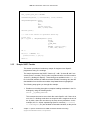
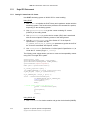
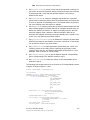
2. To query all display devices in the current session, call this function in a loop,
starting with DevNum set to 0, and incrementing DevNum until the function fails.
To select all display devices in the desktop, use only the display devices that
have the DISPLAY_DEVICE_ATTACHED_TO_DESKTOP flag in the
DISPLAY_DEVICE structure.
3. To get information on the display adapter, call EnumDisplayDevices with
lpDevice set to NULL. For example, DISPLAY_DEVICE.DeviceString
contains the adapter name.
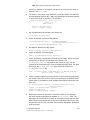
4. Use EnumDisplaySettings to get DEVMODE. dmPosition.x and
dmPosition.y are used to get the x coordinate and y coordinate of the
current display.
5. Try to find the first OpenCL device (winner) associated with the OpenGL
rendering context by using the loop technique of 2., above.
6. Inside the loop:
a. Create a window on a specific display by using the CreateWindow
function. This function returns the window handle (HWND).
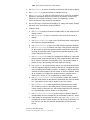
b.
Use GetDC to get a handle to the device context for the client area of a
specific window, or for the entire screen (OR). Use the CreateDC function
to create a device context (HDC) for the specified device.
c.
Use ChoosePixelFormat to match an appropriate pixel format supported
by a device context to a given pixel format specification.
d. Use SetPixelFormat to set the pixel format of the specified device
context to the format specified.
e. Use wglCreateContext to create a new OpenGL rendering context from
device context (HDC).
f.
Use wglMakeCurrent to bind the GL context created in the above step
as the current rendering context.
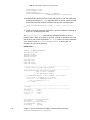
g. Use clGetGLContextInfoKHR (See Section 9.7 of the OpenCL
Specification 1.1) and CL_CURRENT_DEVICE_FOR_GL_CONTEXT_KHR
parameter to get the number of GL associated devices for CL context
creation. If the number of devices is zero go to the next display in the
loop. Otherwise, use clGetGLContextInfoKHR (See Section 9.7 of the
OpenCL Specification 1.1) and the
CL_CURRENT_DEVICE_FOR_GL_CONTEXT_KHR parameter to get the device
ID of the CL device associated with OpenGL context.
h.
Use clCreateContext (See Section 4.3 of the OpenCL Specification
1.1) to create the CL context (of type cl_context).
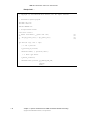
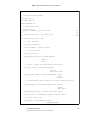
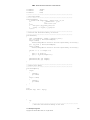
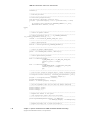
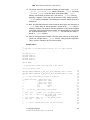
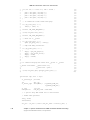
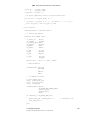
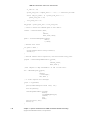
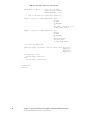
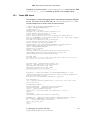
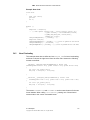
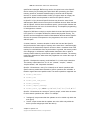
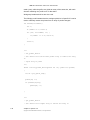
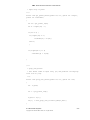
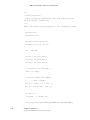
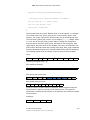
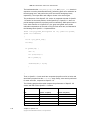
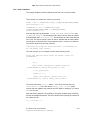
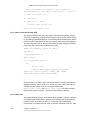
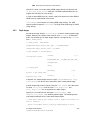
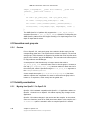
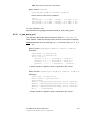
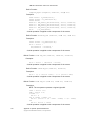
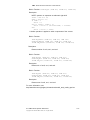
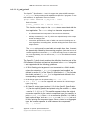
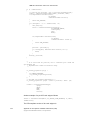
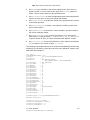
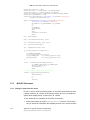
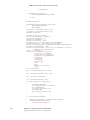
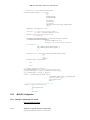
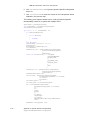
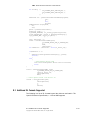
The following code demonstrates how to use WIN32 Windowing API in CL-GL
interoperability on multi-GPU environment.
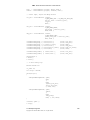
int xCoordinate = 0;
int yCoordinate = 0;
for (deviceNum = 0; EnumDisplayDevices(NULL,
deviceNum,
&dispDevice,
E.1 Under Windows
Copyright © 2013 Advanced Micro Devices, Inc. All rights reserved.
E-5