1
AMD ACCELERATED PARALLEL PROCESSING
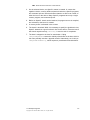
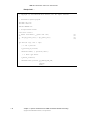
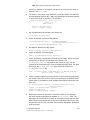
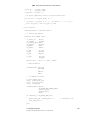
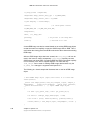
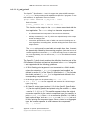
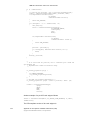
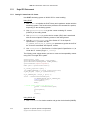
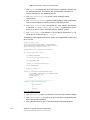
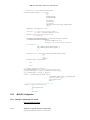
1. Use XOpenDisplay to open a connection to the server that controls a display.
2. Use ScreenCount to get the number of available screens.
3. Use XCloseDisplay to close the connection to the X server for the display
specified in the Display structure and destroy all windows, resource IDs
(Window, Font, Pixmap, Colormap, Cursor, and GContext), or other
resources that the client created on this display.
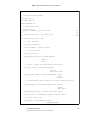
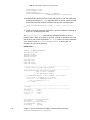
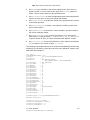
4. Use a FOR loop to enumerate the displays. To change the display, change
the value of the environment variable DISPLAY.
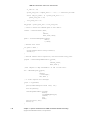
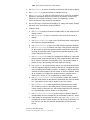
5. Inside the loop:
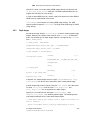
a. Use putenv to set the environment variable DISPLAY with respect to the
display number.
b. Use OpenDisplay to open a connection to the server that controls a
display.
c.
Use glXChooseFBConfig to get a list of GLX frame buffer configurations
that match the specified attributes.
d. Use glXChooseVisual to get a visual that matches specified attributes.
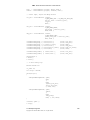
e. Use XCreateColormap to create a color map of the specified visual type
for the screen on which the specified window resides and returns the
colormap ID associated with it. Note that the specified window is only
used to determine the screen.
f.
Use XCreateWindow to create an unmapped sub-window for a specified
parent window, returns the window ID of the created window, and causes
the X server to generate a CreateNotify event. The created window is
placed on top in the stacking order with respect to siblings.
g. Use XMapWindow to map the window and all of its sub-windows that have
had map requests. Mapping a window that has an unmapped ancestor
does not display the window but marks it as eligible for display when the
ancestor becomes mapped. Such a window is called unviewable. When
all its ancestors are mapped, the window becomes viewable and is
visible on the screen, if it is not obscured by another window.
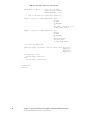
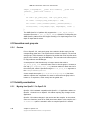
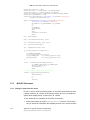
h. Use glXCreateContextAttribsARB function to initialize the context to
the initial state defined by the OpenGL specification and return a handle
to it. This handle can be used to render to any GLX surface.
i.
Use glXMakeCurrent to make argrument3 (GLXContext) the current
GLX rendering context of the calling thread, replacing the previously
current context, if there was one, and to attach argument3 (GLXcontext)
to a GLX drawable, either a window or a GLX pixmap.
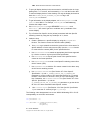
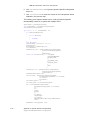
j.
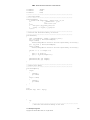
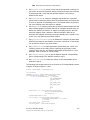
Use clGetGLContextInfoKHR to get the number of OpenCL-OpenGL
interoperability devices corresponding to the window created in f, above.
k.
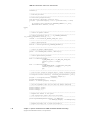
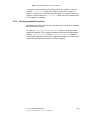
If the number of interoperable devices is zero, use glXDestroyContext
to destroy the context created at step h, and go to step a; otherwise, exit
from the loop (an OpenCL-OpenGL interoperable device has been
found).
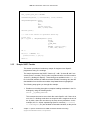
E.2 Linux Operating System
Copyright © 2013 Advanced Micro Devices, Inc. All rights reserved.
E-11