1
Chapter 30: Tools and Applications
Work/Hunt Group Converter
The MAXCS Work/Hunt Group Converter allows you to convert workgroups to hunt
groups or hunt groups to workgroups.
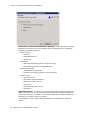
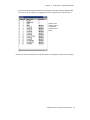
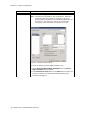
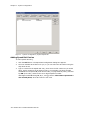
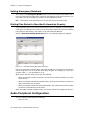
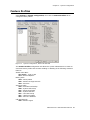
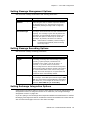
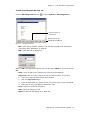
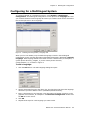
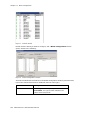
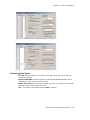
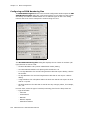
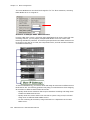
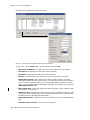
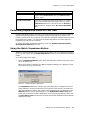
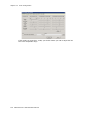
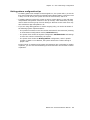
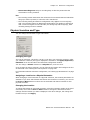
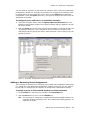
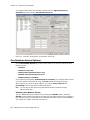
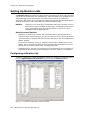
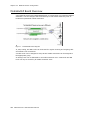
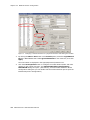
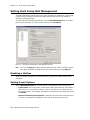
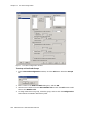
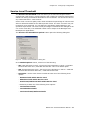
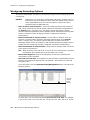
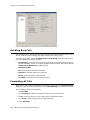
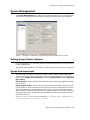
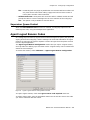
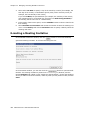
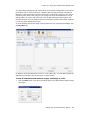
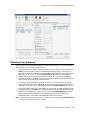
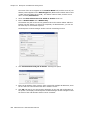
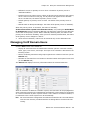
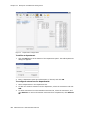
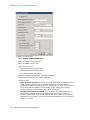
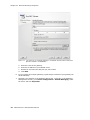
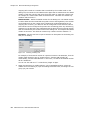
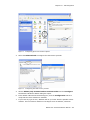
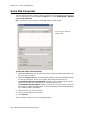
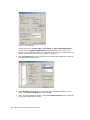
To launch the Work/Hunt Group Converter, select Services > Utilities > Convert
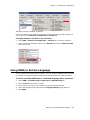
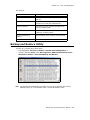
Work/Hunt Group. The Work/Hunt Group Converter window opens.
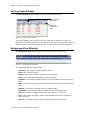
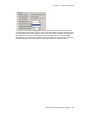
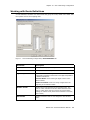
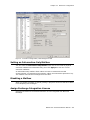
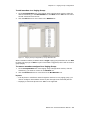
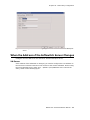
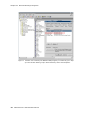
Figure 8.
Work/Hunt Group Converter
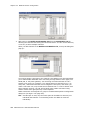
Workgroups and hunt groups are listed on the left side of the window, member agents
and non-agents are listed on the right side.
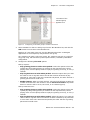
The Work/Hunt Group Converter can be used to convert:
• Agent to Non-Agent—If an agent belongs to any workgroup, it cannot be
converted to a non-agent. When an agent is converted to a non-agent, all
workgroup-related parameters will be cleared, including wrap-up time, inter-call
delay, and outgoing workgroup number.
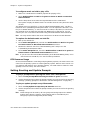
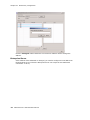
To convert, select the agent (indicated by YES in the Agent field) and click the
Convert Agent button or double-click the agent.
• Non-Agent to Agent—To convert, select the non-agent (indicated by NO in the
Agent field) and click the Convert Agent button or double-click the non-agent.
Make sure you have enough agent licenses.
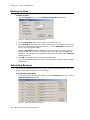
• Convert Workgroup to Hunt Group—when a workgroup is converted to a hunt
group, its members are not changed, but the following parameters are cleared,
including:
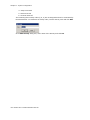
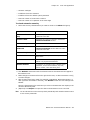
– voice recording setting
– queue time threshold
– queue overflow settings
– queue announcement
– agent announcement
420 MAXCS ACC 6.5 Administration Manual