1
Benefits of ClusterCATS dynamic IP addressing
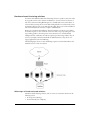
There are several benefits to your using ClusterCATS dynamic IP addressing:
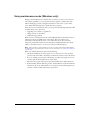
• Using maintenance mode — with dynamic IP addressing, cluster members put into
maintenance mode on Windows clusters will fail over to another server and then
gracefully return when brought out of maintenance mode. For more information, see
“Using maintenance mode (Windows only)” on page 115.
• Using maintenance IP addresses — if you use ClusterCATS dynamic IP addressing,
you can remotely access servers in your cluster if they fail or become unavailable
through the maintenance address. Maintenance addresses are statically bound to the
server during the setup for ClusterCATS dynamic IP addressing. For more
information, see “Setting up maintenance IP addresses” on page 133.
• Optimizing Server failover — on Windows systems, when ClusterCATS is
configured using static IP addresses, IP address conflicts occur when the failed server
recovers from a failover and tries to re-claim its IP address. This IP conflict is cleared
when the failed server automatically restarts. ClusterCATS dynamic IP addressing
prevents this double-restart.
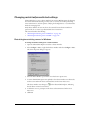
Setting up maintenance IP addresses
Setting up a maintenance IP address ensures that you have one static IP address on the
system that is not assigned to a web server, virtual server, or website. This address, often
referred to as the system’s “maintenance address,” provides administrators with a
consistent way to access the system remotely at all times. It also lets ClusterCATS
communicate with the server in case of a web server failure.
Note: You must have at least two IP addresses available for a computer in order to use one
for a maintenance IP address.
This section explains how to add a maintenance address that supports ClusterCATS
dynamic IP addressing. If your server has only one static address that corresponds to both
the computer name and the website, you must reconfigure it to allow for a maintenance
address.
Note: This procedure must be performed on each system in the cluster and must be done
before installing ClusterCATS.
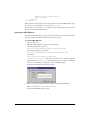
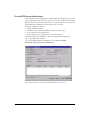
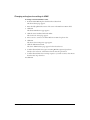
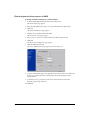
To set up a maintenance address before installing ClusterCATS:
1 Back up your system files.
2 Obtain a new IP address and new computer name. Be sure to configure your DNS so
your new address has both forward and reverse DNS entries.
3 For IIS 4.0 and 5.0: Uninstall products that are configured as part of IIS, including
JRun.
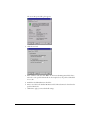
4 For IIS 4.0: Uninstall the Windows NT 4.0 Option Pack (which includes IIS) by
selecting Start > Settings > Control Panel > Add/Remove Programs. Restart the
server.
For IIS 5.0 or NES: Skip this step.
ClusterCATS dynamic IP addressing (Windows only)
133