1
Chapter 4
Configuring the PA-FE-TX or PA-FE-FX
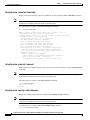
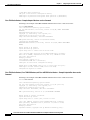
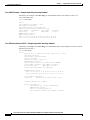
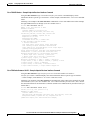
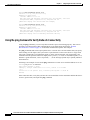
Checking the Configuration
Building configuration...
Current configuration:
!
!
!
user add admin uid 0 capability admin-access
!
!
!
hostname CR4430
!
interface ethernet 0
ip address 10.2.2.8 255.255.255.0
ip broadcast-address 10.2.2.255
exit
!
interface ethernet 1
exit
!
ip default-gateway 10.2.2.1
ip name-server 10.2.2.6
ip route 0.0.0.0 0.0.0.0 10.2.2.1
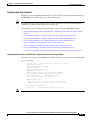
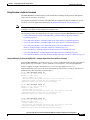
Using the show startup-config Command
Display the configuration stored in the NVRAM using the show startup-config command.
Note
The outputs that appear in this document may not match the output you receive when running these
commands. The outputs in this document are examples only.
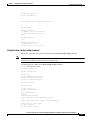
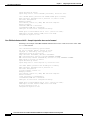
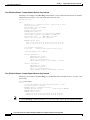
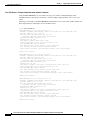
The following is an example of the show startup-config command:
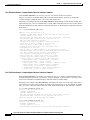
Router# show startup-config
Building configuration...
Current configuration:
!
version 12.0
service timestamps debug uptime
service timestamps log uptime
no service password-encryption
!
hostname rp-3640-2b
!
ip subnet-zero
!
ip audit notify log
ip audit po max-events 100
!
crypto isakmp policy 1
hash md5
authentication pre-share
crypto isakmp key cisco123 address 95.95.95.2
!
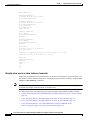
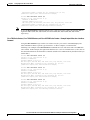
crypto ipsec transform-set rtpset esp-des esp-md5-hmac
!
crypto map rtp 1 ipsec-isakmp
set peer 95.95.95.2
set transform-set rtpset
Cisco PA-FE-TX and Cisco PA-FE-FX Fast Ethernet 100BaseT Port Adapter Installation and Configuration
OL-2899-02
4-7