1
1-12
Compaq StorageWorks RAID Array 4000 User Guide
The rechargeable batteries on a new RA4000 Controller can be discharged
when the board is first installed. During power up with discharged Array Accelerator
batteries, the Array Accelerator is disabled. This is not a problem that requires user action
on your part. The Array Accelerator is automatically enabled when the batteries are
charged to 90% of their capacity.
IMPORTANT:
It may take up to 36 hours for the internal circuitry to fully charge the batteries. During
this time, the Array Accelerator will be disabled, but the RA4000 Controller will function
properly, although without the performance advantage of the Array Accelerator.
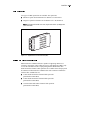
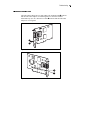
The Array Accelerator, with backup batteries, is located on a removable
daughterboard. In the unlikely event of an RA4000 Controller failure, the
Array Accelerator can be detached from the failed RA4000 Controller and
attached to a replacement RA4000 Controller. If the configuration information
stored in the Array Accelerator matches that stored on the drives, any valid
posted-write data being held in the cache is written automatically to the drives
attached to the replacement RA4000 Controller. Thus, data being held in the
Array Accelerator memory can be recovered despite failure of the main
RA4000 Controller.
Performance Monitoring
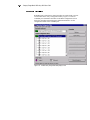
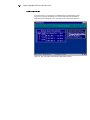
Compaq Insight Manager can be used to monitor the performance of several
RA4000 Controller parameters. The displayed parameters include CPU usage,
total number of read and write commands processed, and average time to
process a read or write command. Also displayed for each logical drive are
total I/O count, number of read and write requests, and number of sectors read
or written. Compaq recommends using Insight Manager to monitor the
performance of your drive arrays.
Automatic Performance Tuning
The RA4000 Controller has the ability to adjust or tune its performance
without manual intervention. For example, if caching is enabled but the
RA4000 Controller determines that it is no longer beneficial, caching is
automatically disabled. If write or read-ahead caching would improve
performance, but it has been automatically disabled, the RA4000 Controller
enables it again.
Tagged-Command Queuing
The RA4000 Controller also supports tagged-command queuing, which allows
SCSI hard drives to queue and sort multiple commands, then execute the
commands in the optimal order for highest drive performance.