1
4-18
Compaq StorageWorks RAID Array 4000 User Guide
Replacing GBICs
If a GBIC fails, follow this procedure to replace the failed GBIC. It is not
necessary to power down the system.
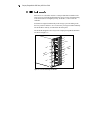
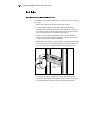
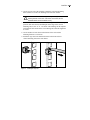
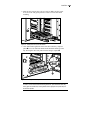
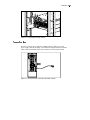
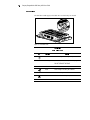
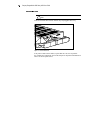
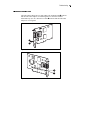
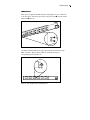
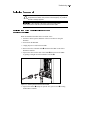
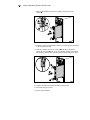
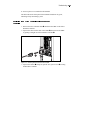
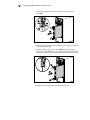
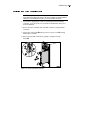
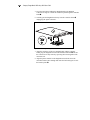
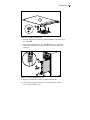
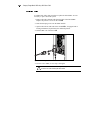
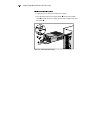
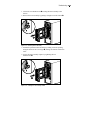
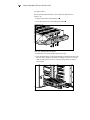
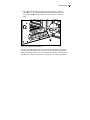
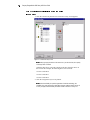
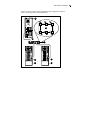
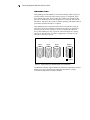
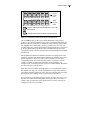
1. Remove the Fibre Channel cable from the back of the failed GBIC.
Replace the protective covers on the cable 1.
2. Insert the dust plug covers into the GBIC module.
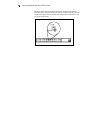
3. Squeeze the tabs on either side of the module 2 or, if equipped with a
locking mechanism, flip the bail to the unlocked position.
4. Pull the GBIC out of the device 3.
2
3
1
2
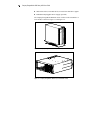
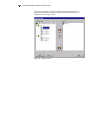
Figure 4-22. Removing the failed GBIC
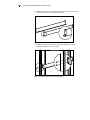
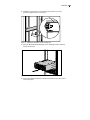
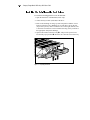
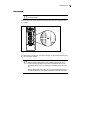
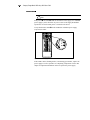
5. To insert a new GBIC, reverse steps 1 through 4.
To reduce the risk of damage to the equipment, do not use
excessive force when inserting the GBIC module.
CAUTION: