1
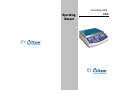
CKG counting scales operation manual
REV C1, June 2012
5.3 Automatic Part Weight Updates
The scales will automatically update the unit weight when a sample
equal to less than the sample already on the platform is added. A beep
will be heard when the value is updated. It is wise to check the quantity is
correct when the unit weight has been updated automatically.
This feature is turned off as soon as the number of items added
exceeds the count used as a sample.
6. WEIGHING AND COUNTING CHECKING ALARM
6.1 Set Hi/low Limit
Press Pst key, display show Hi cnt, key in high limit for counting
alarm, press TARE to confirm, then display show lo cnt, key in low limit
for counting alarm, press TARE to confirm, then display show hi net,
CKG counting scales operation manual
to the values in the accumulator by pressing the M+ key. The "Weight "
display will show the total weight, the "Count" display will show the total
accumulated count and the "Unit Weight" display shows the number of
times items have been added to the accumulation memory. The values
will be displayed for 2 seconds before returning to normal.
The scale must return to zero or a negative number before another
sample can be added to the memory.
More product can then be added and the M+ key pressed again.
This can continue for up to 99 entries, or until the capacity weight display
is exceeded.
To observe the total stored press the MR key. The totals will be
displayed for 2 seconds.
key in high limit for weighing, press TARE to confirm, then display
To clear the memory press MR to recall the totals from memory and
then press the CE key to clear all values from memory.
show lo net, key in low limit for weighing, press TARE to confirm, back
to normal weighing mode.
7.2 Automatic Accumulated Totals
The scale can be set to automatically accumulate totals when a
6.2 Checking Alarm
At first, you need set checking mode, hold CE key, you will show
check net (weighing checking alarm), check pcs (counting checking
alarm) or check off (don’t use alarm function).
weight is placed on the scale. This eliminates the need to press the M+
key to store values into memory. However the M+ key is still active and
can be pressed to store the values immediately. In this case the values
will not be stored when the scale returns to zero.
You can set beep when high (when weight/quantity> high limit ,beep
on),low(when weight/quantity<low, beep on), OK(when weight/quantity in
high-low range, beep on),NG(when weight/quantity out of high-low range,
beep on), about how to set the beep mode, see detail in technical
manual.
8. CALIBRATION
Press TARE key during selfchecking, to enter the parameter menus,
the default password is 0000.
When the parameter menu show "F1 CAL" press the TARE key.
7. ACCUMULATED OPERATION
7.1 Manually Accumulated Total
The values (weight and count) shown on the display can be added
The display will then show "unLoAd" to request all weight be removed
from the platform.
Press the TARE key to set the zero point.
Key in the calibration weight you want to use, then put this weight on
the platform and then press the TARE key. The scale should be
-6-
-7-