1
ReDi 42 User Manual
7.4
Software Upgrade
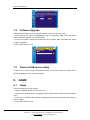
We offer the functions for user to upgrade software version by OTA or by USB.
1. Enter "Tools" menu, select "S/W Upgrade by OTA" or "Upgrade by USB", press "OK" button
and the Software Upgrade menu will be shown.
2. Press cursor button to select the desired item, then highlight "Start" and press "OK" button
to start the upgrade.
3. Press "EXIT" button to exit.
7.5
Remove USB device safely
In "Tools" menu, select "Remove USB device safely", Press "OK" button to confirm. Then a
window is displayed. Press "OK" button again.
8. GAME
8.1
Game
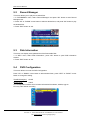
This menu allows you to play games.
1. Press the "MENU" button to enter main menu.
2. Press "UP" or "DOWN" button to highlight "Game", press "RIGHT" button to enter the Game
menu.
3. Press "UP" or "DOWN" cursor button to highlight the desired item and press "OK" button to
enter the game.
4. Press "EXIT" button to exit.
19
Korinthou 11, 14451 Metamorfosi Τel: 210-8098700, Fax: 210-6122512
Site: www.crypto.gr, Email: [email protected]