1
Common Tasks
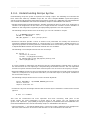
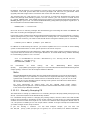
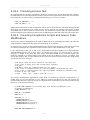
LIC_FILES_CHKSUM = "file://COPYING;md5=xxx"
When you try to build the software, the build system will produce an error and give you the correct
string that you can substitute into the recipe file for a subsequent build.
5.3.10. Configuring the Recipe
Most software provides some means of setting build-time configuration options before compilation.
Typically, setting these options is accomplished by running a configure script with some options, or
by modifying a build configuration file.
A major part of build-time configuration is about checking for build-time dependencies and possibly
enabling optional functionality as a result. You need to specify any build-time dependencies for
the software you are building in your recipe's DEPENDS [http://www.yoctoproject.org/docs/1.7.1/
ref-manual/ref-manual.html#var-DEPENDS] value, in terms of other recipes that satisfy those
dependencies. You can often find build-time or runtime dependencies described in the software's
documentation.
The following list provides configuration items of note based on how your software is built:
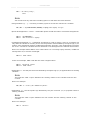
• Autotools: If your source files have a configure.ac file, then your software is built using Autotools.
If this is the case, you just need to worry about modifying the configuration.
When using Autotools, your recipe needs to inherit the autotools [http://www.yoctoproject.org/
docs/1.7.1/ref-manual/ref-manual.html#ref-classes-autotools] class and your recipe does
not have to contain a do_configure [http://www.yoctoproject.org/docs/1.7.1/ref-manual/refmanual.html#ref-tasks-configure] task. However, you might still want to make some adjustments.
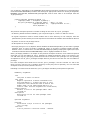
For example, you can set EXTRA_OECONF [http://www.yoctoproject.org/docs/1.7.1/ref-manual/refmanual.html#var-EXTRA_OECONF] to pass any needed configure options that are specific to the
recipe.
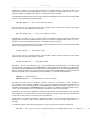
• CMake: If your source files have a CMakeLists.txt file, then your software is built using CMake. If
this is the case, you just need to worry about modifying the configuration.
When you use CMake, your recipe needs to inherit the cmake [http://www.yoctoproject.org/
docs/1.7.1/ref-manual/ref-manual.html#ref-classes-cmake] class and your recipe does not have to
contain a do_configure [http://www.yoctoproject.org/docs/1.7.1/ref-manual/ref-manual.html#reftasks-configure] task. You can make some adjustments by setting EXTRA_OECMAKE [http://
www.yoctoproject.org/docs/1.7.1/ref-manual/ref-manual.html#var-EXTRA_OECMAKE] to pass any
needed configure options that are specific to the recipe.
• Other: If your source files do not have a configure.ac or CMakeLists.txt file, then your software
is built using some method other than Autotools or CMake. If this is the case, you normally need to
provide a do_configure [http://www.yoctoproject.org/docs/1.7.1/ref-manual/ref-manual.html#reftasks-configure] task in your recipe unless, of course, there is nothing to configure.
Even if your software is not being built by Autotools or CMake, you still might not need to deal with
any configuration issues. You need to determine if configuration is even a required step. You might
need to modify a Makefile or some configuration file used for the build to specify necessary build
options. Or, perhaps you might need to run a provided, custom configure script with the appropriate
options.
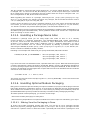
For the case involving a custom configure script, you would run ./configure ##help and look for
the options you need to set.
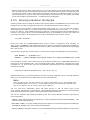
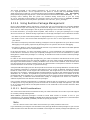
Once configuration succeeds, it is always good practice to look at the log.do_configure file to ensure
that the appropriate options have been enabled and no additional build-time dependencies need
to be added to DEPENDS. For example, if the configure script reports that it found something not
mentioned in DEPENDS, or that it did not find something that it needed for some desired optional
functionality, then you would need to add those to DEPENDS. Looking at the log might also reveal
items being checked for, enabled, or both that you do not want, or items not being found that are
in DEPENDS, in which case you would need to look at passing extra options to the configure script as
needed. For reference information on configure options specific to the software you are building, you
72