1
MuVi 18 S2 User Manual
3.6 Record Mode
3.6.1
Voice Recording
To record:
1.
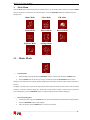
Press and hold the MENU button to display the main menu.
2.
Select Record,and press the MENU button to confirm.
3.
Shortly press the PLAY/PAUSE button to start recording. During recording, you can press the
PLAY/PAUSE button to pause/resume recording.
4.
3.6.2
Press the MENU button to save your recording.
Play Recording
To play the recording,
1.
Press and hold the MENU button to display the main menu.
2.
Select Explorer and press the MENU button to confirm.
3.
Select the VOICE folder and press the MENU button.
4.
Press the PREVIOUS/NEXT button to select a recording and press the MENU button to play it.
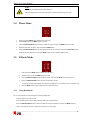
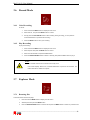
Note:
The recorded voice files can be found in Music Play menu.
If the screen displays “Disk is Full”, it indicates that there is no space for new recorded
file.
Delete other files to release more space.
3.7 Explorer Mode
3.7.1
Browsing files
To browse all files stored in the player:
1.
Press and hold the MENU button to display the main menu.
2.
Select Explorer and press the MENU button.
3.
Press the PREVIOUS/NEXT button to select a file and press the MENU button to confirm or press the PLAY
________________________________________________________________________
8