1
JGraph User Manual
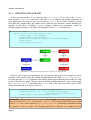
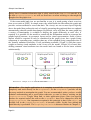
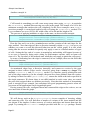
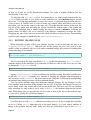
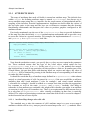
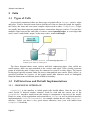
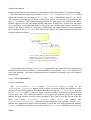
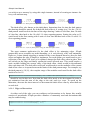
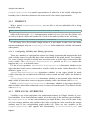
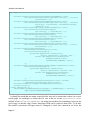
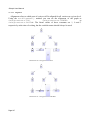
find useful factory methods simplifying the process of creating those borders. For example:
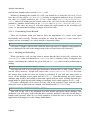
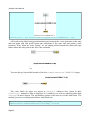
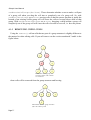
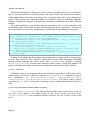
GraphConstants.setBorder(map, BorderFactory.createRaisedBevelBorder());
creates a raised border of the type of effect you would see typically on a button.
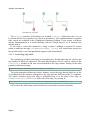
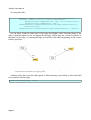
GraphConstants.setBorder(map,
BorderFactory.createLineBorder(graph.getBackground(), 6) );
will create a blank border around the vertex using the background color of the graph to
paint out. This is useful is you wish to have edges terminate a short distances from vertices
rather than directly on the perimeter. The color may be also changed using
GraphConstants.setBorderColor().
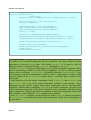
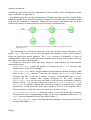
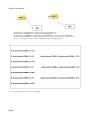
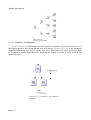
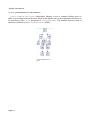
Illustration 26 : On the left a line Border of the
color of the graph background. On the right a
raised bevel Border
3.5.1.7 Colors
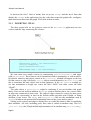
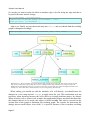
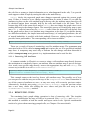
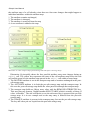
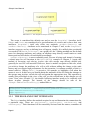
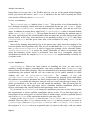
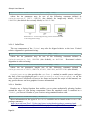
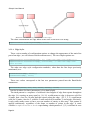
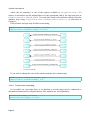
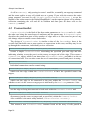
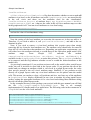
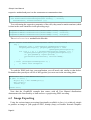
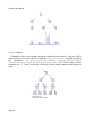
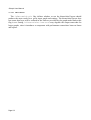
GraphConstants.setBackground(map, Color)
set the fill color of vertices to a constant color, whereas:
GraphConstants.setGradientColor(map, Color)
sets a gradient fill across vertex, starting white and progressively darkening across the
vertex to the specified color.
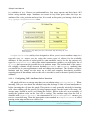
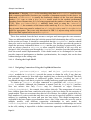
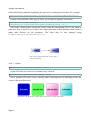
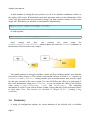
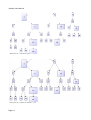
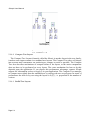
Illustration 27 : On the left two vertices filled using setColor, and on the right filled using
setGradient. The (Red, Green, Blue) values of the colors used are indicated
Page 59