1
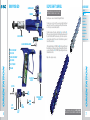
section is essential reading for everyone.
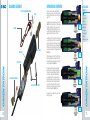
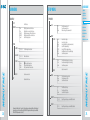
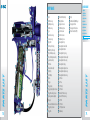
6 > KNOW YOUR Geo
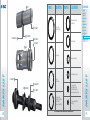
7 > Eclipse Shaft 3 Barrel
8 > Inline Regulator
9 > Geo Bolt System
10 > Geo Solenoid assembly
11 > Operational Overview
12 > Geo NAVIGATION CONSOLE
13
QUICK SET-UP
Details on how to get up and running quickly with your
Geo. This section is essential reading for everyone.
13 > INSTALLING A 9V BATTERY
14 > SWITCHING ON THE Geo
> SWITCHING OFF THE Geo
> FIRING the Geo
> The Geo circuit board
15 > USING THE Break Beam SENSOR SYSTEM
16
USING YOUR Geo
More detailed information on how to use and interact
CONTENTS
with the Geo via its user interface.
.
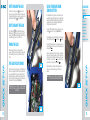
16 > SETTING UP
> INSTALLING A PRESET AIR SYSTEM
17 > T-SLOT MOUNTING SYSTEM
> MACROLINE HOSING & ELBOWS
18 > INSTALLING AN ADJUSTABLE AIR SYSTEM
19 > ATTACHING A LOADER
20 > SETTING THE TRIGGER
22 > ADJUSTING THE VELOCITY
> Adjusting the firing chamber volume
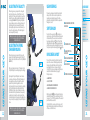
23 > USER INTERFACE
> SWITCHING ON
> RUN SCREEN LAYOUT
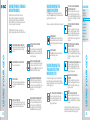
24 > UNDERSTANDING THE BBSS INDICATOR
25 > UNDERSTANDING THE SOUND INDICATOR
> UNDERSTANDING THE TRIGGER DETECTION INDICATOR
26 > UNDERSTANDING THE LOCK INDICATOR
> UNDERSTANDING THE BATTERY INDICATOR
> THE GAME TIMER
> THE SHOT COUNTER
27 > THE AVERAGE RATE OF FIRE
> THE PEAK RATE OF FIRE
> THE MENU SYSTEM
28
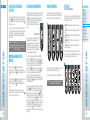
MENU TREE
A quick reference guide to the user interface.
28 > MAIN MENU
29 > SET-UP MENU
32
ADVANCED SET-UP
In depth information on setting up the Geo.
32 > ACCESSING THE MENU SYSTEM
> MOVING AROUND THE MENUS
> ALTERING PARAMETERS
33 > THE MAIN MENU
> Display -The Display Parameter
34 > Timer -The Game Timer Menu
> Game -The Game Time Parameter
35 > Alarm -The Alarm Time Parameter
> Start -The Timer Start Parameter
36 > The Set-Up Menu
37 > LOCK -The Tournament Lock Parameter
> Preset -The Preset Menu
> LOAD -The Load Preset Parameter
38 > Save -The Save Preset Parameter
> Mode -The Firing Mode Parameter
39 > ROF CAP -Rate of Fire Cap Parameter
> Max Rof -Maximum Rate of Fire Parameter
40 > Off Rof -Rate of Fire With BBSS Off Parameter
> RMP SET -The Ramp Settings Menu
41 > Type -The Ramp Type Parameter
> Rate -The Linear Ramp Rate Parameter
42 > Pull No -The Ramp Start Parameter
> Kick IN -The Ramp Kick-In Parameter
43 > Sustain -The Sustain Rate Parameter
> Restart -The Ramp Restart Parameter
44 > Timing -The Timing Menu
> Dwell -The Dwell parameter
> FSD COMP -The First Shot Drop-off
Compensation Parameter
> FSD DLY -The First Shot Drop-off Delay Parameter
45 > Light -The Light Parameter
> Sleep -The Sleep Parameter
46 > Filter -The Filter Menu
47 > Dbounce -The Debounce Parameter
> Empty -The Empty Breech Time Parameter 48 > Full -The Full Parameter
> Pull TM -The Pull Time Parameter
49 > Rel TM -The Release Time Parameter
> Pull PT -The Pull Point Parameter
50 > Rel PT -The Release Point Parameter
> BASIC TRIGGER FILTER SET-UP
> ADVANCED TRIGGER FILTER SET-UP
51 > Trainin -The Training Parameter
52 > THE HARDWARE menu
> Trigger -The Trigger Parameter
> Sound -The Sound Parameter
> tones -The Tones Parameter
76
SERVICE Centers
Information on the location of your nearest Geo
Service Center.
78
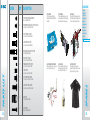
PARTS LIST
A table of components that make up the Geo.
WARRANTY
CARD
Tear-out product registration card to be completed
QUICK GUIDE
CONTENTS
CONTENTS
ORIENTATION
QUICK SET-UP
USING YOUR GEO
MENU TREE
ADVANCED SET-UP
MAINTENANCE
and returned. Alternatively register online at
www.planeteclipse.com
FAULT FINDING
83
SPARES & ACCESSORIES
Available upgrade / repair kits for your Geo.
PARTS LIST
SERVICE CENTERS
SPARES & ACCESSORIES
53
MAINTENANCE
A guide to performing routine maintenance.
54 > Cleaning the Break Beam Sensor System
56 > cleaning the Inline Regulator
58> Maintaining the Geo BOLT SYSTEM
62 > How to remove the frame
65 > THE Geo SOLENOID ASSEMBLY
68 > THE Geo TRIGGER ASSEMBLY
70 > The Geo on/off Purge SYSTEM
72
FAULT FINDING
Information on how to resolve any problems that
might arise with your Geo.
CONTENTS
6
ORIENTATION
Names the component parts of the Geo Marker. This
.