1
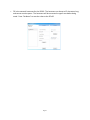
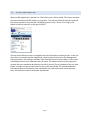
The GUI and the JSD-‐60 provide two sets of controls and two displays. For example, you can change the format on either the JSD-‐60 unit or on the GUI and both will reflect the new value. If you open a configuration file when connected to the JSD-‐60, all the settings in that configuration file are sent to the JSD-‐60. When you connect to a JSD-‐60, all the configuration settings in that unit are loaded into the GUI. It is quite possible to operate the GUI and create configuration files without the JSD-‐60 being connected. Make sure the new file is saved before connecting the JSD-‐60 since the connection will cause the current values in the GUI to be overwritten with the values in the JSD-‐60. When the JSD-‐60 is connected to the GUI and a new configuration file opened, that configuration data is copied out to the connected JSD-‐60. 8.5 FILE MANAGEMENT This group of buttons, detailed below, deals with loading and saving configuration files from the host computer. Configuration files are located in the Documents\USL\JSD-‐60 directory. The JSD-‐ 60 uses a text based configuration file that can be viewed with an editor such as Note Pad. The settings saved to the removable SD memory card are also text based and can be loaded into the JSD-‐60 via the Open file operation. • New. Pressing “New” creates a new configuration file with all settings at their default values. It does not change the settings in the JSD-‐60 or in the GUI view of the JSD-‐60. You can use this as a starting point for configuring a new system (you could also use open Default.j60, as described below). You will be presented with a “save as” dialog prompting for a name of the new configuration file to be written. Page 33