1
324 CHAPTER 6
30. FILFMT (Windows Only)
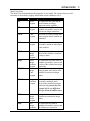
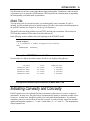
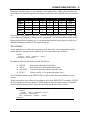
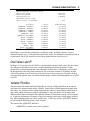
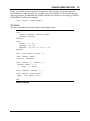
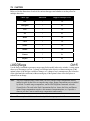
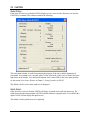
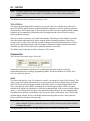
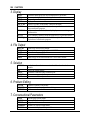
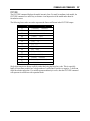
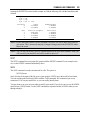
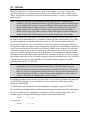
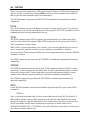
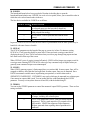
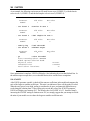
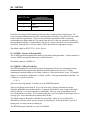
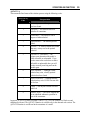
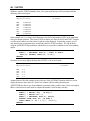
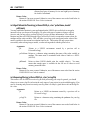
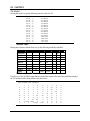
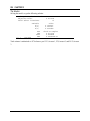
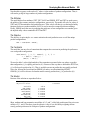
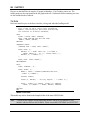
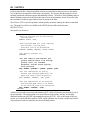
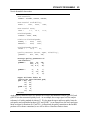
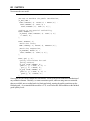
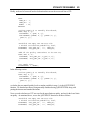
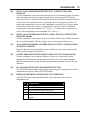
Use FILFMT to set the default file format LINGO uses when opening a new document. The options
are:
FILFMT
File Type
Description
0
LNG
LINGO text
1
LG4
LINGO binary
2
LTX
LINDO text
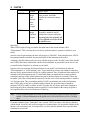
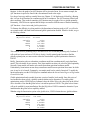
The LG4 format is the default file format for Windows versions of LINGO. This is a binary format
that is readable only by LINGO. This format enables you to have custom formatting and fonts in your
models, and allows you to use LINGO as an OLE server and container. Files written in LG4 format are
useful only on Windows hardware.
The LNG and LTX formats are text based. Given this, LNG and LTX files may be read into other
applications. However, these formats don’t support custom formatting and embedded objects. In
general, LNG files use LINGO syntax, while LTX files use LINDO syntax.
This option applies only to Windows versions of LINGO.
31. TOOLBR (Windows Only)
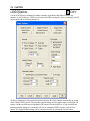
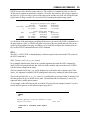
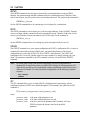
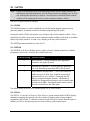
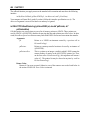
In Windows versions, LINGO can display a row of buttons that act as shortcuts to various commands
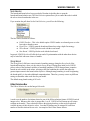
contained in the LINGO menu. This row of buttons is known as the toolbar. Set TOOLBR to 1 to
display the toolbar or 0 to remove it. The default is for LINGO to display the toolbar.
This option applies only to Windows versions of LINGO.
32. CHKDUP
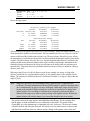
Prior to release 4.0, LINGO allowed you to use primitive set names in the equations of a model.
Primitive set names in a model’s equations returned the index of the set member. Starting with release
4.0, LINGO required you to use the @INDEX function (see Chapter 7, LINGO's Operators and
Functions) to get the index of a primitive set member. If you would like to test your LINGO models
from releases prior to 4.0 for instances where primitive set members appear in the model’s equations,
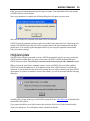
set CHKDUP to 1. Whenever you run a model, LINGO will issue an error message if duplicate names
appear as set members and as variables in the model.
33. ECHOIN
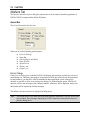
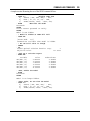
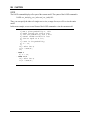
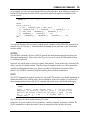
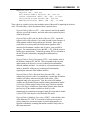
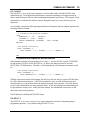
When you run a LINGO command script with the TAKE command, the commands LINGO processes
are normally not displayed. If you would like the commands echoed to your screen, set the ECHOIN
parameter to 1. This can be a useful feature when you are trying to develop and debug a LINGO
command script.